What is the Discord Integration?
The Discord integration allows Kiwiform to send form submission notifications directly to your Discord server using webhooks. Instead of checking forms manually, your team can receive updates in real time whenever someone submits a response.
This makes it easier to monitor form activity, respond faster to new submissions, and keep everyone informed without leaving Discord.
Whether you're collecting leads, applications, support requests, registrations, feedback, or community submissions, Discord can become your team's real-time notification hub.

Why Use Discord with Kiwiform?
Many teams already use Discord to communicate, collaborate, and manage communities. By connecting Discord to Kiwiform, form submissions can automatically appear in designated channels, helping teams stay informed without constantly monitoring dashboards.
Common benefits include:
Receive instant submission notifications
Alert moderators and community managers
Track registrations in real time
Monitor incoming leads
Review support requests faster
Share form activity with teams automatically
Reduce manual status checking
Keep discussions and responses centralized
Discord helps turn form activity into actionable notifications that reach the right people at the right time.
How Kiwiform and Discord Work Together
When someone submits a form, Kiwiform can automatically send a notification message to a selected Discord channel.
A typical workflow looks like this:
A respondent submits a form.
Kiwiform processes the response.
A notification is generated.
Discord receives the notification through a webhook.
Team members can review the submission immediately.
This helps teams stay aware of new activity without manually checking form responses throughout the day.
How to Connect Discord to Kiwiform
Setting up Discord notifications only takes a few minutes.
Step 1: Create a Discord Webhook
Inside Discord:
Open your server settings
Navigate to Integrations
Select Webhooks
Click Create Webhook
Choose the channel where notifications should appear
Discord will generate a Webhook URL that will be used inside Kiwiform.
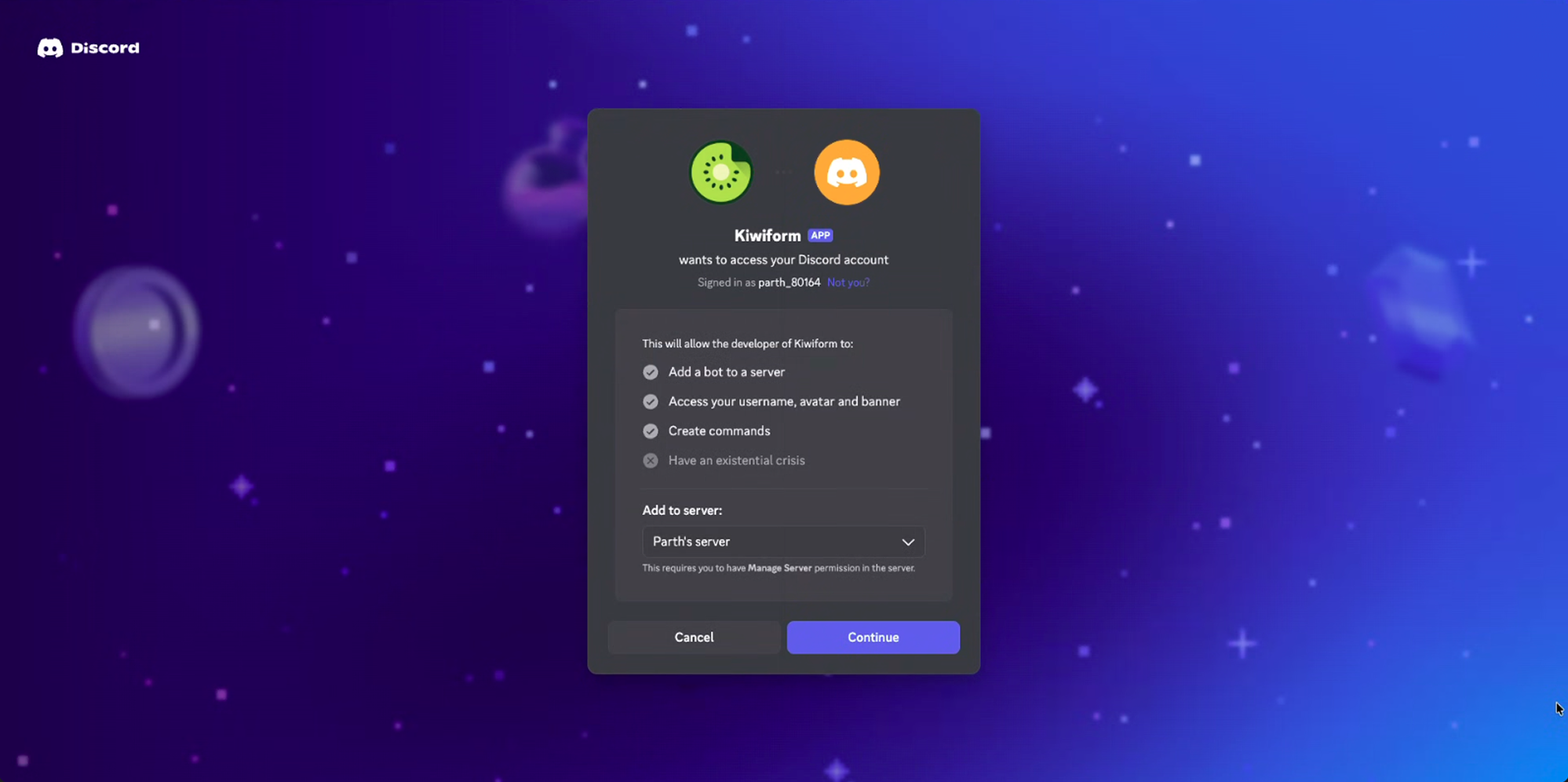
Step 2: Open Integrations in Kiwiform
Inside Kiwiform:
Open your form
Navigate to Integrations
Select Discord
Click Connect
Step 3: Add Your Discord Webhook URL
Paste the webhook URL generated by Discord into the integration settings.
Save the connection and verify that Kiwiform can communicate with your Discord server.
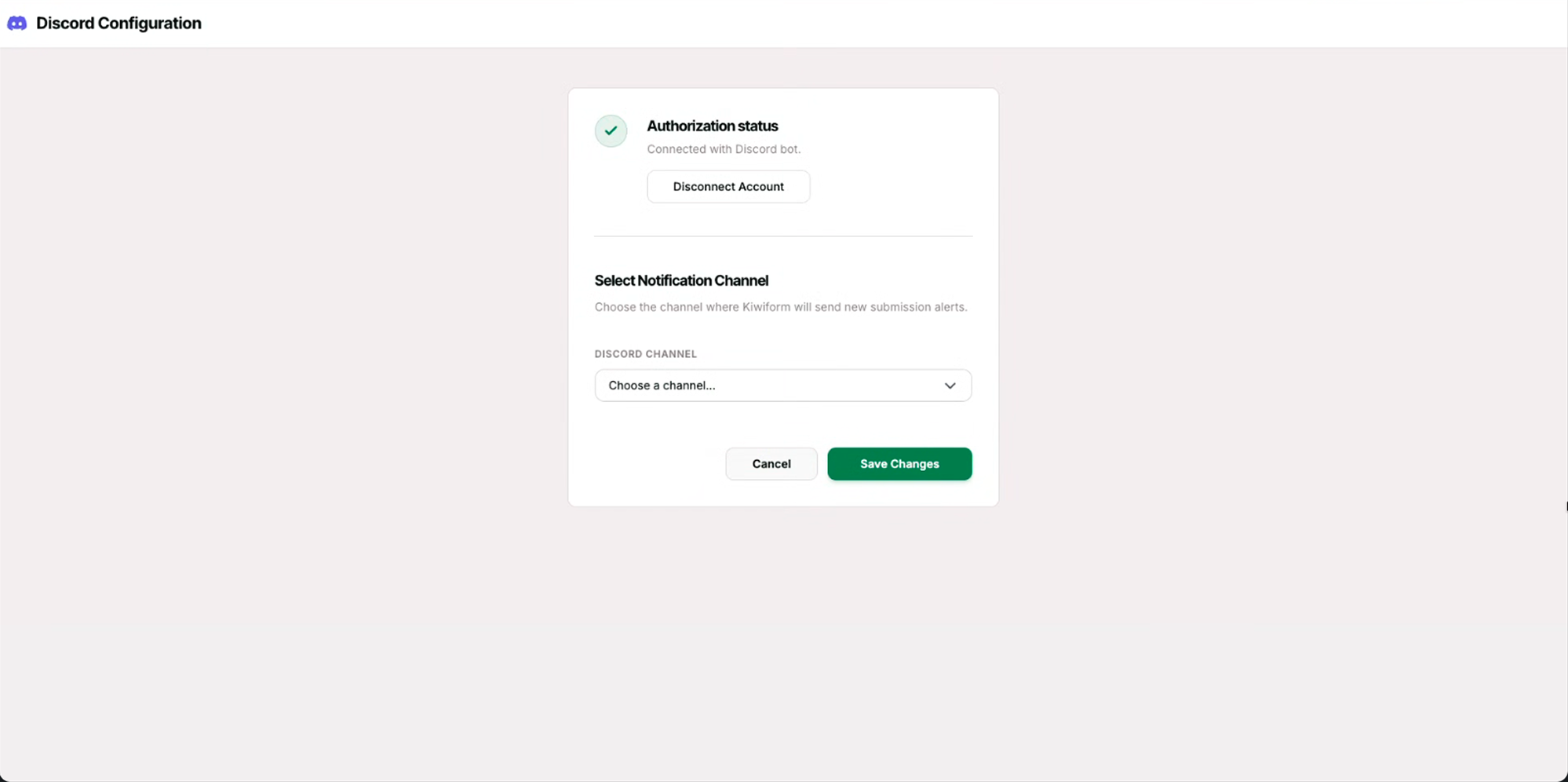
Step 4: Test Your Connection
Submit a test response through your form.
Verify that:
A message appears in Discord
The correct channel receives notifications
Response information is displayed correctly
Once confirmed, your notifications are ready to use.
What Information Can Be Sent to Discord?
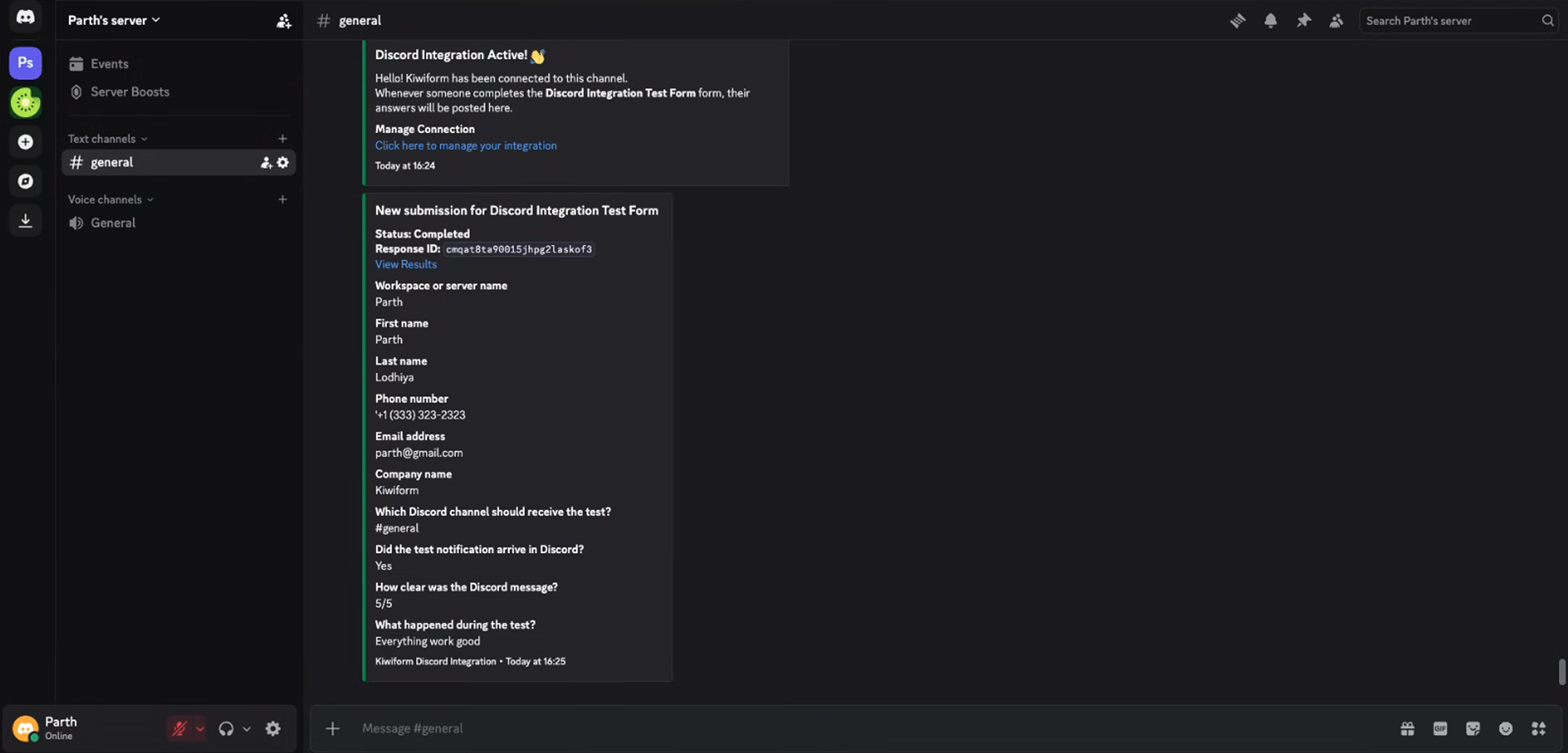
Depending on your configuration, notifications can include:
Form name
Submission date and time
Respondent details
Selected form responses
Lead information
Registration details
Application information
Custom field values
This allows teams to review important information directly from Discord without opening every submission individually.
Popular Use Cases
Lead Notifications
Community Applications
Event Registrations
Support Requests
Internal Requests
Feedback Collection
Best Practices
To make Discord notifications more useful:
Create dedicated channels for form activity
Separate notifications by workflow
Include only relevant response information
Test notifications before publishing forms
Keep channel permissions organized
Use different webhooks for different forms when needed
Following these practices helps teams stay informed without creating unnecessary notification noise.
Managing Your Discord Connection
You can update your Discord integration at any time.
Available actions include:
Change webhook URLs
Connect a different Discord channel
Disable notifications
Reconnect the integration
Test notification delivery
Review notification settings
This gives teams flexibility as workflows evolve.
Summary
Discord integration helps teams receive instant form submission notifications directly inside their Discord servers. By connecting Discord with Kiwiform, you can stay informed about leads, applications, registrations, support requests, feedback, and operational workflows without constantly checking your dashboard.
Whether you're managing a community, coordinating a team, or handling customer submissions, Discord helps bring form activity directly into the conversations where work gets done.