Form Builder for Sheets
Build beautiful forms that send responses directly to Google Sheets and spreadsheet-driven workflows with Kiwiform form builder for sheets.
Kiwiform form builder for sheets helps teams collect leads, onboarding details, registrations, approvals, feedback, and operational data using conversational forms connected directly to Google Sheets. Combine Logic Flow, integrations, automations, and AI-assisted workflows to create modern spreadsheet-driven operations without relying on manual data entry or disconnected tools.
Start Building for FreeUnderstanding Spreadsheet Form Workflows
Build Forms Connected to Google Sheets
Create forms that automatically organize submissions inside spreadsheet workflows and operational systems.
A form builder for sheets helps teams collect and organize form submissions directly inside Google Sheets without relying on manual exports or disconnected workflows. Businesses can manage leads, onboarding details, registrations, approvals, requests, feedback, uploaded files, and operational data while keeping everything structured, searchable, and easier to manage. Kiwiform combines conversational forms, spreadsheet automation, Logic Flow, integrations, and AI-assisted workflows to help teams create more flexible spreadsheet-driven workflows for everyday operations.
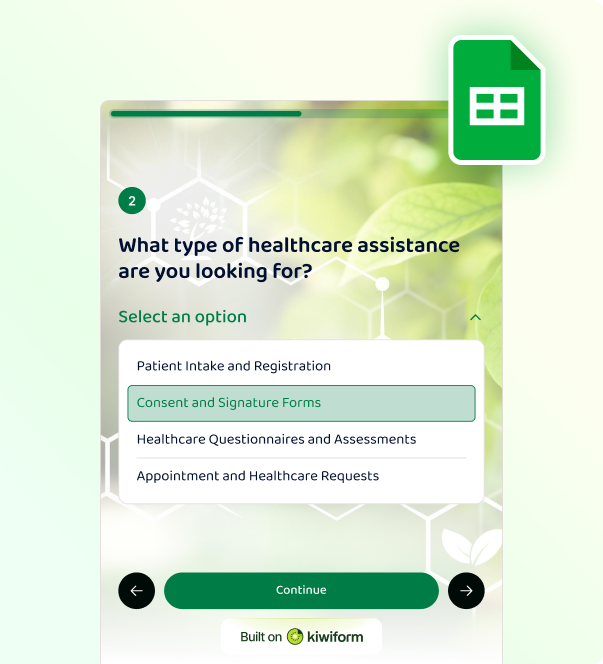
Native Google Sheets Integration
Sync Form Submissions Directly to Google Sheets
Automatically organize responses inside connected spreadsheet workflows in real time.
Kiwiform form builder for sheets connects forms directly with Google Sheets so every new submission appears instantly inside your spreadsheet workflow. Whether you're collecting leads, onboarding responses, registrations, approvals, operational requests, or survey responses, submissions stay organized automatically without manual exports or repetitive spreadsheet management. Teams can connect forms to existing spreadsheets or create new spreadsheet workflows while keeping responses structured, searchable, and operationally manageable as workflows scale.

Real-Time Response Sync
Automatically send form submissions into connected Google Sheets workflows.

Spreadsheet-Driven Operations
Keep responses organized using spreadsheet columns and operational workflows.

File Upload and Data Collection
Collect uploaded files, documents, images, and operational data directly from forms.
Built for Modern Spreadsheet Workflows
Why Teams Use Form Builder for Sheets
Move beyond static spreadsheet forms using conversational forms, and connected operations
Kiwiform form builder for sheets helps teams move beyond static spreadsheets and
disconnected form workflows by combining conversational form experiences with
Google Sheets automation, Logic Flow, integrations, and operational workflow
management. From lead collection and onboarding to approvals, requests, and
internal coordination, Kiwiform helps teams create spreadsheet-driven workflows
that are easier to manage, customize, and scale.
Unlike traditional spreadsheet forms that focus only on collecting rows of data,
Kiwiform helps teams build guided workflows designed for better organization,
cleaner responses, and connected operational systems.
Conversational Form Experiences
Create guided multi-step form experiences designed to improve completion rates, response quality, and workflow organization.
Operational Data Collection
Collect leads, requests, registrations, approvals, uploaded files, and operational submissions digitally.
Connected Workflow Automations
Connect spreadsheet workflows using APIs, integrations, webhooks, and automation tools for connected operational systems.
Spreadsheet Workflow Setup
How Google Sheets Integration Works
Connect forms to Google Sheets without coding or complicated setup processes
Kiwiform form builder for sheets helps teams connect forms directly to Google Sheets using a simple setup workflow. Once connected, submissions automatically sync into spreadsheet workflows in real time while keeping responses organized, searchable, and easier to manage operationally.

Connect Google Sheets
Authenticate your Google account and connect an existing spreadsheet or create a new one Google Sheet.
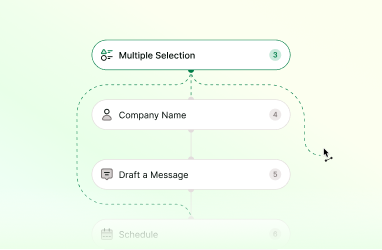
Build Your Workflow
Customize form fields, Logic Flow, workflows, layouts, and response organization inside Kiwiform for data collection.
Collect and Organize Responses
Automatically send submissions, uploaded files, and operational data into connected spreadsheet workflows.
Modern Form Building Features
Beyond Basic Spreadsheet Forms
Create connected workflows using conversational forms, automation, integrations
Kiwiform helps teams build spreadsheet-driven workflows that go beyond static
forms and disconnected spreadsheets. Combine conversational form experiences with
Logic Flow, integrations, AI-assisted generation, file uploads, operational
workflows, and connected automations inside one platform.
With Kiwiform form builder for sheets, teams can collect, organize, and manage
data more efficiently while automatically routing responses into Google Sheets and
connected business workflows. This helps reduce manual work, improve data
organization, and streamline everyday operational processes.
File Uploads
Collect uploaded files, documents, images, and operational records directly inside forms.
Google Sheets Integration
Automatically organize submissions inside connected spreadsheet workflows.
API and Automations
Connect workflows using APIs, webhooks, integrations, and automation tools.
Everything You Need to Know
Frequently Asked Questions
Frequently Asked Questions About Kiwiform Form Builder for Sheets