What Kiwiform is
Kiwiform is a form-building platform that lets you create forms, surveys, applications, and workflows that are easy to build and simple for respondents to complete. You can customize design, apply logic, share forms anywhere, and view responses in real time.
Everything happens inside a single workspace, from building and styling to sharing and analyzing results.
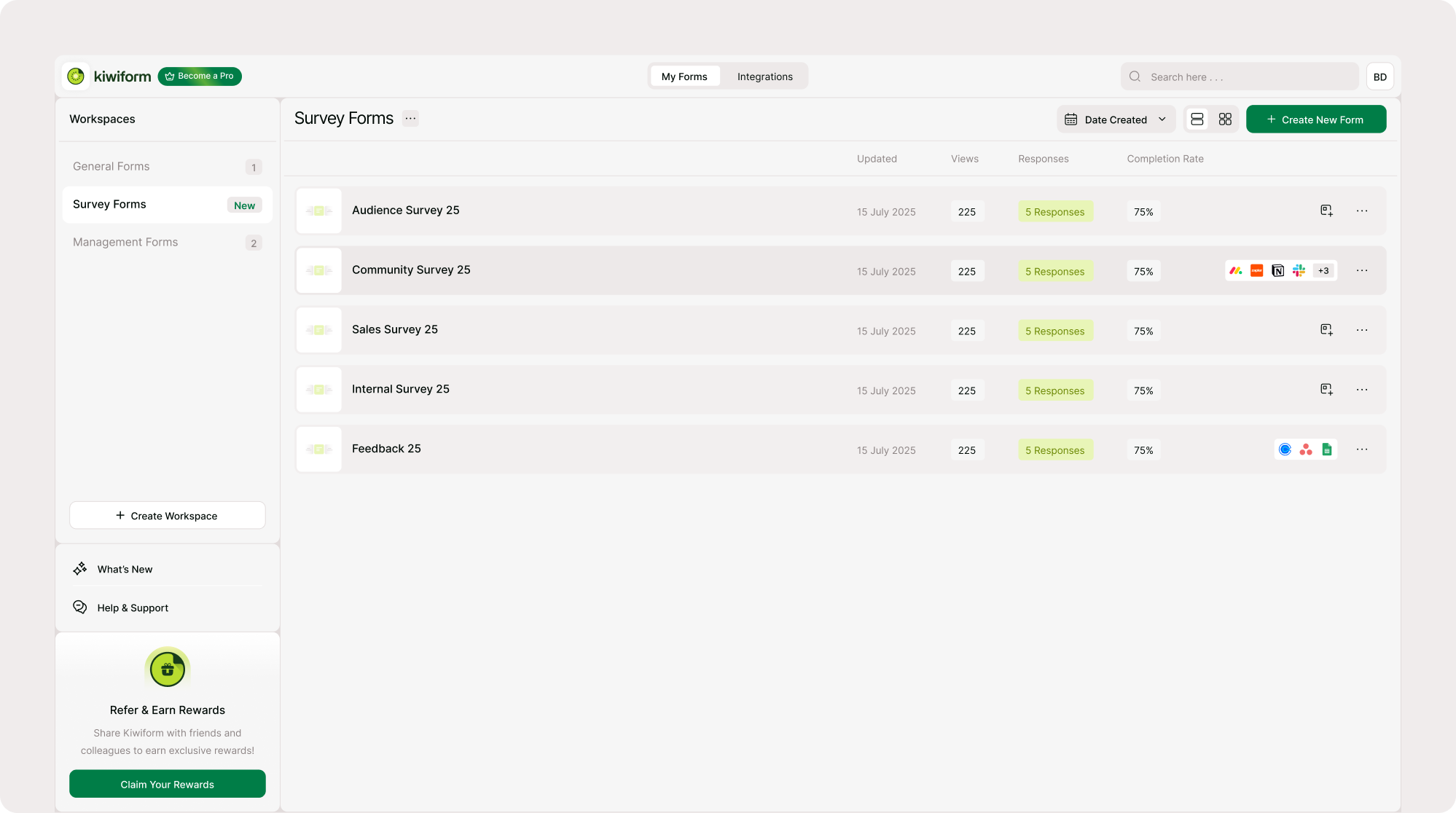
How Kiwiform works
Creating and sharing a form in Kiwiform follows a straightforward flow:
1. Create a form
2. Add form fields
3. Customize design
4. Apply logic if needed
5. Share or embed your form
6. View responses and analytics
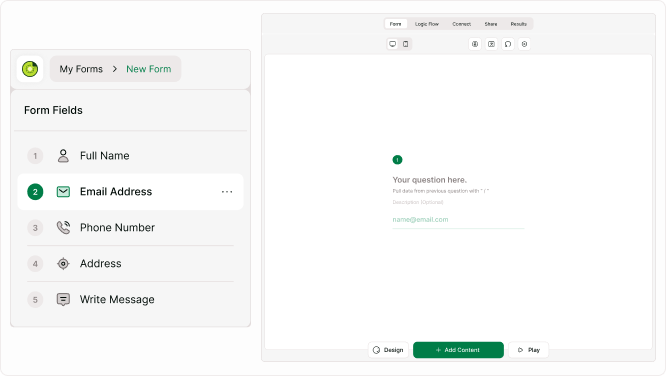
You can start with a blank form or use a template and customize it to fit your use case.
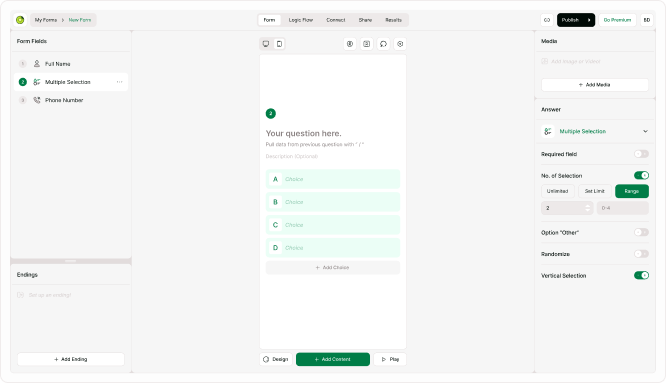
Kiwiform Builder
The builder is where you create and edit your form. You can add fields, rearrange content, configure settings, and preview how the form will look to respondents.
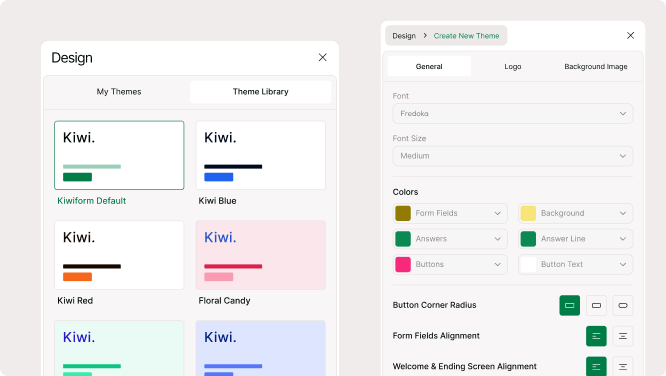
Kiwiform Design & Themes
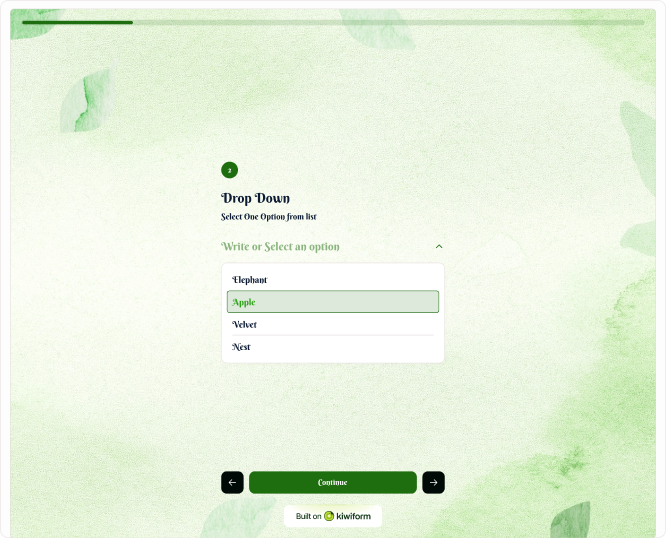
Design tools let you adjust fonts, colors, backgrounds, and layout. Themes help you keep forms visually consistent across different projects.
Logic & Flow
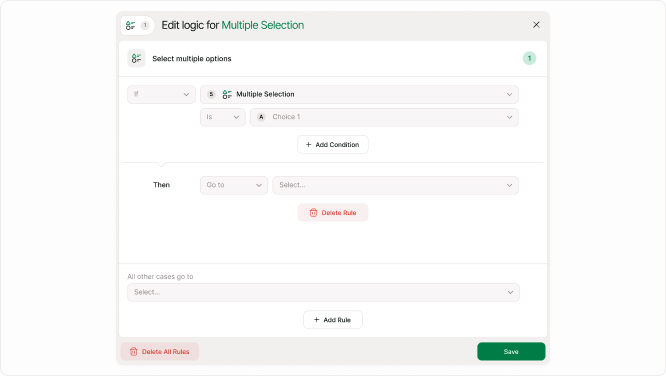
Logic allows you to guide respondents through different paths based on their answers. You can show or hide fields, calculate scores, and send respondents to different endings.
Sharing & Embeds
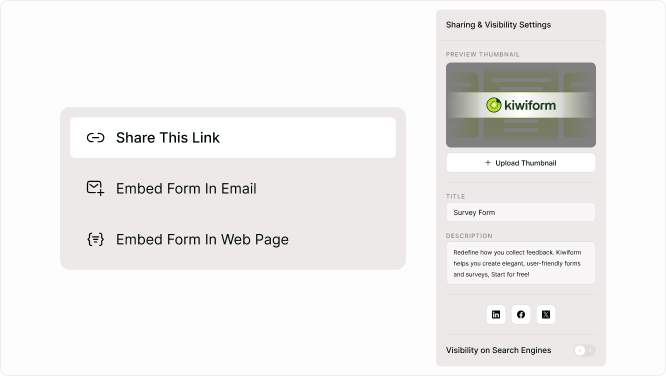
After building your form on Kiwiform, you can share it using a link, QR code, or embed it into a website or landing page.
Responses & Analytics
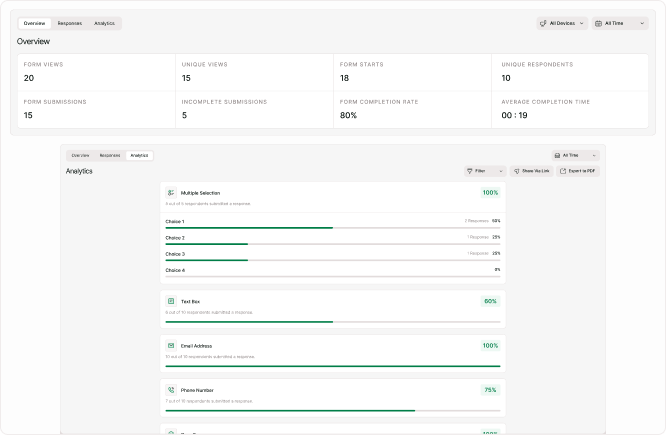
All responses are collected in one place. You can review submissions, filter results, and view analytics to understand how your form is performing.
What you can create
Kiwiform can be used for many types of forms: Lead capture forms, Feedback forms, Registration forms, Applications, Surveys, Internal workflows.
You can create both simple forms and advanced flows depending on your needs.
Next steps for you
To start building with Kiwiform, continue with these guides listed below.
| These guides walk through each step from creation to collecting responses. |
|---|
| Create a form |
| Builder layout |
| Templates |
| Basics of Building |
| Form options |
| Share link |
| Results Overview |