What is the Linear Integration?
Linear is a project management and issue tracking platform used by modern product and engineering teams to manage bugs, feature requests, development tasks, and operational workflows.
By connecting Linear with Kiwiform, you can automatically create issues whenever a form is submitted. Instead of manually reviewing submissions and creating tasks, form responses can flow directly into your Linear workspace, helping teams respond faster and keep work organized.
This integration is particularly useful for teams collecting product feedback, bug reports, support requests, internal requests, feature suggestions, and operational submissions.

Why Use Linear with Kiwiform?
Forms often act as the entry point for requests, feedback, and operational processes. However, manually transferring submission data into project management systems can slow teams down and create unnecessary administrative work.
Connecting Kiwiform with Linear helps automate this process by turning form submissions directly into actionable work items.
Common benefits include:
Automatically create Linear issues
Reduce manual task creation
Centralize requests and feedback
Improve issue tracking workflows
Route submissions to development teams faster
Organize feature requests automatically
Track operational requests in one place
Improve visibility across teams
Whether you're collecting internal requests or customer feedback, Linear helps ensure submissions become part of an organized workflow.
How Kiwiform and Linear Work Together
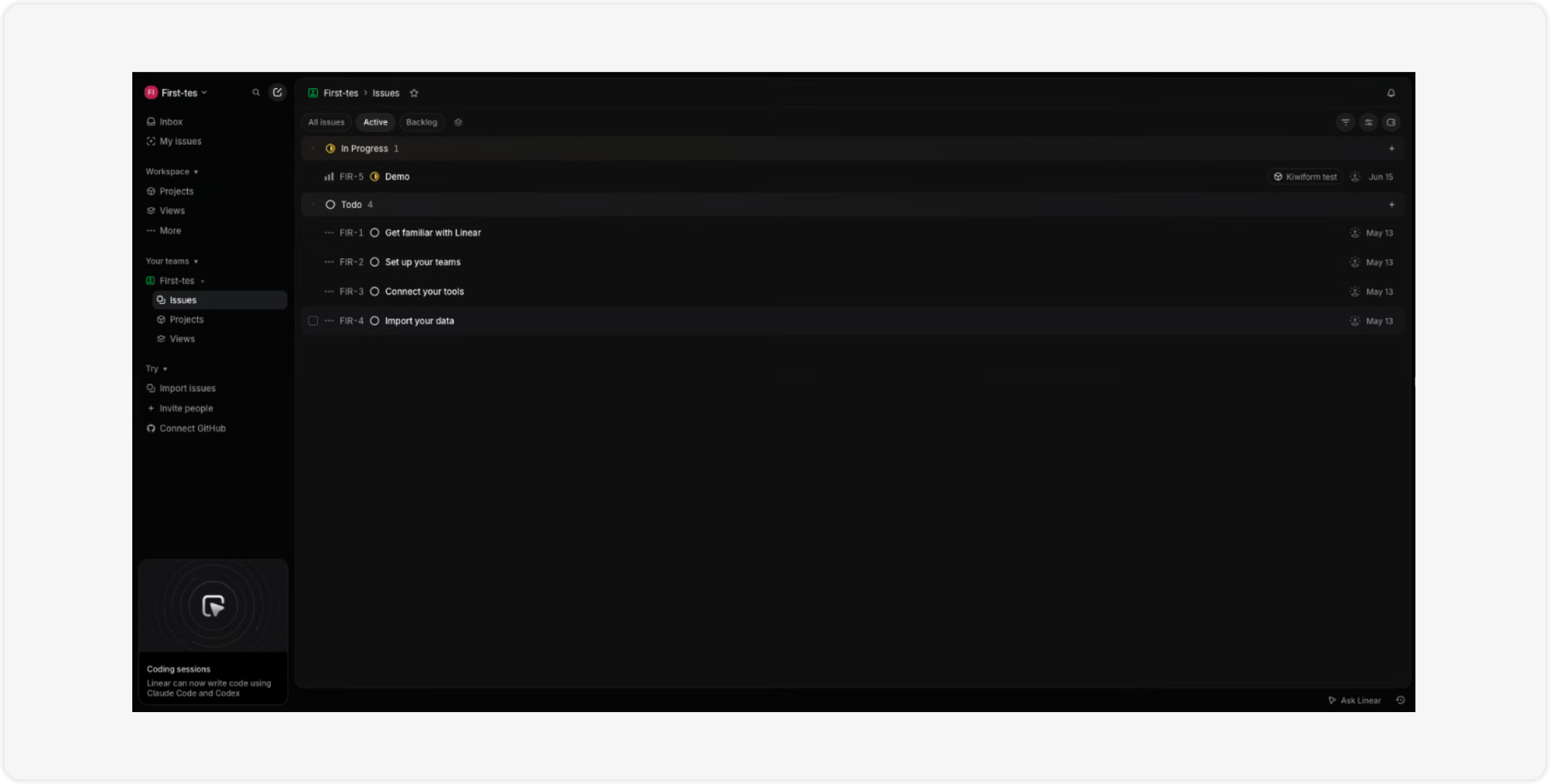
Once connected, Kiwiform can automatically create a new issue in Linear whenever someone submits a form.
A typical workflow looks like this:
A respondent submits a form.
Kiwiform receives the submission.
Submission data is processed.
A new issue is created in Linear.
Your team can immediately review, prioritize, and manage the work.
This allows teams to move from data collection to task management without manual intervention.
How to Connect Linear to Kiwiform
Connecting Linear only takes a few minutes.
Step 1: Open Integrations
Inside Kiwiform:
Open your form
Navigate to Integrations
Select Linear
Click Connect
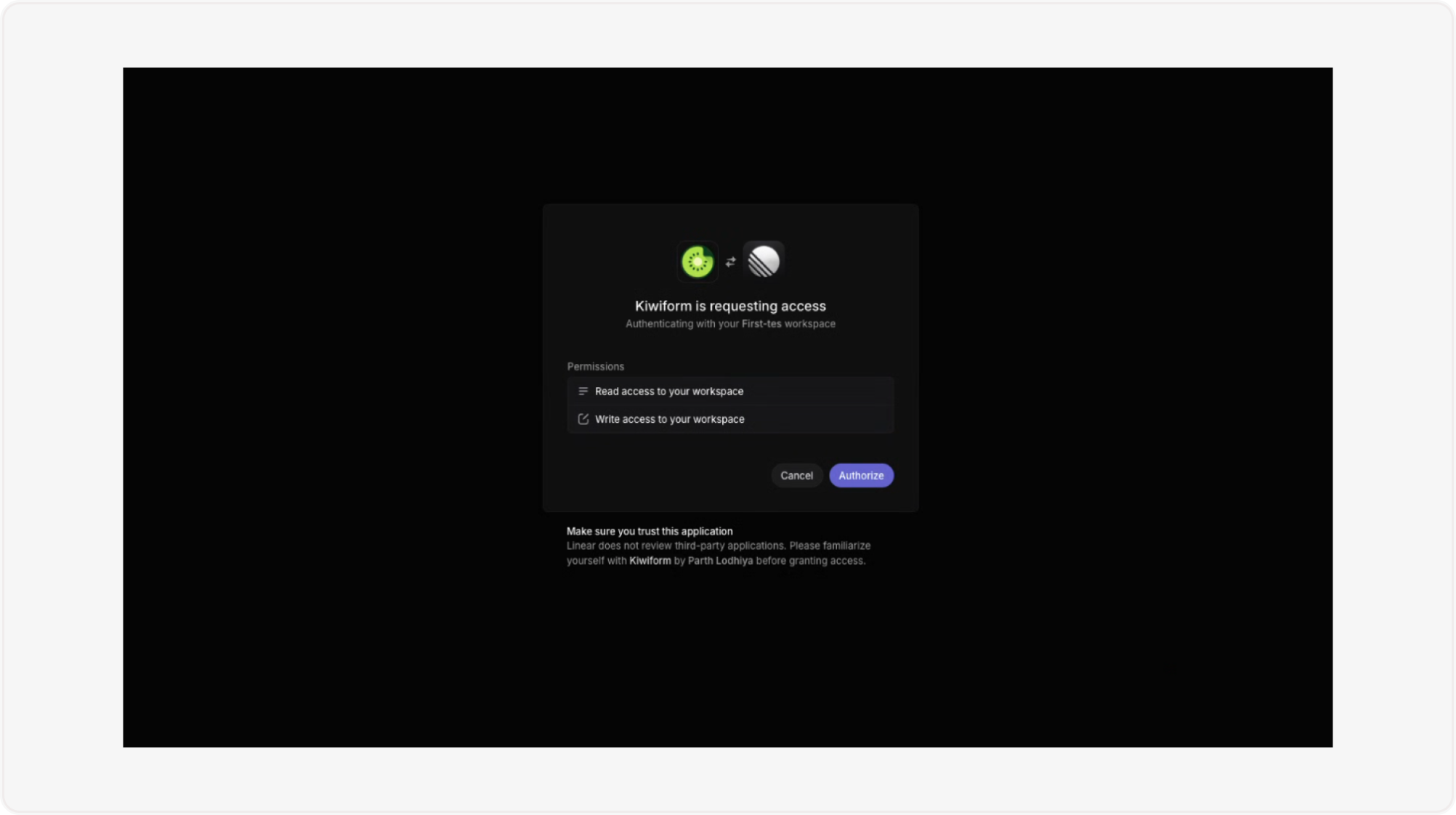
Step 2: Authorize Your Linear Account
You'll be asked to sign in to Linear and authorize Kiwiform to access your workspace.
After authorization:
Select the appropriate workspace
Confirm required permissions
Complete the connection
Once connected, Kiwiform can begin creating issues inside Linear.
Step 3: Configure Issue Creation
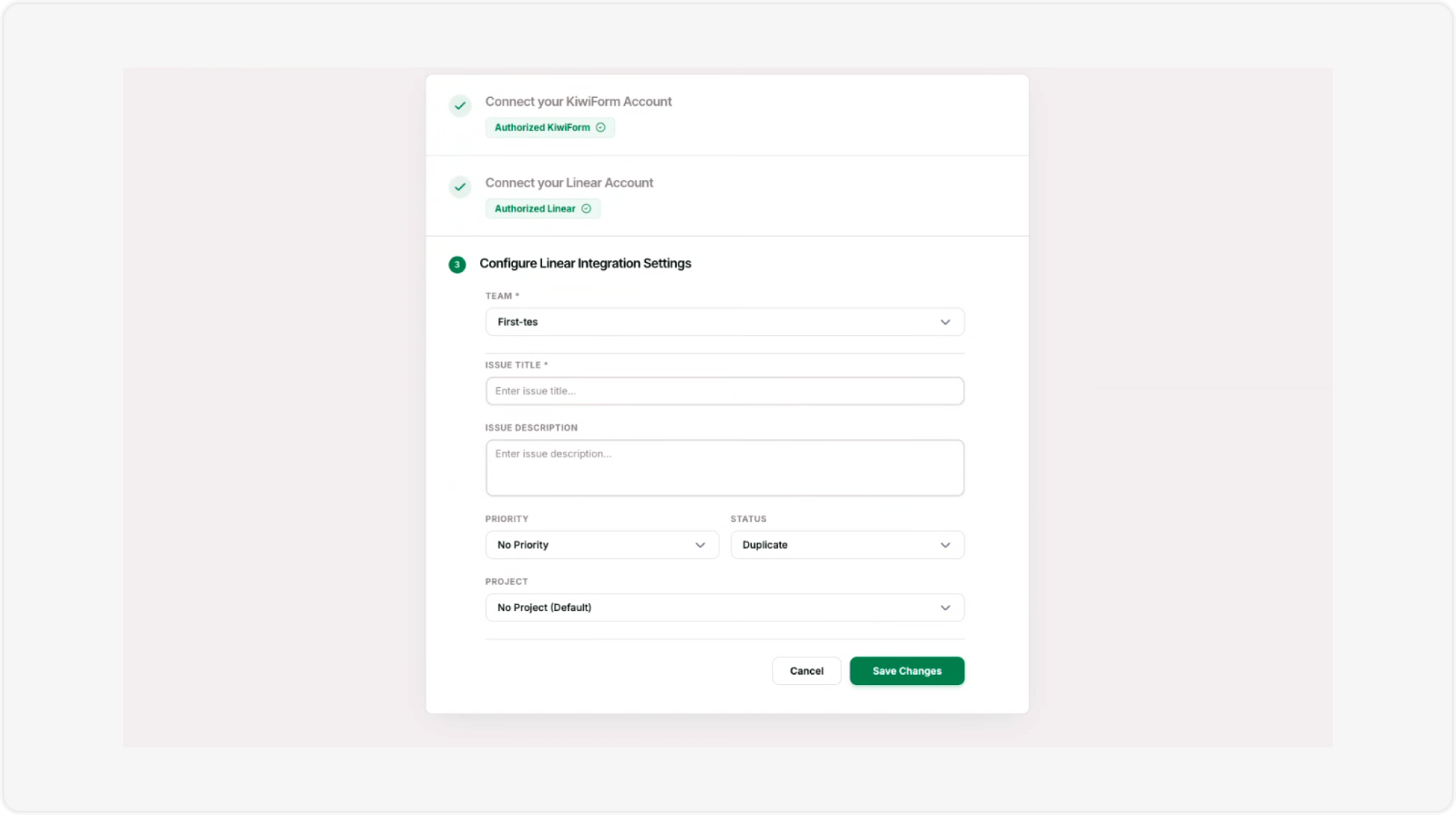
Choose how form submissions should appear in Linear.
Typical configuration options include:
Issue title
Issue description
Team assignment
Project assignment
Priority settings
Labels and categorization
Map form fields to the corresponding Linear fields to ensure submissions are organized correctly.
Step 4: Test Your Integration
Submit a test response and verify that:
A new issue is created
Field mappings are correct
Issue details appear as expected
Assignments and labels work properly
Once verified, your workflow is ready to use.
What Information Can Be Sent to Linear?
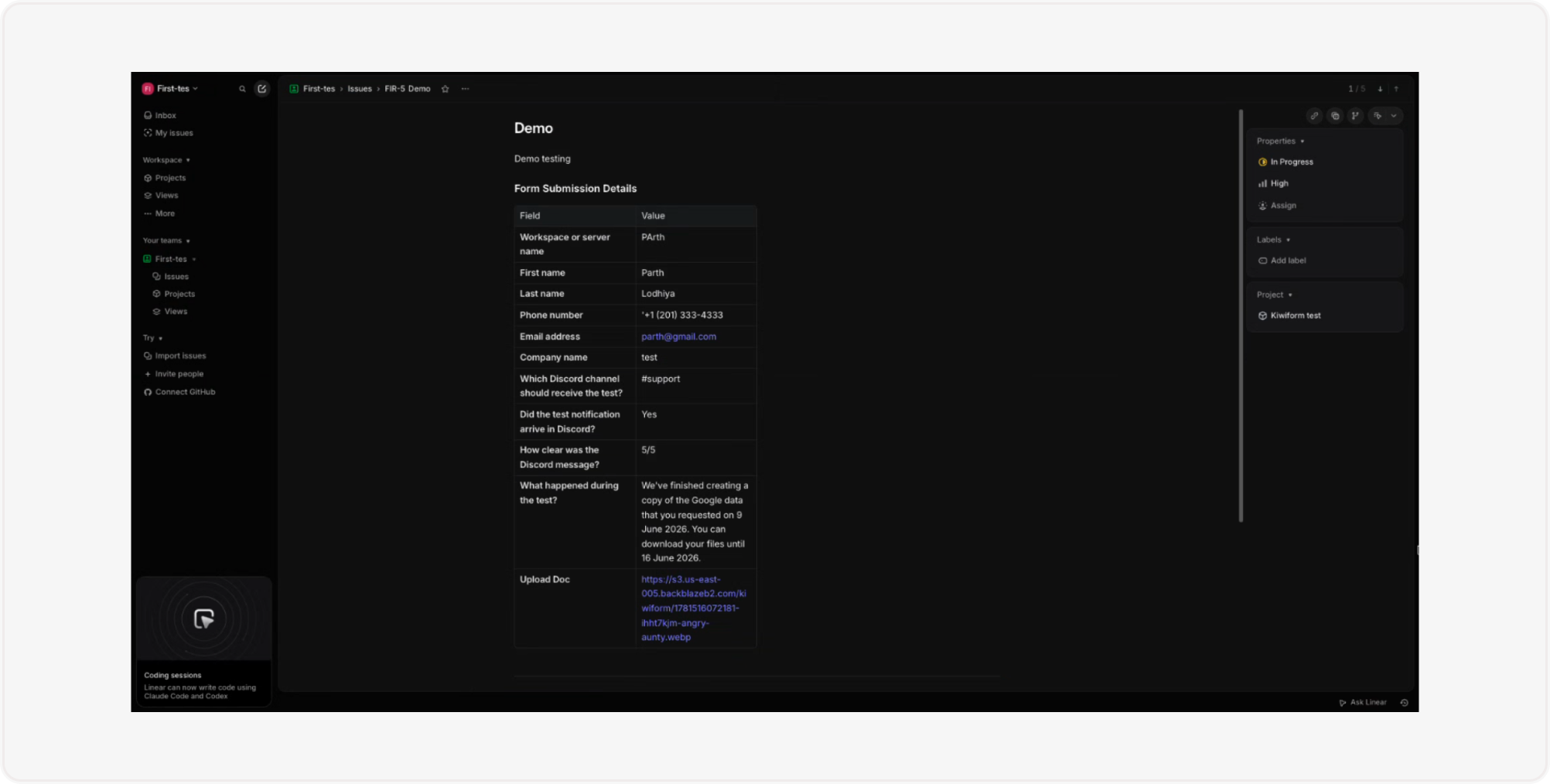
Depending on your form structure, Linear issues can include:
Request details
Bug reports
Feature suggestions
Customer feedback
User information
Internal requests
Operational tasks
Custom field values
This helps ensure important context is available when issues are created.
Popular Use Cases
Bug Reporting
Feature Requests
Customer Feedback
Internal Requests
Product Research
Support Escalations
Best Practices
To build efficient workflows:
Use clear issue titles
Include important submission context
Create dedicated forms for different request types
Use labels to categorize issues
Assign issues automatically when possible
Test field mappings regularly
Review workflows as teams evolve
These practices help keep issues organized and actionable.
Managing Your Linear Connection
You can update your Linear integration settings at any time.
Available actions include:
Reconnect your account
Change workspaces
Update field mappings
Modify issue settings
Test issue creation
Review integration activity
This allows teams to adapt workflows as requirements change.
Summary
Linear integration helps teams automatically convert form submissions into actionable work items. By connecting Kiwiform with Linear, product, engineering, support, and operations teams can streamline issue tracking, reduce manual work, and ensure important requests are captured and managed efficiently.
Whether you're collecting bug reports, feature requests, feedback, or operational tasks, Linear helps transform form responses into organized workflows that move work forward.