What is the Mailchimp Integration?
Mailchimp is an email marketing and audience management platform used to collect subscribers, send campaigns, manage audiences, and automate customer communication.
By connecting Mailchimp with Kiwiform, you can automatically send form submissions to your Mailchimp audiences whenever someone completes a form. Instead of manually exporting contacts and importing them into Mailchimp, subscriber information can be synced automatically.
This helps teams build email audiences faster while ensuring contact information stays organized and up to date.

Why Use Mailchimp with Kiwiform?
Forms are one of the most effective ways to collect subscribers, leads, registrations, and customer information. However, manually transferring submission data into email marketing tools can be time-consuming and prone to errors.
Connecting Mailchimp with Kiwiform allows contact information to flow directly into your email marketing system, helping teams spend less time managing data and more time building relationships.
Common benefits include:
Automatically add new subscribers
Grow email audiences faster
Eliminate manual contact imports
Keep audience data organized
Streamline lead capture workflows
Support email marketing campaigns
Improve subscriber management
Automate audience building
This makes it easier to turn form responses into engaged email audiences.
How Kiwiform and Mailchimp Work Together
Once connected, Kiwiform can automatically send selected form responses to Mailchimp whenever a form is submitted.
A typical workflow looks like this:
A visitor submits a form.
Kiwiform processes the response.
Contact information is captured.
Subscriber data is sent to Mailchimp.
The contact is added to your selected audience.
This allows teams to automate audience growth and keep subscriber information synchronized.
How to Connect Mailchimp to Kiwiform
Connecting Mailchimp only takes a few minutes.
Step 1: Open Integrations
Inside Kiwiform:
Open your form
Navigate to Integrations
Select Mailchimp
Click Connect
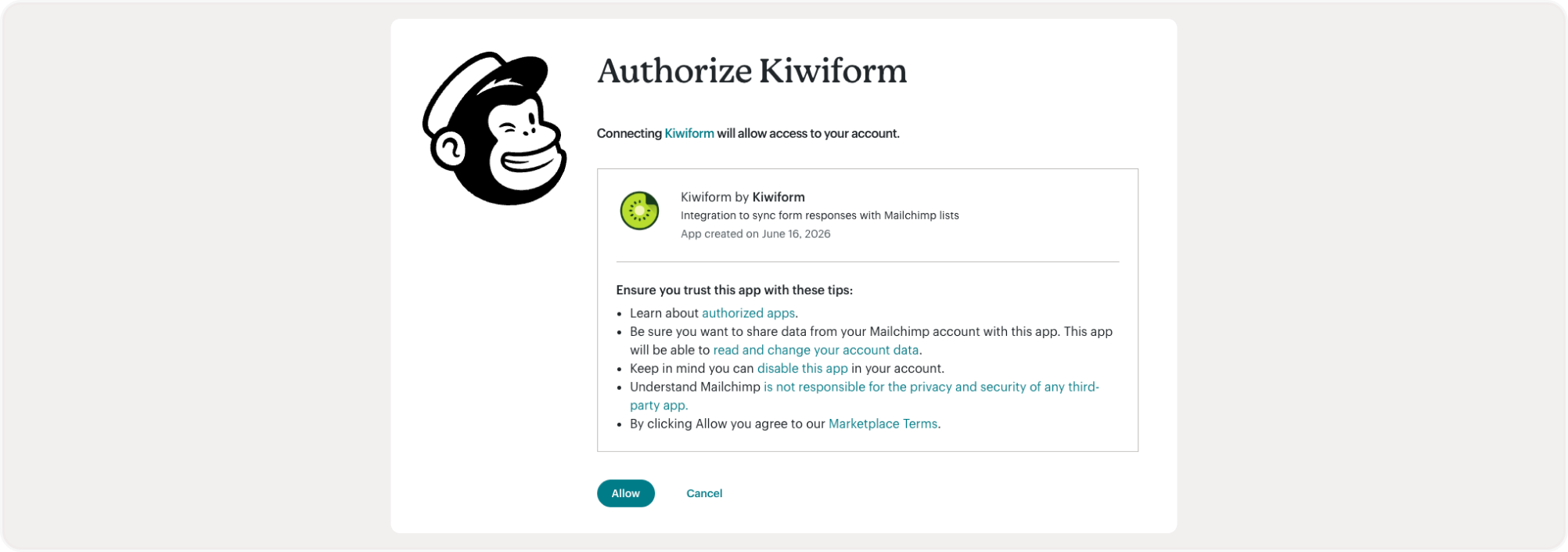
Step 2: Authorize Your Mailchimp Account
Sign in to your Mailchimp account and authorize Kiwiform to access your audiences.
After authorization:
Select the appropriate account
Confirm required permissions
Complete the connection
Once connected, Kiwiform can begin sending subscriber data to Mailchimp.
Step 3: Select Your Audience
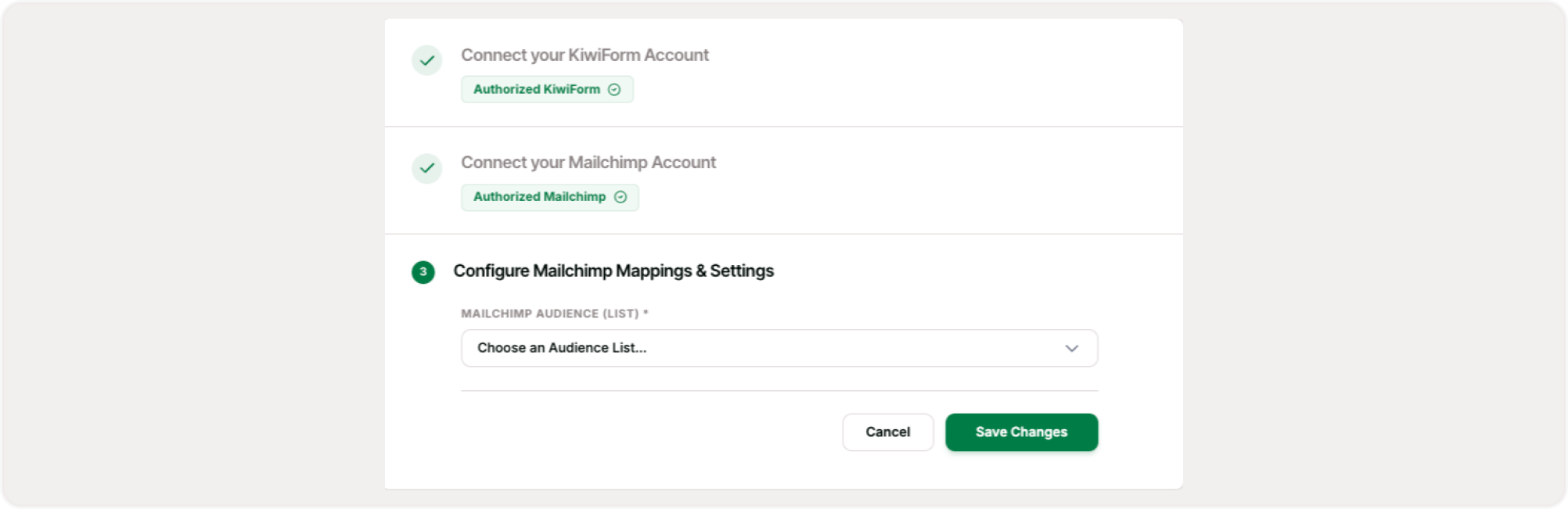
Choose the Mailchimp audience where contacts should be added.
You may use different audiences for:
Newsletter subscribers
Lead generation campaigns
Event registrations
Customer communications
Product updates
Marketing campaigns
Selecting the correct audience helps keep subscriber data organized.
Step 4: Map Form Fields
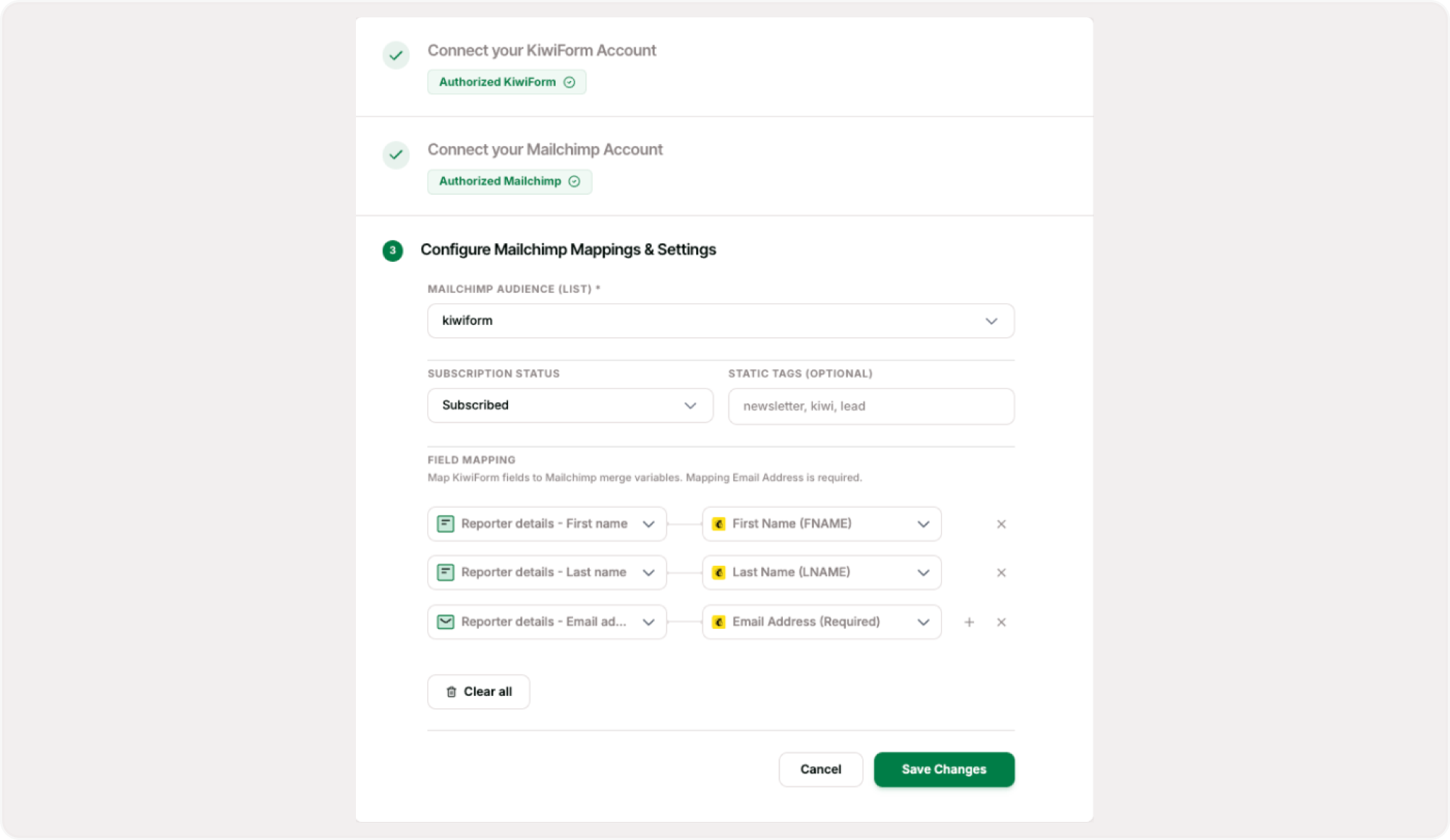
Choose which Kiwiform fields should be sent to Mailchimp.
Common mappings include:
Email address
First name
Last name
Phone number
Company name
Custom fields
Marketing preferences
This ensures subscriber profiles contain the information needed for segmentation and communication.
Step 5: Test Your Integration
Submit a test response and verify that:
A new contact is added
Audience selection is correct
Field mappings work properly
Subscriber information appears as expected
Once verified, your integration is ready to use.
What Information Can Be Sent to Mailchimp?
Depending on your form setup, Mailchimp can receive:
Email addresses
Names
Contact details
Company information
Marketing preferences
Registration details
Custom form responses
Audience segmentation data
This helps build richer subscriber profiles and more targeted campaigns.
Common Use Cases
Build segmented audiences for onboarding, engagement, and retention campaigns.
Newsletter Signups
Lead Generation Forms
Event Registrations
Product Updates
Waitlists and Early Access Programs
Customer Marketing
Best Practices
To create effective audience-building workflows:
Collect only necessary subscriber information
Use clear opt-in language
Organize audiences strategically
Map fields carefully
Use segmentation when possible
Test subscriber workflows regularly
Keep audience data up to date
Following these practices helps improve email marketing performance and subscriber management.
Managing Your Mailchimp Connection
You can update your Mailchimp integration settings at any time.
Available actions include:
Reconnect your account
Change audiences
Update field mappings
Modify subscriber settings
Test subscriber syncing
Review integration activity
This allows teams to adapt audience-building workflows as marketing needs evolve.
Summary
Mailchimp integration helps teams automatically turn form submissions into email subscribers. By connecting Kiwiform with Mailchimp, you can grow audiences, streamline email marketing workflows, eliminate manual imports, and keep subscriber data organized automatically.
Whether you're building a newsletter, collecting leads, managing registrations, or growing a marketing audience, Mailchimp helps transform form responses into actionable marketing opportunities.