Dynamic Form Builder for Responsive Form Experiences
Create dynamic forms that adapt questions, sections, and form paths as responses are collected. Build more relevant form experiences without creating multiple versions of the same form.
Dynamic forms help you create more relevant form experiences by adapting questions,
sections, and form paths based on the information respondents provide. Instead of
showing every question to everyone, forms can evolve throughout the journey to
collect the right information at the right time.
With Kiwiform Dynamic Form Builder, you can build responsive forms using
conversational layouts, Conditional Logic, Visual Flow Control, and AI-powered form
generation. Create registration forms, applications, surveys, onboarding workflows,
lead generation forms, and intake forms that collect better information while
keeping the experience simple and focused for respondents.
How Dynamic Forms Work
Collect Better Information With Dynamic Forms
Collect more relevant information with forms that adapt as responses are submitted.
A Dynamic Form Builder allows forms to adapt while they are being completed. As
respondents answer questions, the form can change what is displayed next, helping
create a more focused and efficient data collection experience.
This approach helps reduce unnecessary questions, improves response quality, and
makes forms easier to complete compared to traditional one-size-fits-all forms.
Instead of creating separate forms for different audiences, teams can create a
single dynamic form that supports multiple scenarios and workflows.
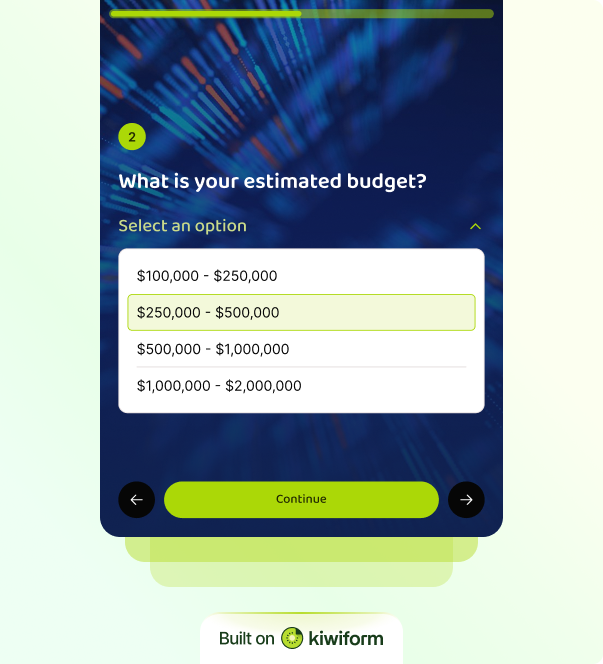
Kiwiform helps organizations build dynamic forms that feel natural and conversational while collecting more meaningful information. By adapting questions throughout the form journey, teams can improve the overall experience while keeping data collection organized and efficient.
Adaptive Question Paths
Guide respondents through different paths based on the information they provide.
Dynamic Sections
Display or skip entire sections when they are no longer relevant.
Contextual Follow-Ups
Ask additional questions only when more information is required.
Multi-Step Experiences
Break longer workflows into structured and manageable stages.
Relevant Data Collection
Collect information that is specific to each respondent's situation.
Conversational Experiences
Create guided form journeys that feel natural and easy to complete.
Built for Dynamic Experiences
Everything You Need To Build Dynamic Forms
Create responsive dynamic form experiences from a single platform.
Building dynamic forms should not require multiple tools, complex workflows, or
technical expertise. Kiwiform combines form building, dynamic workflows,
AI-assisted creation, and conversational design tools to help teams build smarter
forms from a single platform. Whether you're creating a lead generation form,
registration workflow, application process, onboarding experience, or customer
intake form, Kiwiform provides the tools needed to create forms that adjust as
information is collected.
Dynamic forms can support different audiences, requirements, and outcomes without
requiring separate versions of the same workflow. From AI-generated drafts to
visual workflow management, Kiwiform makes it easy to create and maintain dynamic
forms at scale. Teams can launch forms faster, collect better information, and
continuously refine experiences as requirements evolve.

Visual Flow Control
Design dynamic form paths using a visual interface that is easy to manage and update.

Kiwizard AI Form Builder
Generate structured form drafts from simple prompts and customize them visually.

Pre-Built Templates
Start with pre-built forms and customize them to support dynamic workflows.
Dynamic Form Use Cases
One Dynamic Form Builder For Every Workflow
Build responsive forms across teams, departments, and business processes.
A Dynamic Form Builder can be used anywhere information needs to be collected from
different types of respondents. Instead of maintaining multiple static forms,
organizations can create a single dynamic form experience that adjusts
automatically based on responses. Dynamic forms are particularly valuable when
different respondents require different questions, sections, or workflows. By
adapting to responses in real time, dynamic forms help organizations collect more
relevant information while keeping forms shorter and easier to complete.
Kiwiform Dynamic Form Builder helps teams create these experiences using
conversational forms, Visual Flow Control, and unlimited forms and responses. As
workflows grow, forms can continue adapting without increasing complexity for
administrators or respondents.
Lead Qualification Forms
Product Recommendation Forms
Patient Intake Forms
Eligibility Screening Forms
Service Request Forms
Vendor Registration Forms
Insurance Claim Forms
Course Enrollment Forms
Membership Application Forms
Everything You Need to Know
Frequently Asked Questions
Frequently Asked Questions About Kiwiform Dynamic Form Builder