Workflow Form Builder for Automated Data Collection
Create forms that do more than collect information. Build workflow-driven experiences that automate approvals, route requests, assign responsibilities, and move work forward through structured processes.
Many business processes begin with a form but continue through reviews, approvals, assignments, notifications, and follow-up actions. A Workflow Form Builder helps organizations connect data collection with the processes that happen next, creating a structured path from submission to completion. Kiwiform combines conversational forms, workflow automation, conditional logic, approvals, integrations, and AI-assisted form creation in a single platform. Whether you're managing requests, applications, onboarding, approvals, or operational workflows, Kiwiform helps teams build processes that reduce manual work while keeping information organized and actionable.
Build Your First WorkflowWorkflow Foundations
Turn Form Submissions Into Structured Processes
Collect information once and guide it through the right steps automatically.
Forms are often the starting point of larger business processes. Requests require
review, applications need evaluation, approvals demand oversight, and service
inquiries often trigger additional actions. Without a structured process, teams
spend valuable time manually coordinating what happens after a submission is
received. Kiwiform Workflow Form Builder helps transform form submissions into
repeatable workflows that support consistency, accountability, and visibility.
By connecting data collection with workflow actions, organizations can create
processes that are easier to manage, scale, and improve over time.
Workflow Capabilities
Everything You Need in a Workflow Form Builder
Build workflows that adapt to your processes, teams, and operational requirements.
A Workflow Form Builder should do more than collect information. It should help
organizations route submissions, automate decisions, notify stakeholders, assign
responsibilities, and support the actions that move work forward. These
capabilities help teams manage complex processes without relying on manual
coordination.
Kiwiform combines workflow automation, conditional logic, approvals, integrations,
and AI-assisted form creation in a unified platform. This allows organizations to
design workflows that remain flexible while maintaining a clear and structured
experience for everyone involved.
Kiwiform helps teams create workflow-driven experiences that extend beyond data collection. From routing requests and managing approvals to notifying stakeholders and triggering automated actions, workflows can be designed to support the way work actually happens.
Workflow Automation
Trigger actions automatically when responses meet defined workflow conditions.
Approval Routing
Direct requests through structured review and approval stages across teams.
Task Assignment
Assign responsibilities automatically to the right people at the right time.
Conditional Logic Flow
Adapt workflow paths dynamically based on responses and business rules.

Smart Notifications
Keep stakeholders informed with timely updates throughout every workflow.
Workflow Integrations
Connect workflow data with existing tools, systems, and operational processes.
Operational Efficiency
Reduce Manual Work Across Every Workflow
Create more consistent processes while minimizing repetitive administrative tasks.
Many workflow bottlenecks occur after information has already been collected.
Teams manually review submissions, send updates, assign work, track approvals, and
manage follow-up actions across multiple systems. These repetitive tasks can slow
down operations and introduce unnecessary complexity.
Kiwiform Workflow Form
Builder helps standardize how information moves through an organization.
By
automating common workflow actions and creating structured pathways for
decision-making, teams can improve efficiency, maintain process consistency, and
gain better visibility into ongoing work.
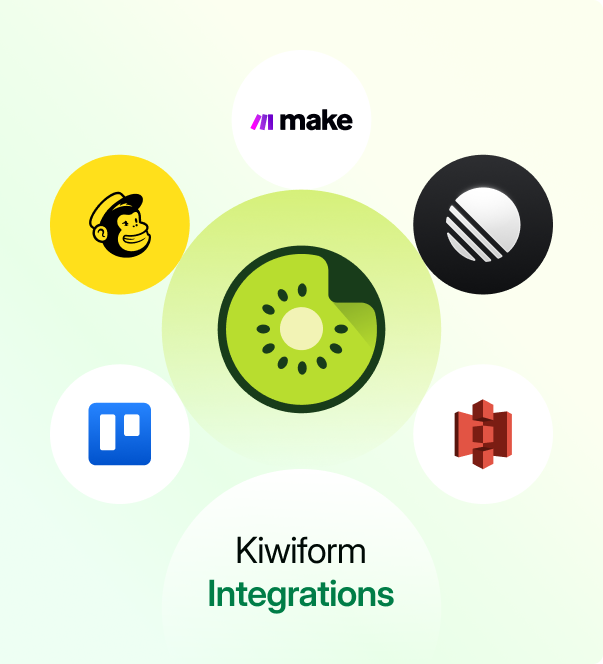
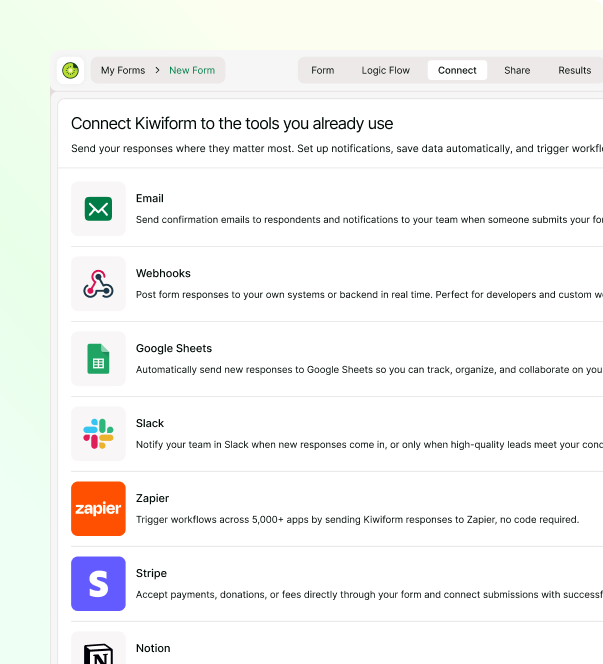
Kiwiform helps teams extend workflow automation beyond form submissions by connecting responses with the tools they already use. Whether updating CRM records, notifying teams, organizing data, managing projects, or triggering automated workflows, integrations help move information seamlessly through every stage of your operational process.
Google Sheets Sync
Automatically organize workflow submissions for reporting, tracking, and collaborative data management.
HubSpot CRM
Sync contacts and workflow data to streamline customer, sales, and onboarding processes.
Slack Notifications
Keep teams informed instantly with real-time workflow updates and submission alerts across every department.

Zapier Automation
Connect workflow forms with thousands of business applications through automated integrations.
Make Workflows
Build advanced multi-step automations that extend workflows across connected systems and business processes.
Webhook API
Send workflow data securely to custom applications and internal business platforms in real time.

Trello Projects
Automatically create project tasks and manage workflow progress from new submissions.
Notion Workspace
Centralize workflow documentation, approvals, notes, and operational records in one place.
Google Drive Storage
Store uploaded files and workflow documents securely with organized cloud-based storage for easy access.
Workflow Applications
Built for Real-World Workflows and Operational Processes
Support requests, approvals, applications, and operational workflows from a single platform.
Organizations rely on workflows to manage a wide range of activities across
departments and teams. From employee onboarding and purchase approvals to service
requests and project intake, workflows help ensure information reaches the right
people and progresses through the appropriate stages.
Kiwiform Workflow Form
Builder helps teams create workflow-driven experiences that support both internal
operations and customer-facing processes. Flexible workflow tools make it possible
to collect information, coordinate actions, and manage progress through a
structured and repeatable approach.
Teams use Kiwiform to support many
different workflow scenarios, each with its own requirements, stakeholders, and
decision points. The platform provides the flexibility needed to create workflows
that fit a variety of operational needs.
Employee Onboarding
Coordinate information collection, approvals, and onboarding activities for new hires.
Leave Requests
Manage employee requests through review, approval, and tracking workflows.
Purchase Approvals
Route purchasing requests through structured authorization and approval processes.
Incident Reporting
Manage reporting, investigation, follow-up actions, and resolution tracking.
Project Intake
Capture project details and distribute requests to appropriate stakeholders.
Grant Applications
Collect applications and support structured review and approval workflows.
Vendor Applications
Review submissions and evaluate vendors through structured workflow stages.
Customer Onboarding
Guide customers through information collection and onboarding requirements.
Service Requests
Collect requirements and manage service delivery from request to resolution.
Everything You Need to Know
Frequently Asked Questions
Frequently Asked Questions About Kiwiform Workflow Form Builder