Embeddable Form Builder for Websites and Digital Experiences
Create forms once and embed them across websites, landing pages, portals, and digital experiences. Collect information where visitors already engage without sending them to another page.
Kiwiform's Embeddable Form Builder helps you add forms directly to your website while maintaining a seamless user experience. Capture leads, registrations, applications, feedback, inquiries, and requests through embedded forms that feel like a natural part of your website. With conversational forms, Kiwizard AI, responsive design, and unlimited forms and responses, Kiwiform makes embedded data collection simple to launch and easy to scale.
Start Building for FreeEmbedded Form Experiences
Create Embedded Form Experiences That Feel Native
Collect information directly within the websites and experiences your visitors already use.
An Embeddable Form Builder allows you to create forms and place them directly within existing digital experiences. Rather than directing visitors to a separate form page, embedded forms appear inside websites, landing pages, customer portals, blogs, help centers, and other online destinations where users are already engaged. This approach reduces friction during data collection. Visitors can complete forms without leaving the page they are viewing, creating a more connected and convenient experience. Whether you're collecting leads, processing registrations, accepting applications, or gathering feedback, embedded forms help keep users focused while making it easier to capture information.
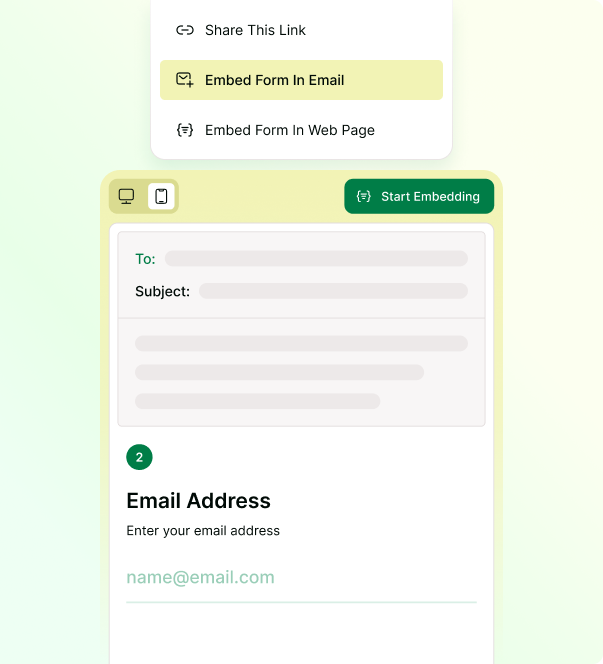
Kiwiform helps teams create embeddable forms that are responsive, customizable, and easy to publish. Once a form is ready, it can be embedded wherever information needs to be collected, allowing organizations to maintain consistent experiences across websites and digital properties.

Keep Visitors on Your Website
Collect information without redirecting users to external pages.

Reduce Form Friction
Make it easier for visitors to complete forms where they already are.

Create Seamless Experiences
Embed forms naturally into websites, landing pages, and portals.

Improve Data Collection
Capture information at the moment visitors are most engaged.

Maintain Brand Consistency
Keep embedded forms aligned with your website's design and visual identity.

Support Multiple Workflows
Use embedded forms across marketing, operations, support, and HR.
Built for Embedded Experiences
Everything You Need To Create Embeddable Forms
Build forms once and embed them wherever you collect information online.
An Embeddable Form Builder should do more than generate a piece of code. It should help teams create professional forms, adapt experiences to different use cases, and connect collected information to existing workflows. Kiwiform combines form creation, AI-assisted building, customization, and integrations to support embedded data collection at any scale. Whether you're adding a contact form to a website, embedding an application form on a landing page, or collecting customer information through a portal, Kiwiform provides the tools needed to build and manage embedded experiences without complexity.
Website Embeds
Embed forms directly into websites, landing pages, portals, and digital experiences.
Responsive Form Experiences
Deliver embedded forms that automatically adapt across every screen size and device.
Pre-Built Templates
Start with proven templates and customize them for your specific workflow.
Custom Branding
Match embedded forms to your website's design, branding, and visual identity.
Workflow Integrations
Connect embedded form submissions to the tools your team already uses.
Conversational Forms
Guide visitors through clear, step-by-step form experiences that are easy to complete.
Flexible Form Deployment
Publish Forms Wherever Your Audience Interacts
Share forms across websites, emails, landing pages, customer portals, and other digital experiences using deployment options designed for different audiences and workflows.
Creating a form is only the first step. The Kiwiform Embeddable Form Builder gives you multiple ways to publish and distribute forms so you can collect information where people already engage with your brand. Whether you're embedding a form on a website, sharing it through email, or distributing it with a QR code, Kiwiform helps you reach respondents through the channels that make the most sense for your use case.
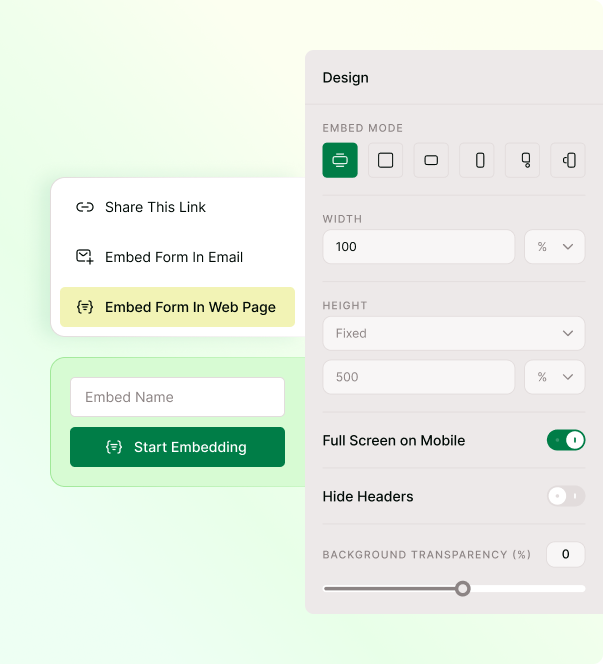
Publishing a form is just as important as building one. Kiwiform helps teams deploy forms across websites, emails, landing pages, customer portals, and other digital experiences, making it easier to collect information wherever audiences interact with your brand.
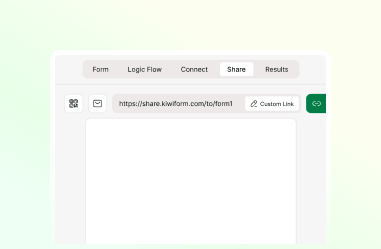
Shareable Link & QR Code
Distribute forms through direct links and QR codes across digital, physical, and event channels.
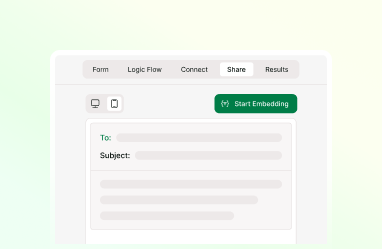
Website Embedding
Publish forms on websites, landing pages, blogs, and portals while keeping visitors engaged.
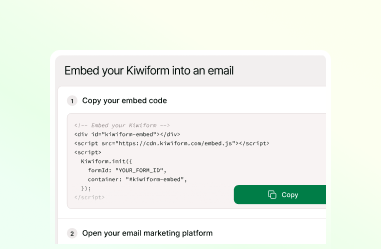
Email Embedding
Gather registrations, applications, and feedback through email experiences built for participation.
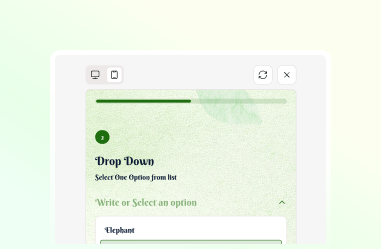
Mobile-Friendly Forms
Ensure forms remain responsive and accessible across desktop, tablet, and mobile devices.
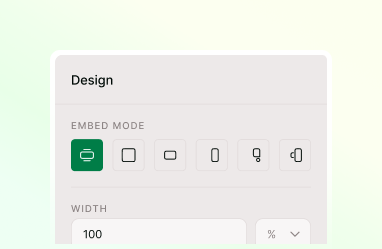
Flexible Display Modes
Present forms in ways that align with your website design, user journey, and content structure.
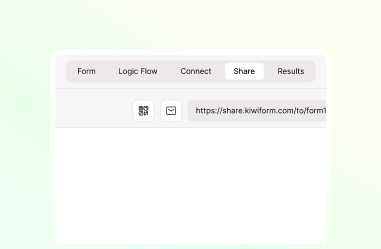
Centralized Form Management
Control updates from a single source and keep deployments synchronized across all channels.
Everything You Need to Know
Frequently Asked Questions
Frequently Asked Questions About Kiwiform Embeddable Form Builder