Mobile Form Builder Designed for Better Mobile Experiences
Create forms that are easy to complete on smartphones, tablets, and desktops. Kiwiform helps teams build mobile-friendly form experiences that adapt to every screen while reducing friction for respondents.
Mobile traffic now drives a significant share of registrations, applications, feedback submissions, and lead generation. The Kiwiform Mobile Form Builder helps organizations create forms that feel natural on smaller screens, making it easier for respondents to complete and submit information wherever they are. Build once, publish everywhere, and deliver a consistent experience across devices.
Start Building for FreeMobile-First Form Design
Create Forms That Work Better on Mobile
A Mobile Form Builder should do more than just fit smaller screens. It should help people complete forms comfortably on mobile devices.
Many forms are technically responsive but still difficult to complete on a phone. Long pages, crowded layouts, and unnecessary fields can create friction that leads to abandonment. Kiwiform focuses on creating mobile-friendly form experiences that keep respondents engaged from the first question to the final submission. With responsive layouts and streamlined interactions, teams can create forms that feel comfortable to complete across different devices. This helps organizations collect information more efficiently without compromising the respondent experience.
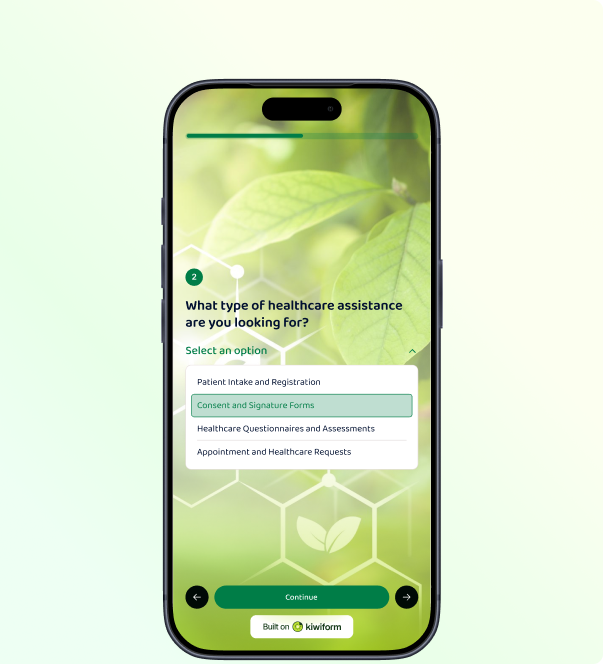
Kiwiform helps teams create mobile-friendly forms that adapt seamlessly across smartphones, tablets, and desktops. Responsive layouts, conversational experiences, and mobile-optimized interactions make it easier for respondents to complete forms on any device.

Responsive Mobile Layouts
Automatically adapt forms to different screen sizes and device orientations.

Accessible Interactions
Create forms that remain easy to navigate and complete across devices.

Conversational Experiences
Present questions in a focused format that feels natural on mobile devices.

Faster Completion
Reduce unnecessary friction with layouts designed for smaller screens.

Consistent Experiences
Deliver the same form experience across smartphones, tablets, and desktops.

No Extra Optimization
Build forms once and support every screen size automatically.
Mobile Experience Optimization
Everything You Need To Create Embeddable Forms
Build smoother mobile experiences with tools designed to keep respondents engaged from start to finish.
A Mobile Form Builder should do more than make forms responsive. It should help
respondents move through questions naturally, reduce unnecessary effort, and
remove common obstacles that can interrupt completion. Features such as
one-question-at-a-time layouts, dynamic form paths, progress indicators, and
mobile-friendly input fields help create experiences that are easier to navigate
on smaller screens.
Kiwiform includes capabilities designed to support mobile completion and improve
the overall respondent experience. Whether you're building lead generation forms,
applications, registrations, or feedback surveys, Kiwiform helps teams create
mobile-friendly forms that are easier to complete across smartphones and tablets.
One Question at a Time
Keep respondents focused by presenting information in a clear, structured flow.
Progress Indicators
Help respondents understand where they are and how much remains.
Autosave Responses
Preserve progress automatically so respondents can continue where they left off.
Fast-Loading Forms
Deliver responsive form experiences that remain smooth across devices.
Mobile-Friendly Fields
Use input types designed for quick interaction on touch-enabled devices.
Dynamic Form Paths
Adapt questions and sections based on responses to avoid unnecessary steps.
Mobile Form Building Essentials
Everything You Need in a Mobile Form Builder
Create mobile-friendly forms with features designed to support modern data collection, engagement, and workflow automation.
A Mobile Form Builder should help teams create forms that are easy to build,
simple to manage, and comfortable to complete on any device. From lead generation
and registrations to applications and feedback collection, organizations need
flexible tools that support mobile participation without adding unnecessary
complexity.
Kiwiform combines conversational form building, AI-assisted creation,
customization, templates, and integrations in a single platform. Whether you're
creating a short signup form or a multi-step workflow, Kiwiform provides the
capabilities needed to build mobile-friendly experiences that work seamlessly
across smartphones, tablets, and desktops.
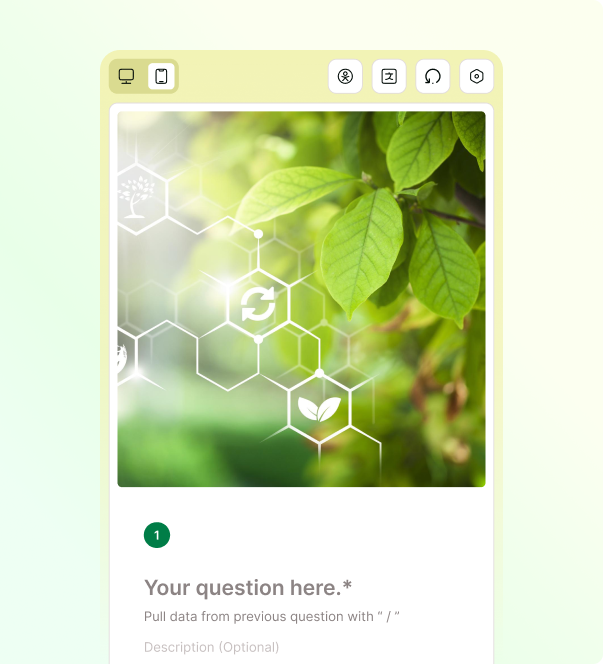
Kiwiform helps teams create forms that are designed for today's mobile-first audiences. With flexible building tools, intelligent workflows, and mobile-friendly experiences, organizations can create forms that are easier to publish, manage, and complete from virtually any device.
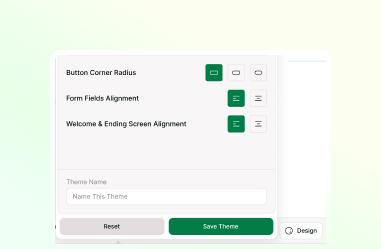
Device-Adaptive Design
Create forms that remain usable across smartphones, tablets, laptops, and desktops.

Mobile Participation
Present information in a focused format designed for modern mobile participation.
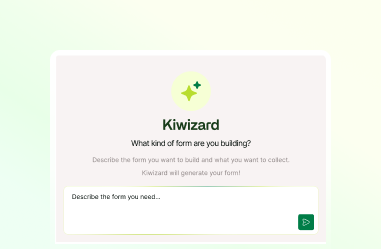
Faster Form Creation
Generate form drafts and structures with AI-assisted building tools.
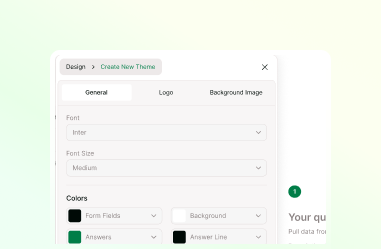
Flexible Form Customization
Customize layouts, branding, and content to support different audiences and goals.
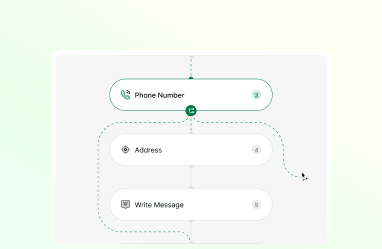
Personalized Form Paths
Guide respondents through relevant questions without unnecessary complexity.
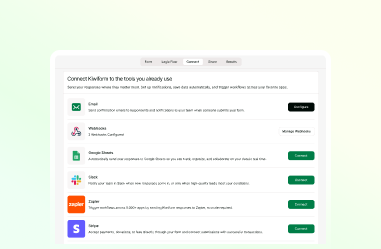
Connected Workflows
Move collected information into existing business processes and systems.
Real-World Applications
Forms Built for Real-World Participation
Support participation across devices with forms designed for real-world data collection.
Organizations collect information in many different ways, and respondents
increasingly expect forms to work seamlessly across devices. Whether someone is
signing up for an event, submitting an application, sharing feedback, or
requesting a service, a smooth mobile experience can make participation more
accessible and convenient.
Kiwiform Mobile Form Builder helps teams create
responsive, conversational forms that adapt to different audiences and workflows.
This flexibility makes it easier to support a wide range of data collection needs
while providing a consistent experience across smartphones, tablets, and desktops.
Teams use Kiwiform across industries to support customer interactions,
registrations, applications, feedback programs, and operational workflows. The
platform's mobile-friendly approach helps organizations create experiences that
are accessible wherever respondents choose to engage.
Event Registrations
Allow attendees to register, confirm participation, and share required information before events.
Job Applications
Collect candidate details, qualifications, and supporting information through structured application workflows.
Customer Feedback
Gather ratings, feedback, suggestions, and customer insights to better understand experiences and expectations.
Appointment Requests
Accept scheduling inquiries and booking requests through streamlined information collection forms.
Membership Applications
Manage enrollment processes while collecting applicant information, eligibility details, and supporting documentation.
Service Requests
Capture project requirements, support inquiries, and service-related information from respondents.
Vendor Applications
Collect business information, qualifications, supporting documents, and approval details from prospective vendors.
Volunteer Sign-ups
Manage volunteer signups while collecting availability, interests, skills, and participation preferences.
Research Surveys
Gather participant responses, opinions, and structured data to support research and analysis initiatives.
Everything You Need to Know
Frequently Asked Questions
Frequently Asked Questions About Kiwiform Mobile Form Builder