What Are HubSpot Companies and Deals?
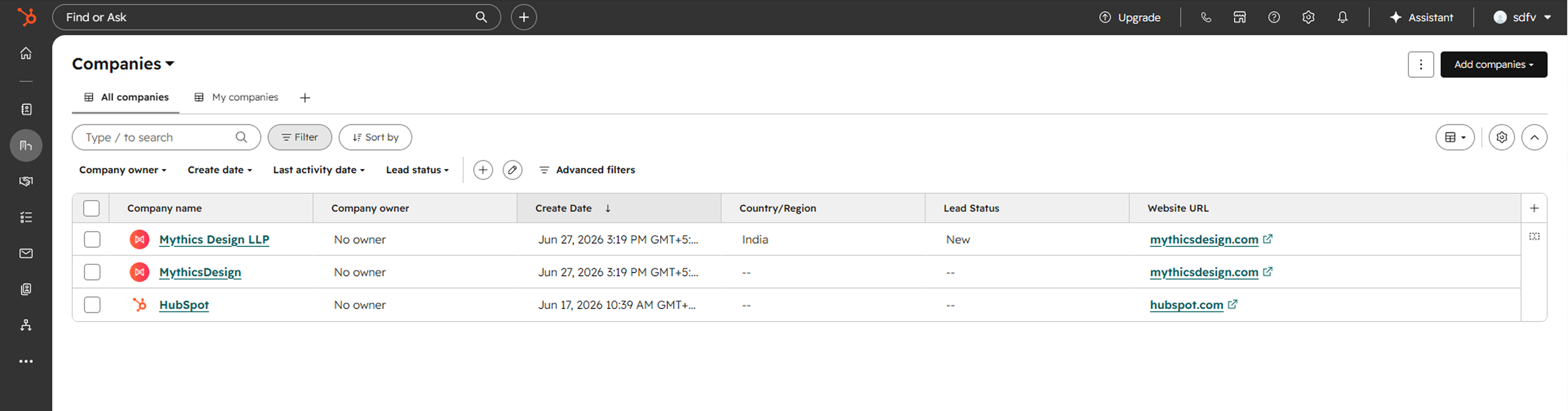
Beyond contact synchronization, Kiwiform can also help you create and manage HubSpot company and deal records from form submissions. This allows information collected through forms to become structured CRM data that can support sales, account management, onboarding, and business development workflows.
Companies represent organizations or businesses associated with a submission, while deals represent sales opportunities that move through your sales pipeline. By creating these records automatically, teams can spend less time entering data and more time managing relationships and opportunities.
When Should You Create Companies and Deals?
Company and deal synchronization is useful whenever form submissions represent business opportunities, sales inquiries, customer onboarding requests, partnership applications, or account-related workflows.
For example, a sales inquiry form can create a new company record for the prospect's organization and generate a deal record that enters your sales pipeline immediately after submission. This helps teams respond faster and maintain better visibility into incoming opportunities.
Before You Begin
Before configuring company and deal synchronization, make sure:
Your HubSpot account is connected to Kiwiform.
You have created a HubSpot-connected form.
The required HubSpot company and deal properties already exist.
Pipelines and stages are configured in HubSpot.
Your form includes the information needed to create company and deal records.
Having a clear CRM structure before configuring synchronization can help ensure records are created consistently and accurately.
Access Companies and Deals Settings
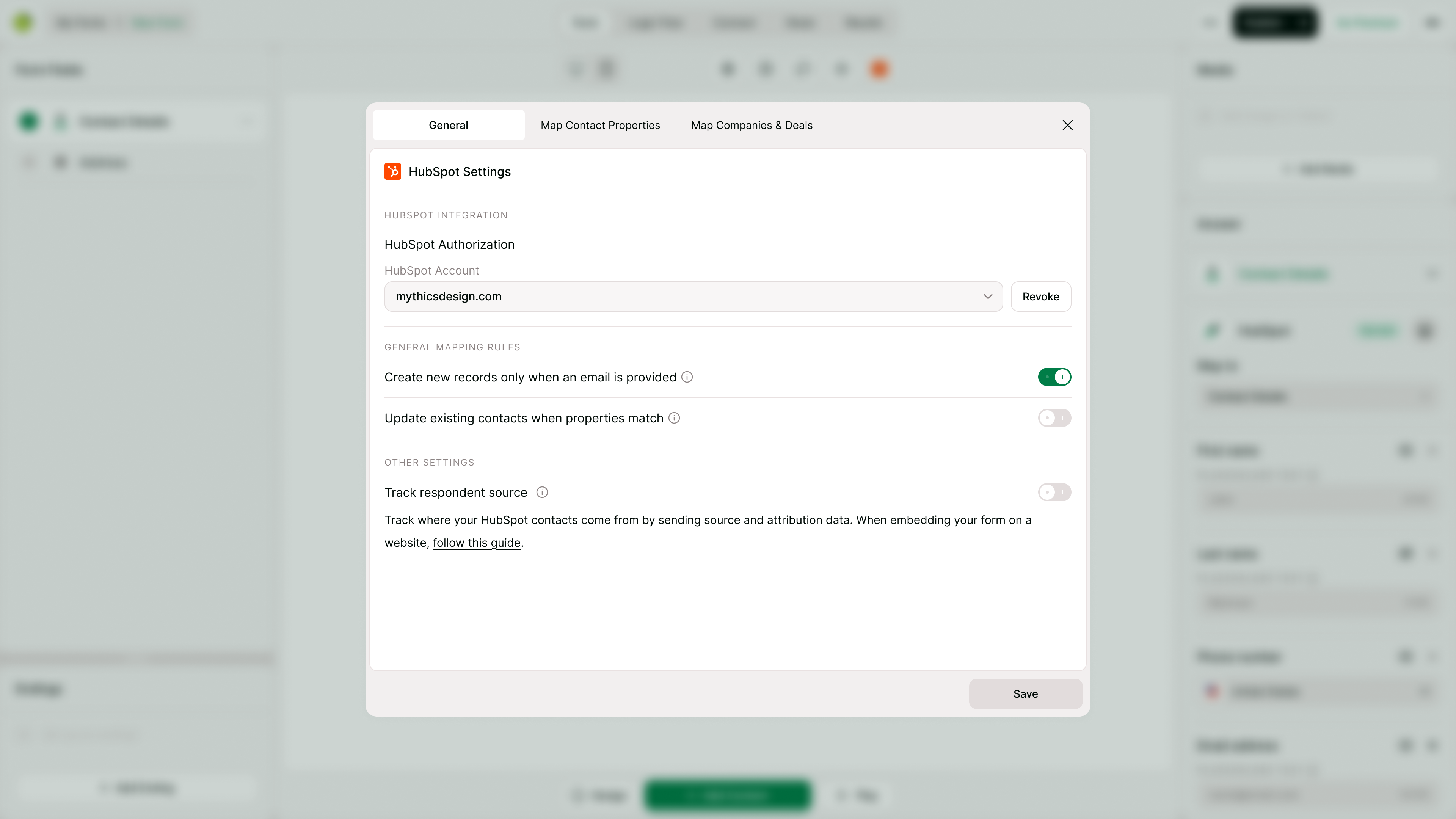
Company and deal synchronization settings can be configured from the HubSpot integration settings within your form.
To get started:
Open your HubSpot-connected form.
Navigate to the HubSpot integration settings.
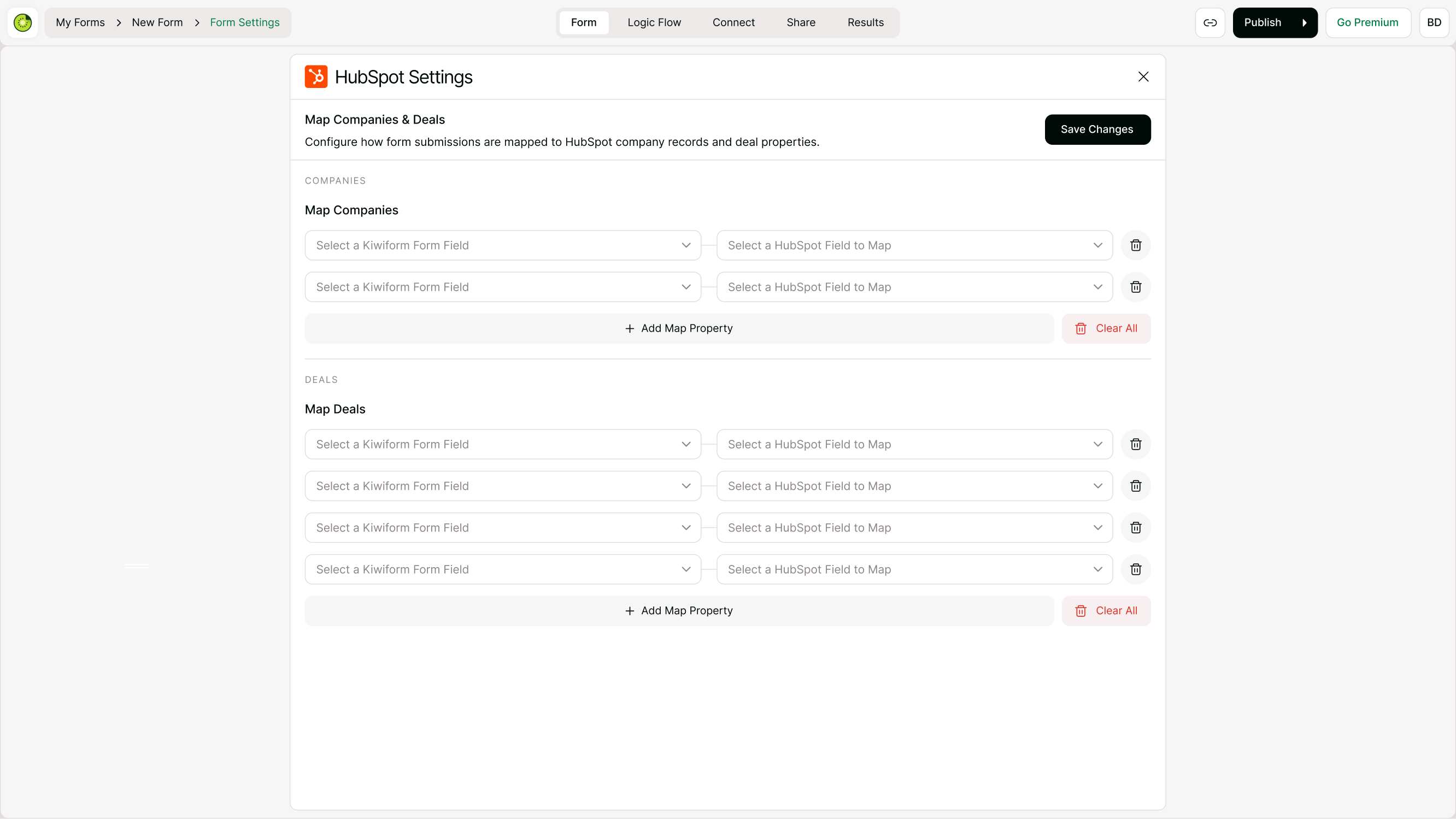
Open the Map Companies & Deals section.
Configure company and deal mappings.
Assign pipeline and stage settings.
Save your changes.
Once configured, form submissions can automatically create or update company and deal records in HubSpot.
Create HubSpot Companies from Form Submissions
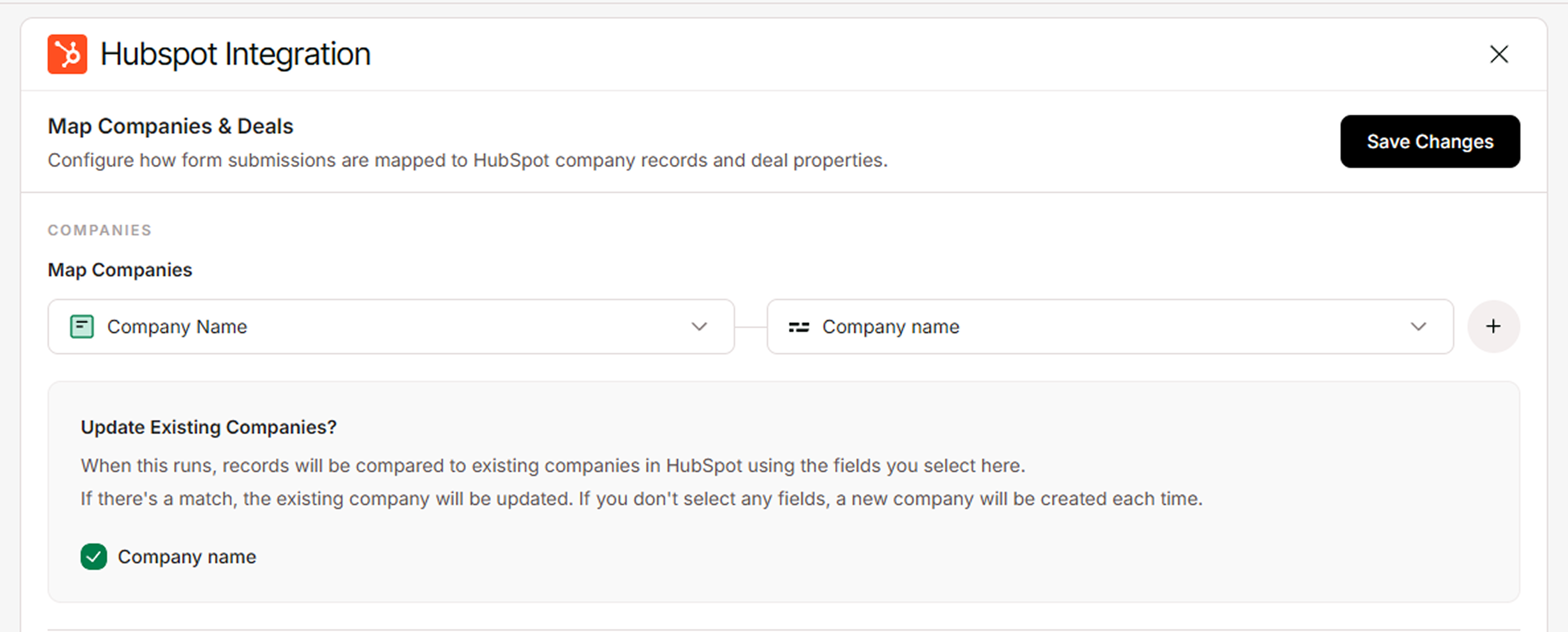
Kiwiform can create company records using information collected through your forms.
Common company information includes:
Company Name
Website
Industry
Company Size
Business Location
Organization Details
When a submission is received, the mapped information can be used to create a company record in HubSpot, helping teams build and maintain accurate account data automatically.
Create HubSpot Deals from Form Submissions
Kiwiform can also create deal records when a form is submitted.
This is particularly useful for:
Sales inquiries
Demo requests
Consultation requests
Partnership opportunities
Enterprise lead forms
Quote requests
Automatically creating deals helps ensure opportunities enter your sales pipeline without requiring manual CRM updates.
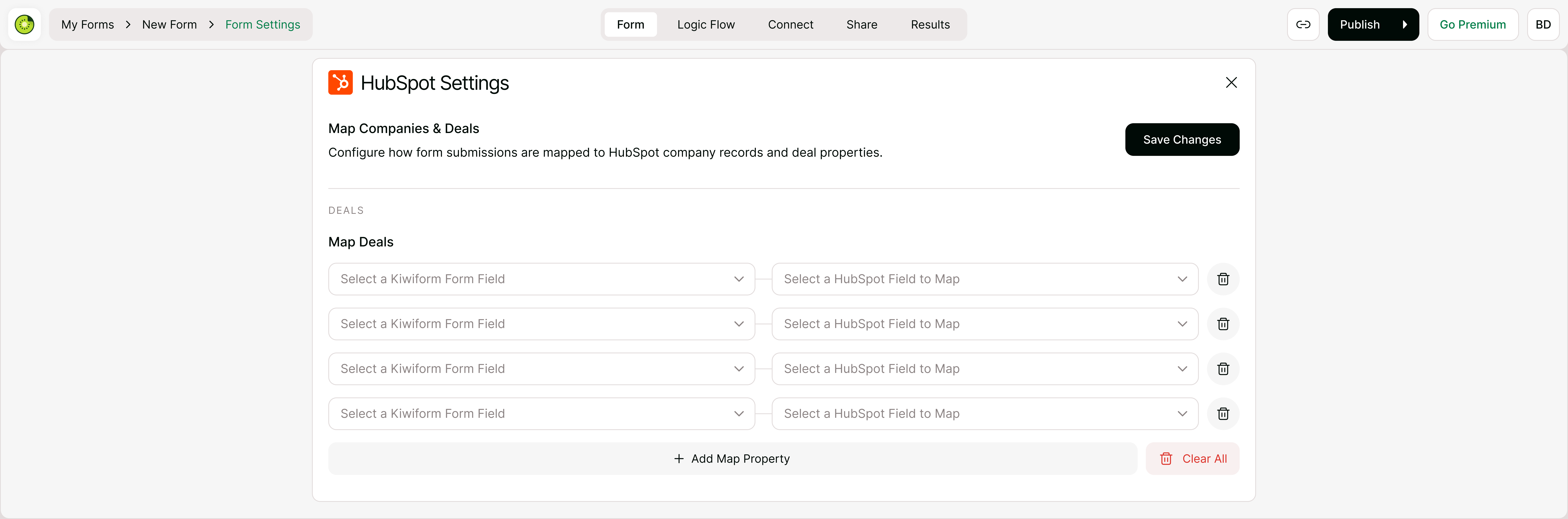
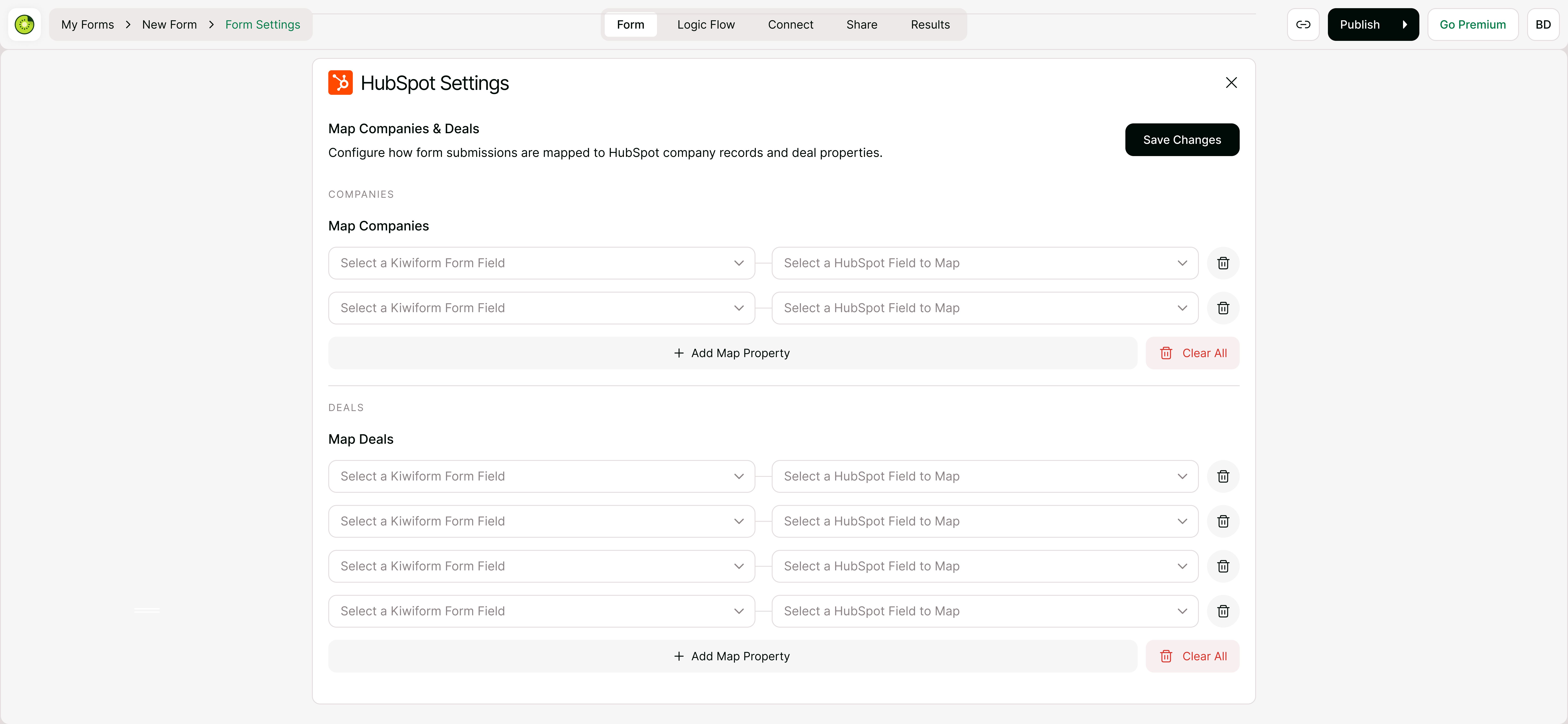
Map Company and Deal Properties
Property mapping determines where form data is stored inside HubSpot.
You can map Kiwiform fields to:
Company properties
Deal properties
Custom CRM fields
This ensures information collected through forms is stored in the correct location and can be used for reporting, automation, segmentation, and sales workflows.
Assign Pipelines and Deal Stages
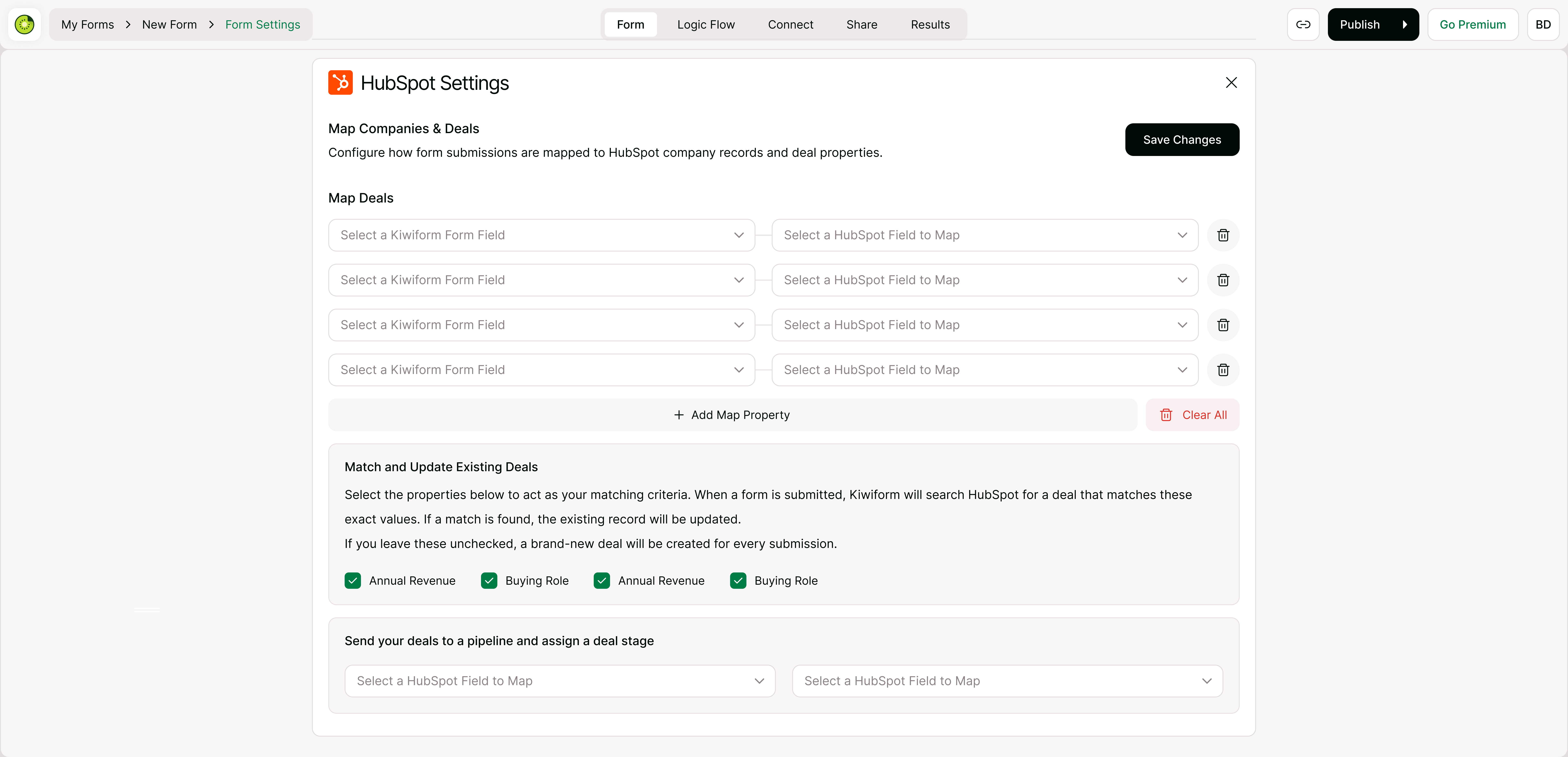
When creating deals, you can choose which HubSpot pipeline and stage should be assigned automatically.
This allows new opportunities to enter the correct workflow immediately after submission.
For example:
New Inquiry
Qualified Lead
Discovery
Proposal
Negotiation
Assigning pipelines and stages automatically can improve sales process consistency and reduce manual CRM administration.
Update Existing Companies and Deals
In some situations, a submission may relate to an existing company or deal.
Kiwiform can use matching information to identify existing records and update them instead of creating duplicates. This helps maintain cleaner CRM data and keeps sales records aligned with ongoing customer activity.
Best Practices for Company and Deal Synchronization
To improve CRM accuracy and maintain reliable workflows:
Map fields carefully before publishing forms.
Keep company and deal properties organized.
Use consistent naming conventions.
Test synchronization using sample submissions.
Review pipeline and stage assignments regularly.
Avoid collecting duplicate information across forms.
These practices can help ensure company and deal records remain useful, accurate, and easy to manage.
Common Companies and Deals Workflows
Companies and Deals synchronization is commonly used when form submissions need to create business records, sales opportunities, or account-related information inside HubSpot.
Sales Inquiry Forms
Demo Request Forms
Quote Request Forms
Consultation Request Forms
Enterprise Lead Forms
B2B Lead Capture Forms
Partnership Application Forms
Vendor Inquiry Forms
Customer Onboarding Forms
Account Registration Forms
Business Contact Forms
Service Request Forms
Project Inquiry Forms
Agency Application Forms
Procurement Request Forms
Troubleshooting Company and Deal Synchronization
If companies or deals are not being created as expected:
Verify that HubSpot is connected.
Confirm company and deal mappings are configured correctly.
Check pipeline and stage settings.
Review required HubSpot properties.
Submit a test response.
Verify synchronization permissions within HubSpot.
Most synchronization issues can be resolved by reviewing mappings, pipeline assignments, and record configuration settings.
Summary
HubSpot Companies and Deals synchronization helps you automatically create and manage business records and sales opportunities from Kiwiform form submissions. By connecting forms directly to your CRM, you can streamline sales workflows, reduce manual data entry, maintain organized company records, and ensure opportunities enter the correct pipeline and stage as soon as they are submitted.