Where to Access Billing Settings
To manage your billing details:
Click your profile avatar (top right).
Go to Account & Settings.
Open the Plan & Billing tab.
Here, you’ll see your current plan status and available billing actions.
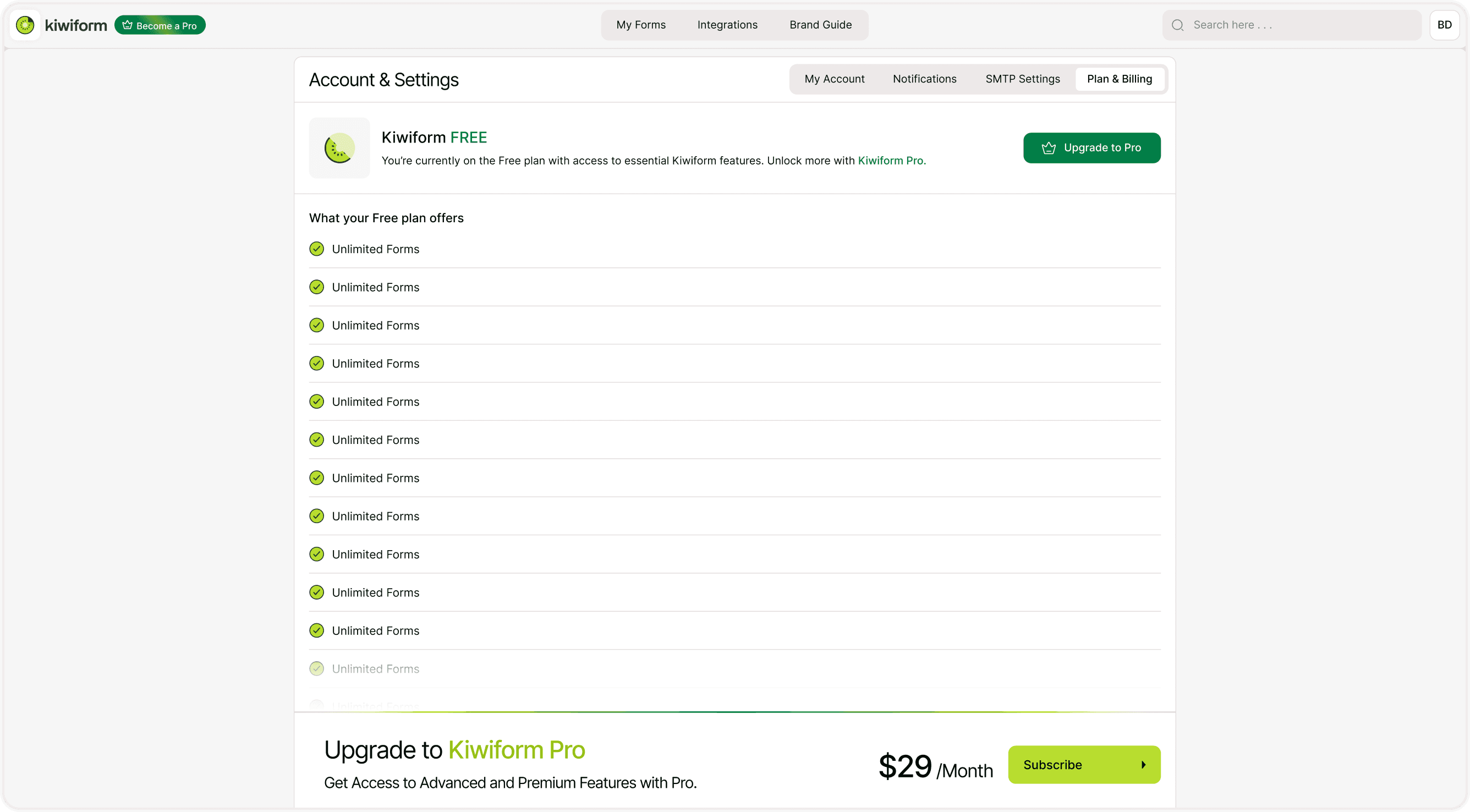
If You Are on the Free Plan
If your account shows Kiwiform FREE, it means:
You are not currently being billed.
You have access to essential features.
You can upgrade anytime by clicking Upgrade to Pro.
Upgrading unlocks additional features and higher limits depending on the selected plan.
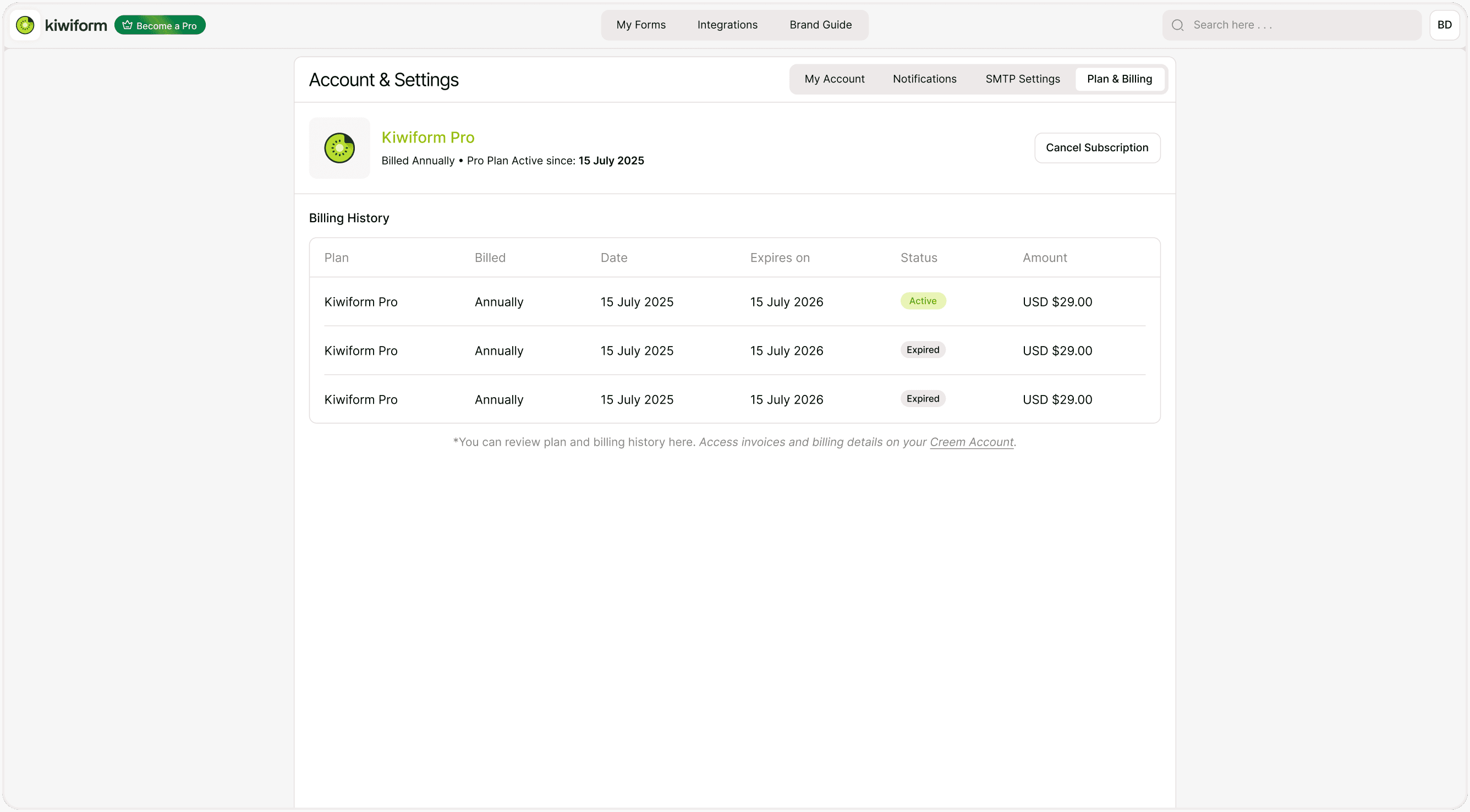
If You Are on the Pro Plan
If you are subscribed to Kiwiform Pro, the Billing section will display:
Your billing cycle (Monthly or Annually)
Plan activation date
Subscription status (Active)
Option to Cancel Subscription
This provides a clear overview of your current subscription.
Monthly vs Annual Billing
Your subscription may be billed:
Monthly
Charged every month
Flexible subscription
Can cancel before the next billing date
Annually
Charged once per year
Discounted compared to monthly
Ideal for long-term usage
You can review your billing cycle in the Plan & Billing section.
How to Cancel Your Subscription
To cancel:
Go to Account & Settings → Plan & Billing.
Click Cancel Subscription.
Confirm your decision.
Important details:
Your subscription remains active until the end of the current billing period.
You will not be charged again after cancellation.
You will return to the Free plan once your billing cycle ends.
Your forms and data are not deleted.
Cancellation stops future renewals but does not immediately remove access.
Viewing Invoices and Billing History
In the Billing section, you may see a note directing you to your payment provider dashboard (such as Polar Account) to:
View invoice history
Download receipts
Check billing transactions
Update payment details
This ensures your billing information remains accessible and organized..
Best Practices
Review your billing cycle regularly.
Keep payment details updated.
Download invoices for record-keeping.
Cancel before renewal if you do not wish to continue.
Kiwiform keeps billing simple and transparent so you can focus on creating and managing forms without confusion.
Summary
The Billing section allows you to manage your subscription, view billing details, access invoices, and cancel or upgrade your plan in Kiwiform.