What Is Universal Embed?
Universal Embed is a lightweight script that loads your form inside a specific container on your website.
This script automatically renders your form wherever the container is placed.
You only need to install it once.
Why Use Universal Embed?
Universal Embed is best when you want:
Full control over placement
Custom layout integration
Advanced styling flexibility
Dynamic page behavior
Seamless integration into web apps
Automatic updates without re-pasting code
It works perfectly with:
Custom HTML websites
Web applications
SaaS dashboards
Headless CMS setups
React, Vue, or Next.js environments
How to Use Universal Embed
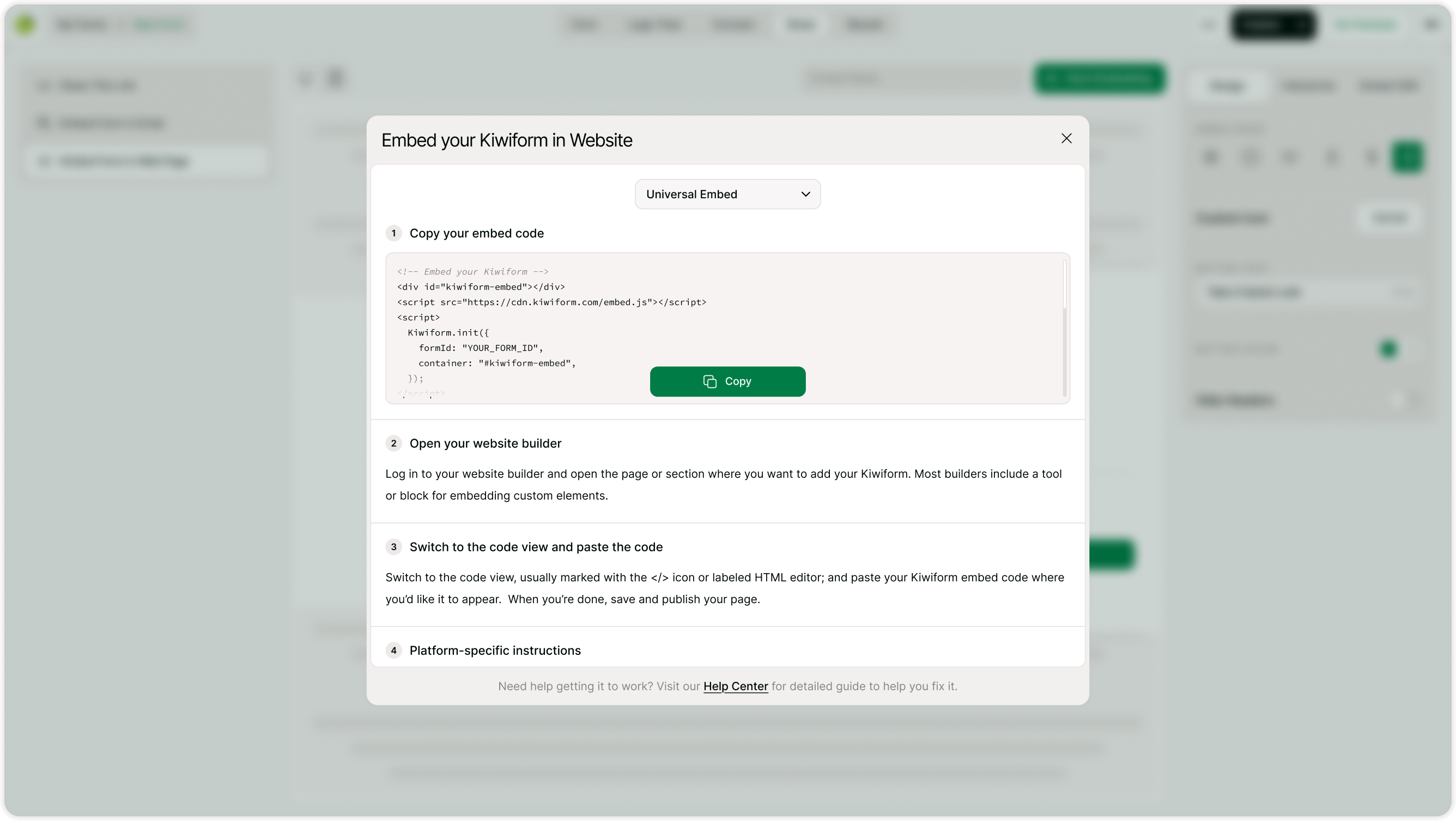
Open the Share Section
Go to your form
Click Share
Choose Embed Form in Web page
Select Universal Embed from the dropdown
Copy Your Embed Code
Click Copy Code.
This will copy the container div and script needed to load your form.Add It to Your Website
Paste the code into your website’s HTML where you want the form to appear.
For example:Inside a CMS custom HTML block
Inside a theme template
Inside a React component wrapper
Inside a landing page builder
Save and publish your page.
Your form will now load dynamically.
How Universal Embed Works
The script:
Loads your form from Kiwiform servers
Automatically applies your latest design
Adapts to screen size
Handles responsive behavior
Updates instantly when you edit your form
You never need to replace the embed code after editing your form.
Customization Options
You can combine Universal Embed with:
Custom CSS on your website
Container width and layout controls
Section-based page designs
Background transparency settings
Hidden headers (if enabled in design)
This allows seamless branding integration.
When Should You Use Universal Embed?
Choose Universal Embed if:
You have a developer or technical team
You need advanced placement control
You want better performance optimization
You’re embedding inside a web application
You need long-term scalable integration
For simple websites, standard embed modes may be easier.
Best Practices
Universal Embed is optimized for:
Fast loading
Minimal script weight
Responsive design
Automatic updates
Because it loads dynamically, it does not slow down your website when implemented correctly.
Always test your page performance after embedding.
Summary
Universal Embed (Custom Embed) allows you to dynamically load your Kiwiform anywhere using a simple script. It’s powerful, flexible, and automatically updates when your form changes. Perfect for developers and advanced website setups.