Before You Delete Your Account
Deleting your Kiwiform account is permanent. Once completed:
All forms will be deleted
All submissions and responses will be permanently removed
Account settings will be erased
Access to your workspace will be revoked
Associated data cannot be recovered
If you are on a paid plan, you should cancel your subscription before deleting your account.
Account deletion cannot be undone.
Where to Find the Delete Account Option
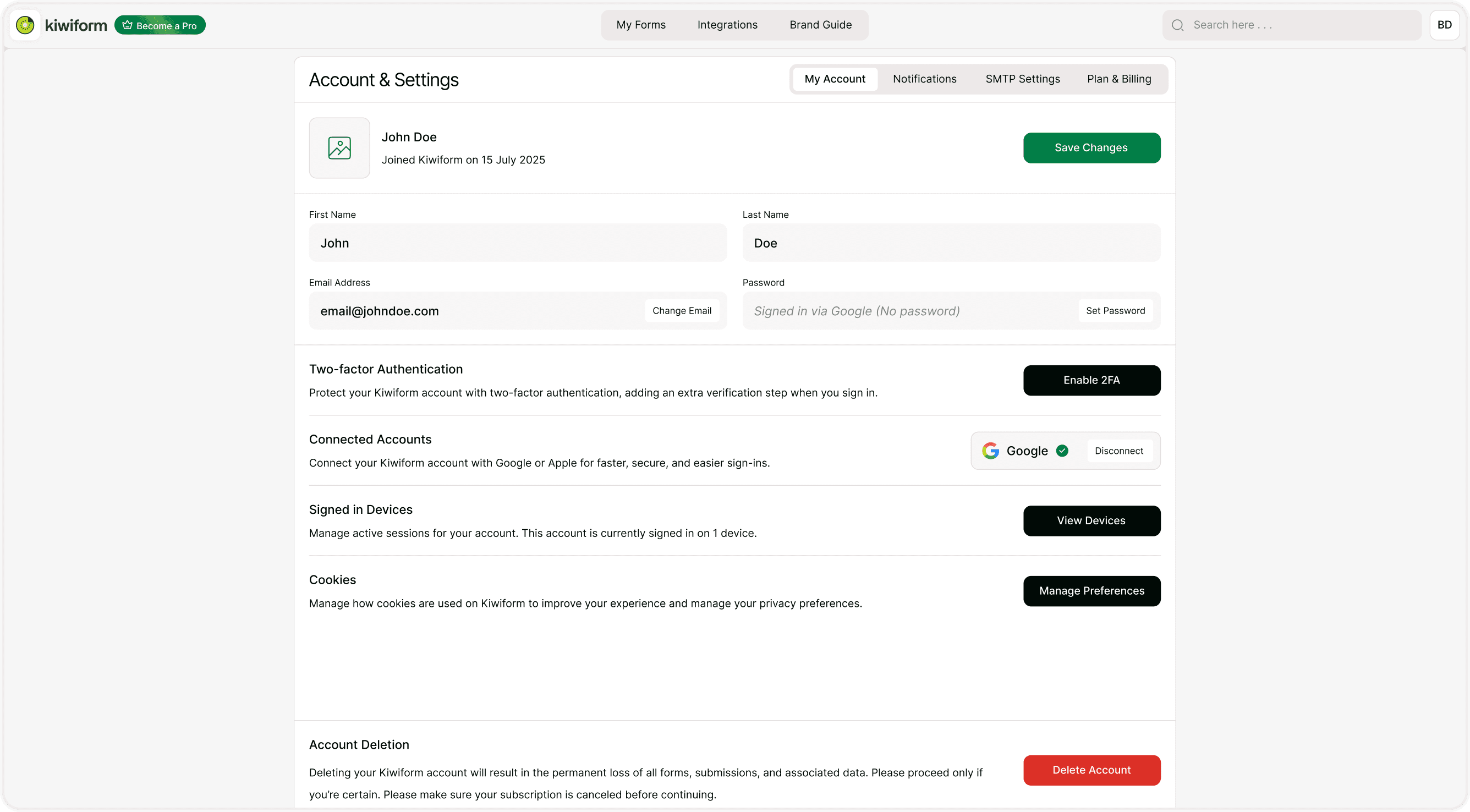
To delete your account:
Click your profile avatar (top right).
Go to Account & Settings.
Open the My Account tab.
Scroll to the bottom.
Click Delete Account.
Confirm your decision.
If You Have an Active Subscription
If you are subscribed to Kiwiform Pro:
Cancel your subscription from Plan & Billing first.
Wait for confirmation that the subscription is canceled.
Then proceed with account deletion.
Deleting your account without canceling your subscription may not automatically stop billing depending on your billing cycle. Always cancel first.
Alternatives to Deleting Your Account
Before deleting your account, consider:
Exporting important submission data.
Downgrading to the Free plan instead.
Disabling forms instead of deleting your entire account.
Contacting support if you are facing technical issues..
If you only need to stop payments, canceling your subscription may be sufficient.
Best Practices Before Deleting
Download or export important responses.
Confirm subscription cancellation (if Pro).
Inform your team (if applicable).
Double-check that deletion is necessary.
Once deleted, the process cannot be reversed.
Summary
This guide explains how to permanently delete your Kiwiform account, what data is removed, and the steps to take before completing deletion.