When Should You Embed a Form in Email?
Embedding works well when you want to:
Collect feedback directly from newsletters
Send customer satisfaction surveys
Run post-purchase feedback campaigns
Capture event RSVPs
Launch quick polls
Increase engagement in marketing emails
Reducing extra clicks increases response rates.
How to Embed Your Form in an Email
Follow these steps:
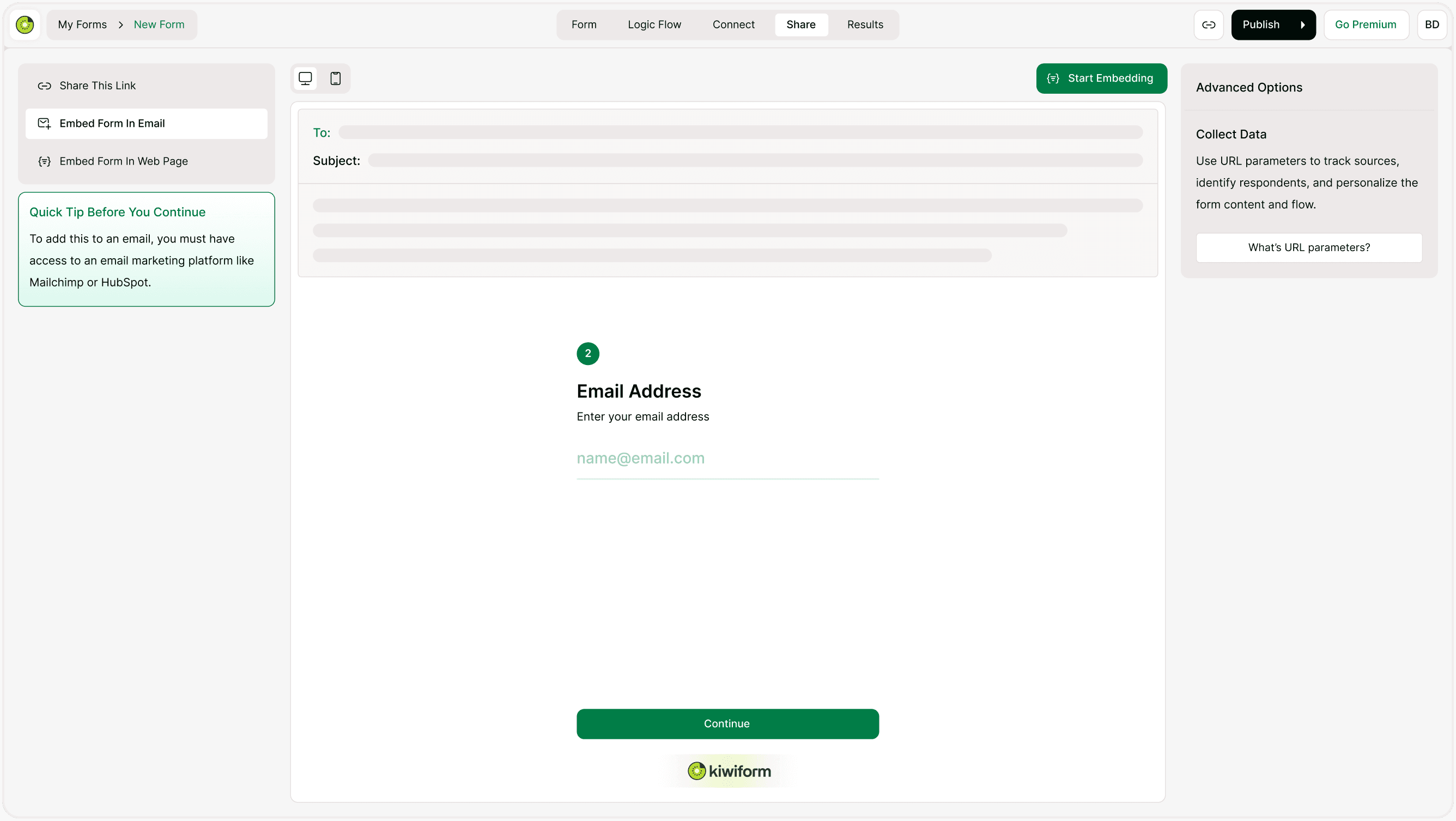
Open the Share Tab
Open your form.
Click Share.
Select Embed Form in Email.
Copy the Embed Code
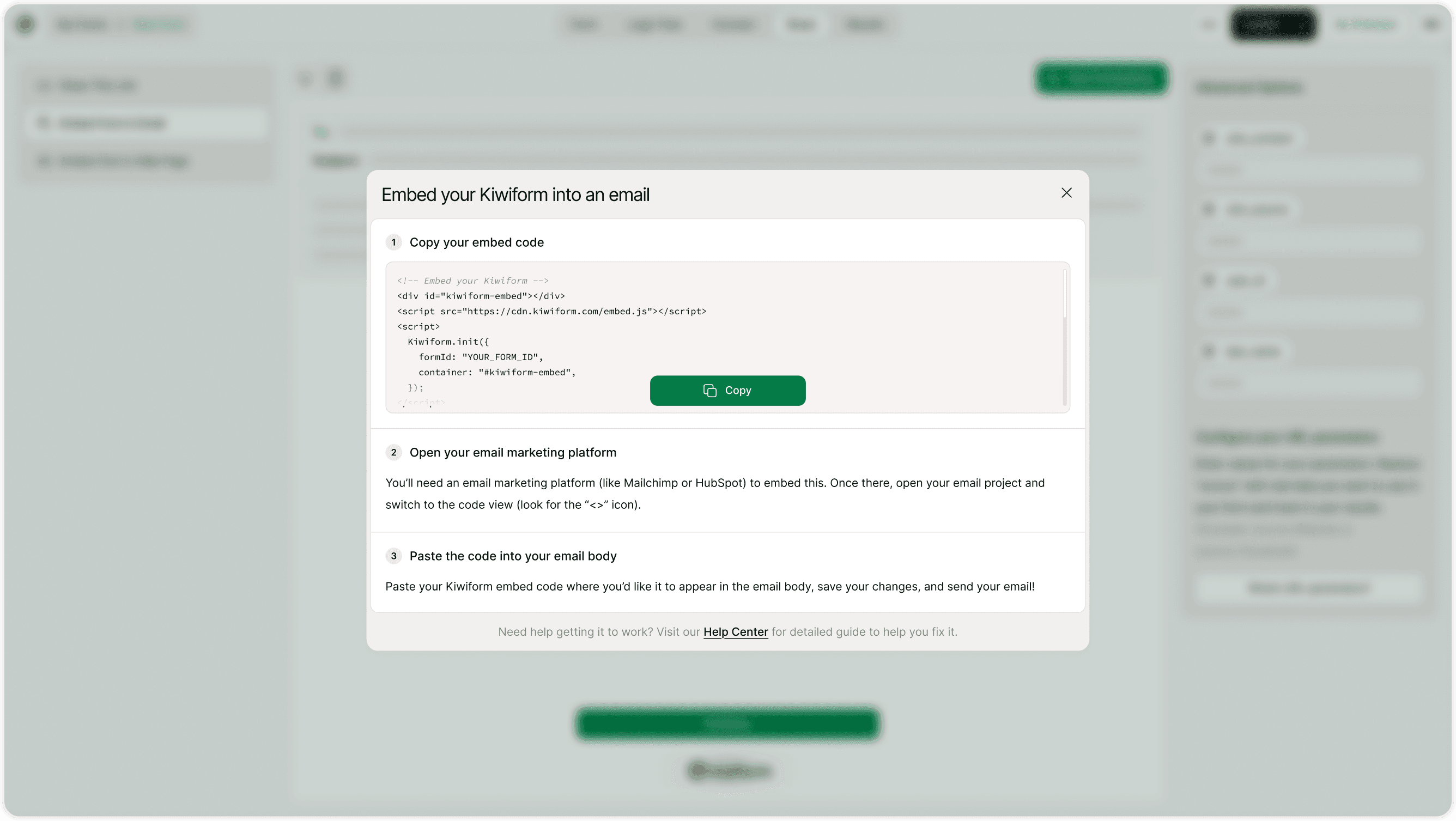
A popup will appear with your email embed code.Click Copy Code.
The HTML code will be copied to your clipboard.
Open Your Email Marketing Platform
To use the embed code, you need access to an email marketing tool that supports HTML editing, such as:
Mailchimp
HubSpot
ActiveCampaign
Sendinblue
ConvertKit
Open your email campaign editor and switch to code view (look for the <> or HTML icon).
Paste the Code into Your Email
Paste the embed code where you want the form to appear.
Save your changes.
Preview the email.
Send or schedule your campaign.
Your form will now appear inside the email layout.
Important: Email Platform Requirements
Most email clients (like Gmail or Outlook) do not fully support interactive forms directly inside emails for security reasons.
Because of this:
The embed code typically displays a styled preview with a button.
Clicking the button opens your form in a browser.
It ensures compatibility across devices.
Always test your campaign before sending.
Why Embed in Email Matters
Email marketing remains one of the highest-converting communication channels. By embedding your form directly in campaigns, you reduce friction and improve response rates.
Kiwiform simplifies email-based form collection, making it a powerful free Typeform alternative for marketers and businesses.
Best Practices for Higher Email Engagement
To maximize results:
Use a clear subject line.
Add a strong call-to-action.
Place the form near the top of the email.
Keep your email concise.
Preview across mobile and desktop.
A/B test different placements.
Small improvements can significantly boost response rates.
Summary
The Embed in email feature allows you to copy HTML code and insert your form into email campaigns using marketing platforms. It increases engagement and streamlines response collection directly from inboxes.