Why Embed a Form on Your Website?
Embedding is ideal when you want to:
Capture leads on landing pages
Add contact forms to your website
Collect feedback inside product pages
Run surveys within blog posts
Add signup forms to SaaS platforms
Improve conversions by reducing redirects
Keeping users on your site reduces drop-offs and builds trust.
Open the Share Tab
Open your form inside Kiwiform.
Click Share.
Select Embed Form in Web page.
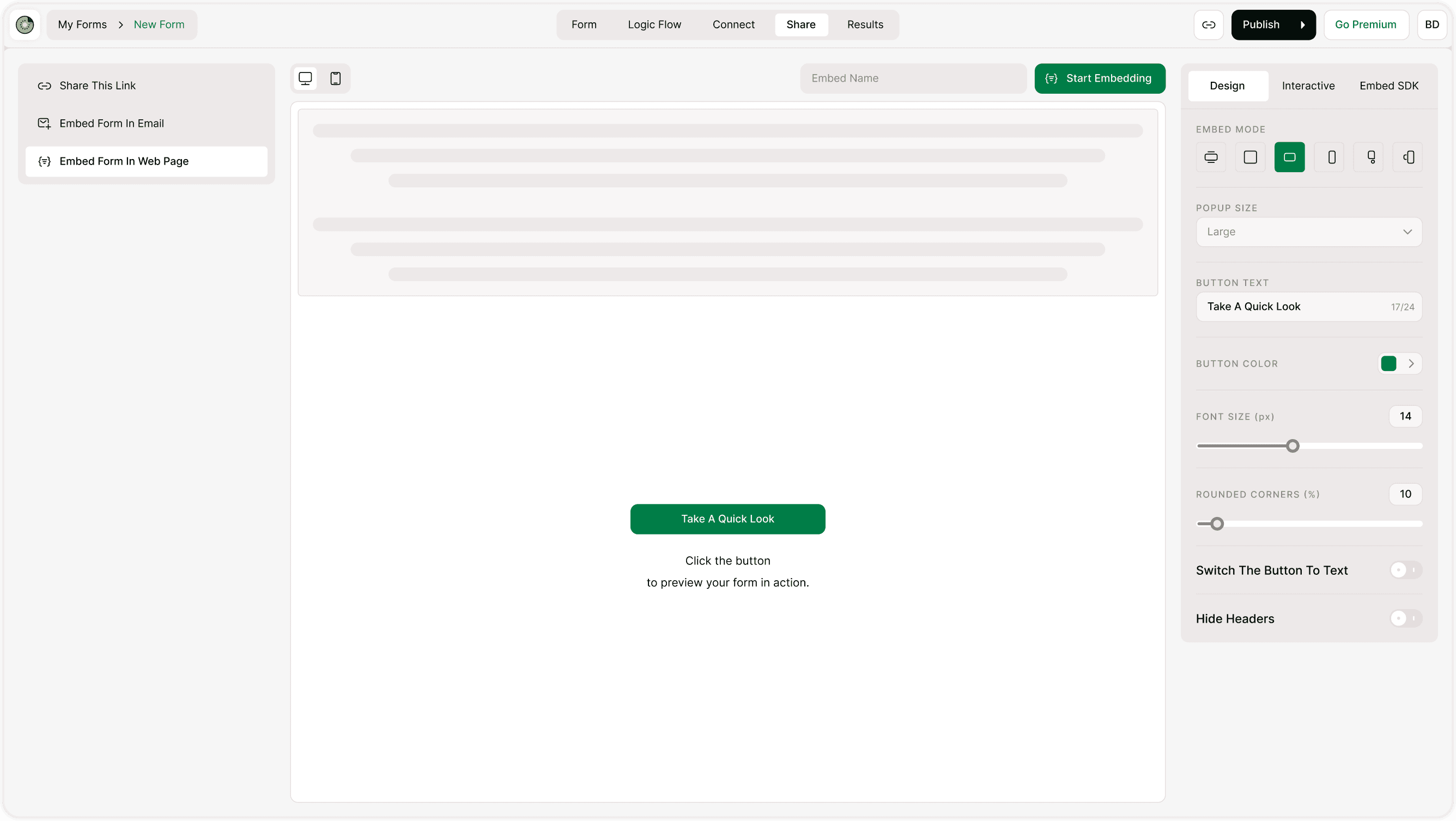
Choose Your Embed Mode
Kiwiform offers multiple embed display options so you can match your website layout:
Standard Embed (inline inside page)
Popup
Slide-in
Full page
Floating button
Select the mode that fits your website experience.
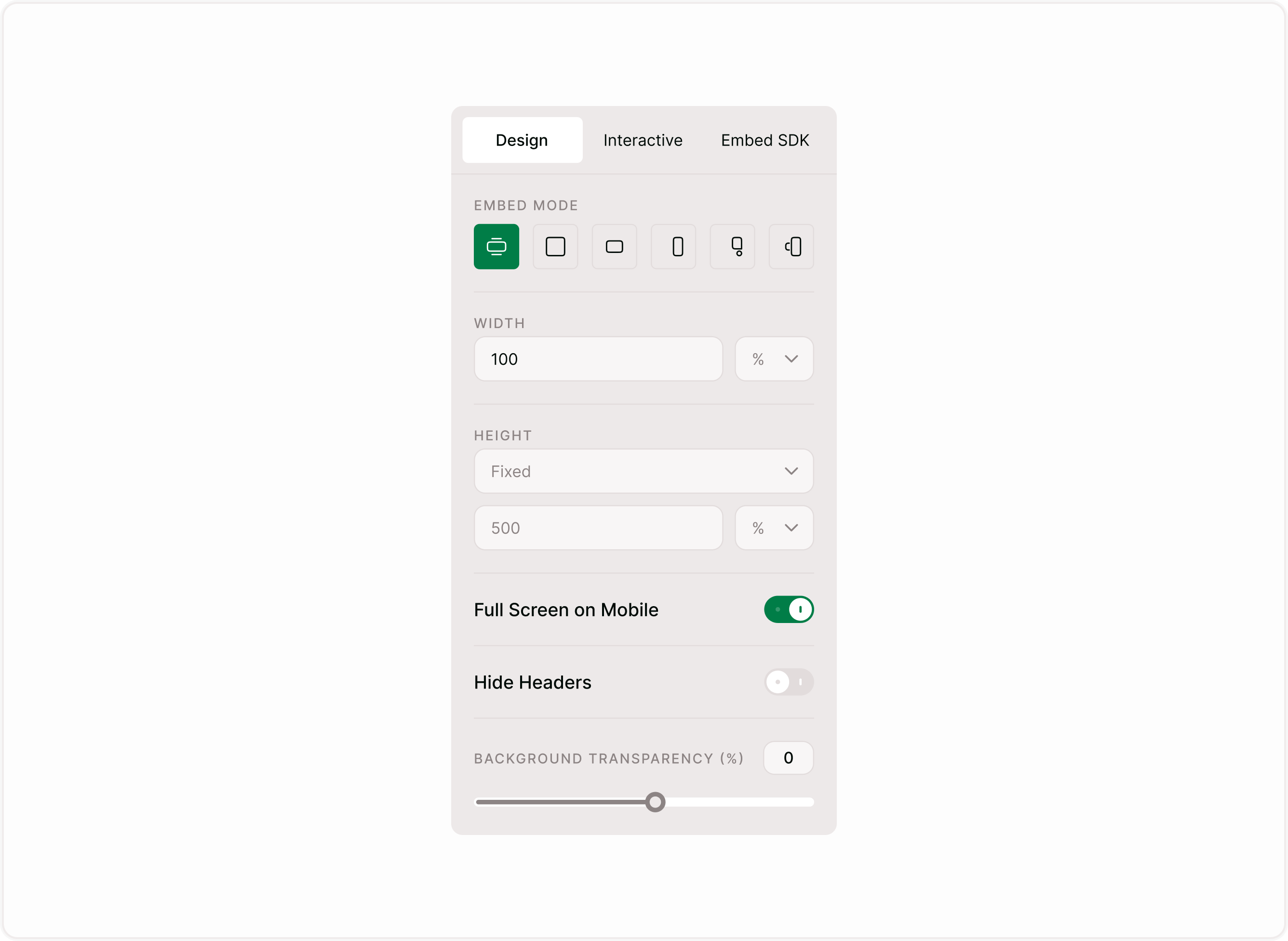
Customize Design Settings
From the right-side Design panel, you can adjust:
Width
Set the form width in percentage (%) or pixels (px).
100% width works best for responsive layouts.
Height
Choose:
Fixed height (e.g., 500px)
Auto height (adjusts automatically)
Full Screen on Mobile
Enable this option for better mobile usability.
Hide Headers
Remove form headers if embedding inside a branded section.
Background Transparency
Adjust transparency to blend with your website design.
These options help your form look native to your website.
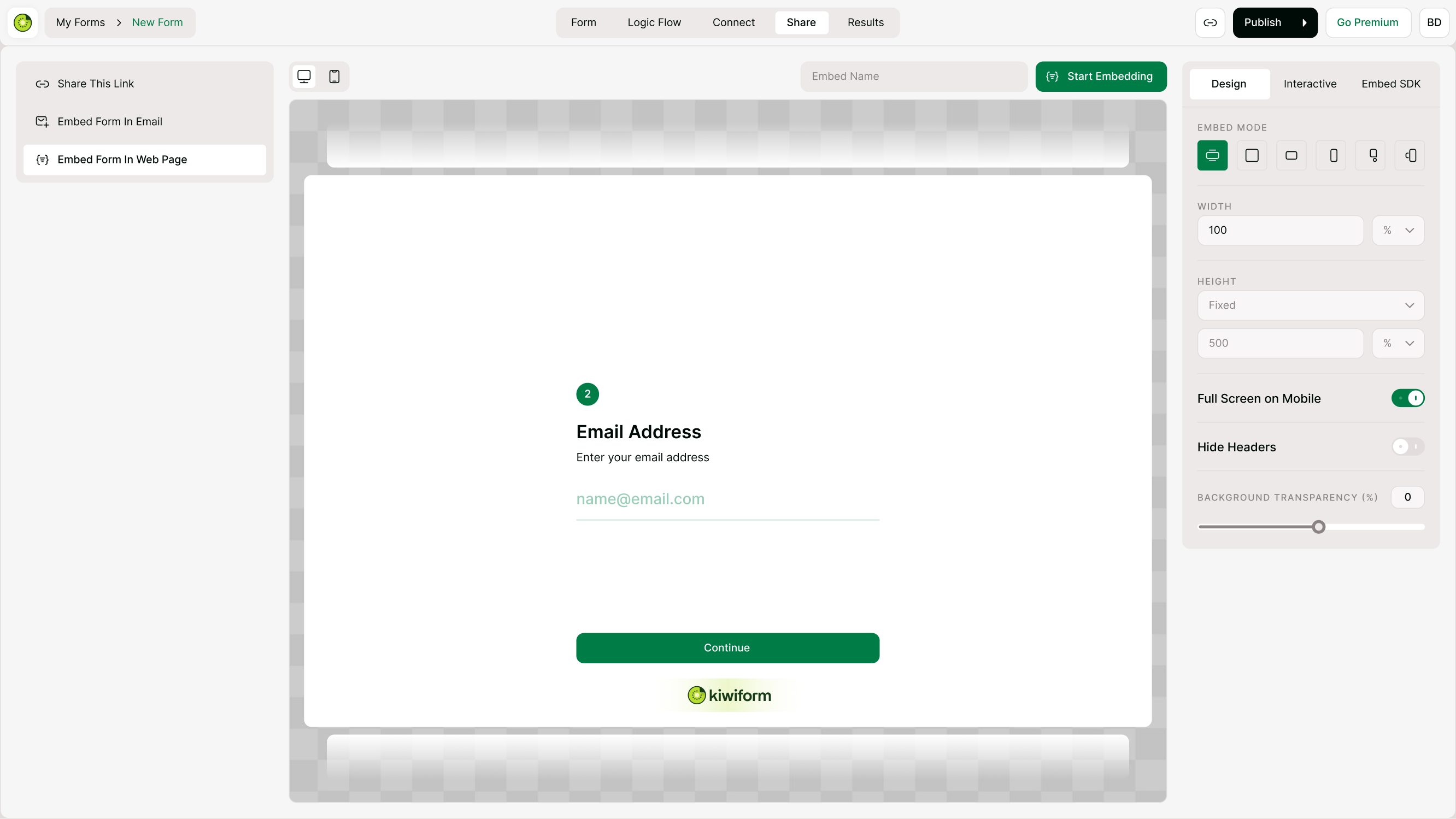
Click “Start Embedding”
After customizing your layout:
Click Start Embedding
Copy the generated embed code
This code contains everything needed to display your form.
Add the Code to Your Website
Paste the embed code into your website where you want the form to appear.
Common Platforms:
WordPress (Custom HTML block)
Webflow (Embed component)
Shopify (Custom Liquid section)
Wix (Embed HTML widget)
Custom HTML websites
Save and publish your page. Your form will now appear live on your website.
Best Practices for Website Embeds
To maximize conversions:
Place the form above the fold for lead capture
Use a clear headline
Keep the surrounding content minimal
Optimize for mobile
Test load speed
Avoid embedding too many scripts on one page
Clean design increases completion rates.
Summary
The Embed in website feature lets you place your Kiwiform directly into your website using customizable embed modes and design controls. It improves user experience, boosts conversions, and keeps visitors engaged without redirects.