What Are Embed Modes?
Embed Modes define the display behavior of your form when added to a website.
You can choose from multiple options based on how visible or interactive you want the form to be.

Standard Embed (Inline)
The form appears directly inside your webpage content.
Best for:
Landing pages
Contact pages
Signup sections
Dedicated survey pages
Why use it?
Seamless integration
High visibility
Works well for long-form content
This is the most common and conversion-friendly option.
Popup Embed
The form appears in a centered popup over your webpage.
Best for:
Limited-time offers
Exit-intent surveys
Newsletter signups
Lead magnets
Why use it?
Grabs attention immediately
Reduces page clutter
Great for high-impact campaigns
Use popups strategically to avoid overwhelming visitors.
Slide In Embed
The form slides in from the side of the screen.
Best for:
Feedback collection
Customer satisfaction prompts
Product page surveys
Non-intrusive lead capture
Why use it?
Less disruptive than popups
Maintains browsing experience
Ideal for subtle engagement
Full Page Embed
The form takes over the entire page.
Best for:
Dedicated form URLs
Application forms
Onboarding flows
In-depth surveys
Why use it?
Zero distractions
Focused user experience
Maximum completion rates
Floating Button Embed
A small button appears on your page. Clicking it opens the form.
Best for:
Continuous feedback collection
Support forms
Contact widgets
Always-available forms
Why use it?
Minimal page impact
Clean interface
Always accessible
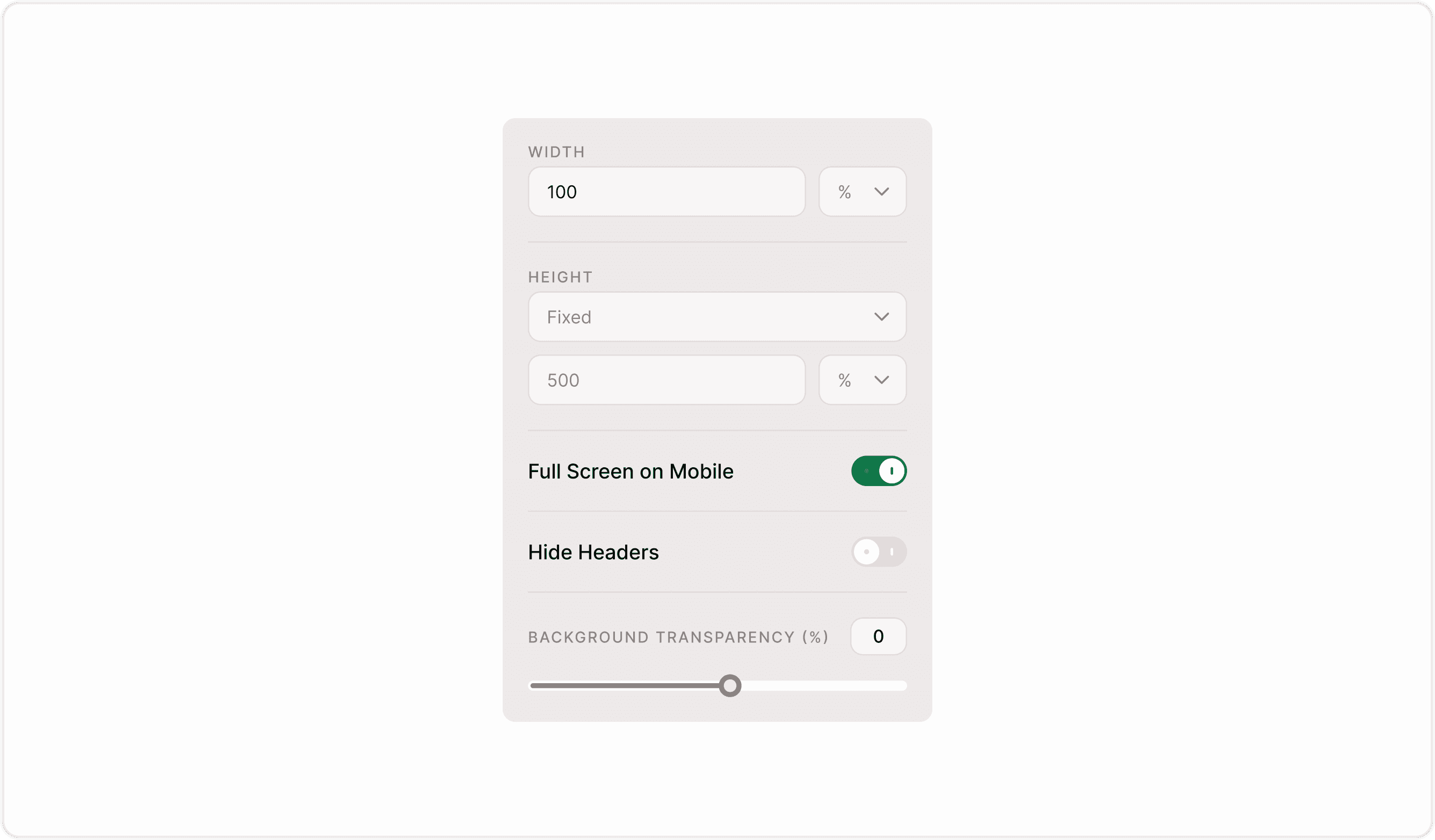
Customizing Your Embed Mode
Once you select a mode, you can customize:
Width (percentage or pixels
Height (fixed or auto)
Full screen on mobile
Hide headers
Background transparency
These settings help your form match your website design.
Why Embed Modes Matter
The way a form appears can significantly impact conversion rates. By giving you flexible display options, Kiwiform helps you tailor the experience to your audience.
As a free Typeform alternative, Kiwiform provides powerful embedding options without complexity or restrictive limits.
Best Practices for Higher Conversions
Keep forms short and focused.
Use clear call-to-action text.
Match embed style with your brand.
Avoid multiple popups on the same page.
Test placement and timing.
Small UX improvements can increase submissions dramatically.
Summary
Embed Modes let you control how your form appears on your website — inline, popup, slide-in, full-page, or floating button. Choose the right mode based on your goals to maximize engagement and conversions.