Where to Find the Export PDF Option
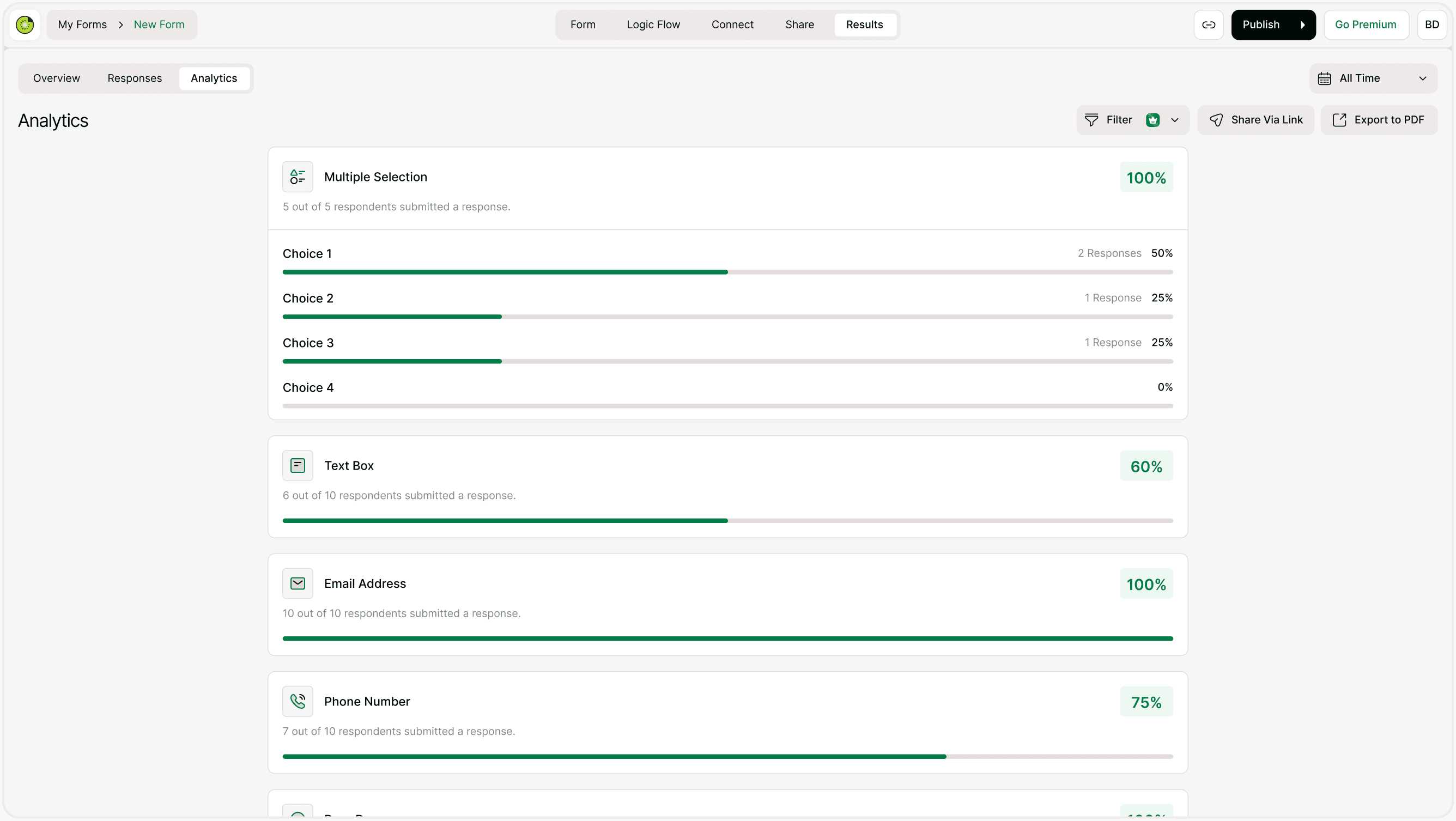
To export your analytics report:
Open your form.
Click Results.
Select the Analytics tab.
Click Export to PDF in the top-right corner.
Your analytics report will be generated as a downloadable PDF file.
What Is Included in the PDF Report?
The exported PDF includes:
Form title
Total number of responses
Question-by-question breakdown
Response percentages
Visual progress bars
Answer distribution for choice-based questions
The layout is optimized for readability and professional sharing.
Why Use PDF Export?
Exporting your analytics as a PDF is useful when you need to:
Share reports with clients
Present survey results in meetings
Create monthly or quarterly summaries
Archive performance records
Send structured insights to stakeholders
A PDF ensures formatting remains consistent across devices.
Does the PDF Reflect Filters?
Yes.
If you apply filters or time-based conditions before exporting, the PDF will reflect the currently filtered analytics data.
This allows you to:
Export campaign-specific reports
Share time-range-based insights
Provide segmented performance summaries
Always apply filters before exporting if you need targeted reports.
When Should You Export PDF Reports?
Exporting reports is especially helpful for:
Marketing campaign reviews
Customer feedback summaries
Event survey reporting
Academic research reporting
Internal performance reviews
Instead of manually compiling charts, you can generate a ready-to-share document instantly.
Why Export PDF Matters
Data collection is powerful — but presenting it clearly is even more important.
The Export PDF feature allows you to:
Communicate insights professionally
Save time on manual reporting
Share visual performance data instantly
Maintain organized documentation
Kiwiform combines analytics and easy reporting in one place, making it a practical free Typeform alternative for businesses and creators.
Best Practices for PDF Reporting
Apply filters before exporting if needed.
Double-check the selected time range.
Review the analytics page before generating the file.
Use consistent naming when saving reports.
Archive reports for long-term performance tracking.
Organized reporting improves clarity and decision-making.
Summary
The Export PDF feature lets you generate a clean, professional analytics report in seconds. Apply filters if needed, click export, and share structured insights with anyone.