What is Make?
Make (formerly Integromat) is a workflow automation platform that allows you to connect apps, services, and systems without writing code. Using visual scenarios, you can automatically move data between Kiwiform and thousands of supported applications.
When a form submission is received in Kiwiform, Make can instantly trigger actions such as updating spreadsheets, creating CRM records, sending notifications, generating tasks, updating databases, or connecting information across multiple systems.
This allows your forms to become part of a larger automated workflow instead of simply collecting responses.

Why Use Make with Kiwiform?
The Make integration helps reduce manual work and keeps your data moving automatically between systems.
Common use cases include:
Send leads to your CRM automatically
Create tasks in project management tools
Add contacts to marketing platforms
Update Google Sheets when new responses arrive
Send notifications to Slack or Microsoft Teams
Route submissions to internal workflows
Trigger approval processes
Sync customer information between systems
Automate onboarding workflows
Connect Kiwiform to custom business processes
Whether you're collecting leads, applications, registrations, requests, feedback, or operational data, Make helps automate what happens after a form is submitted.
How Kiwiform and Make Work Together
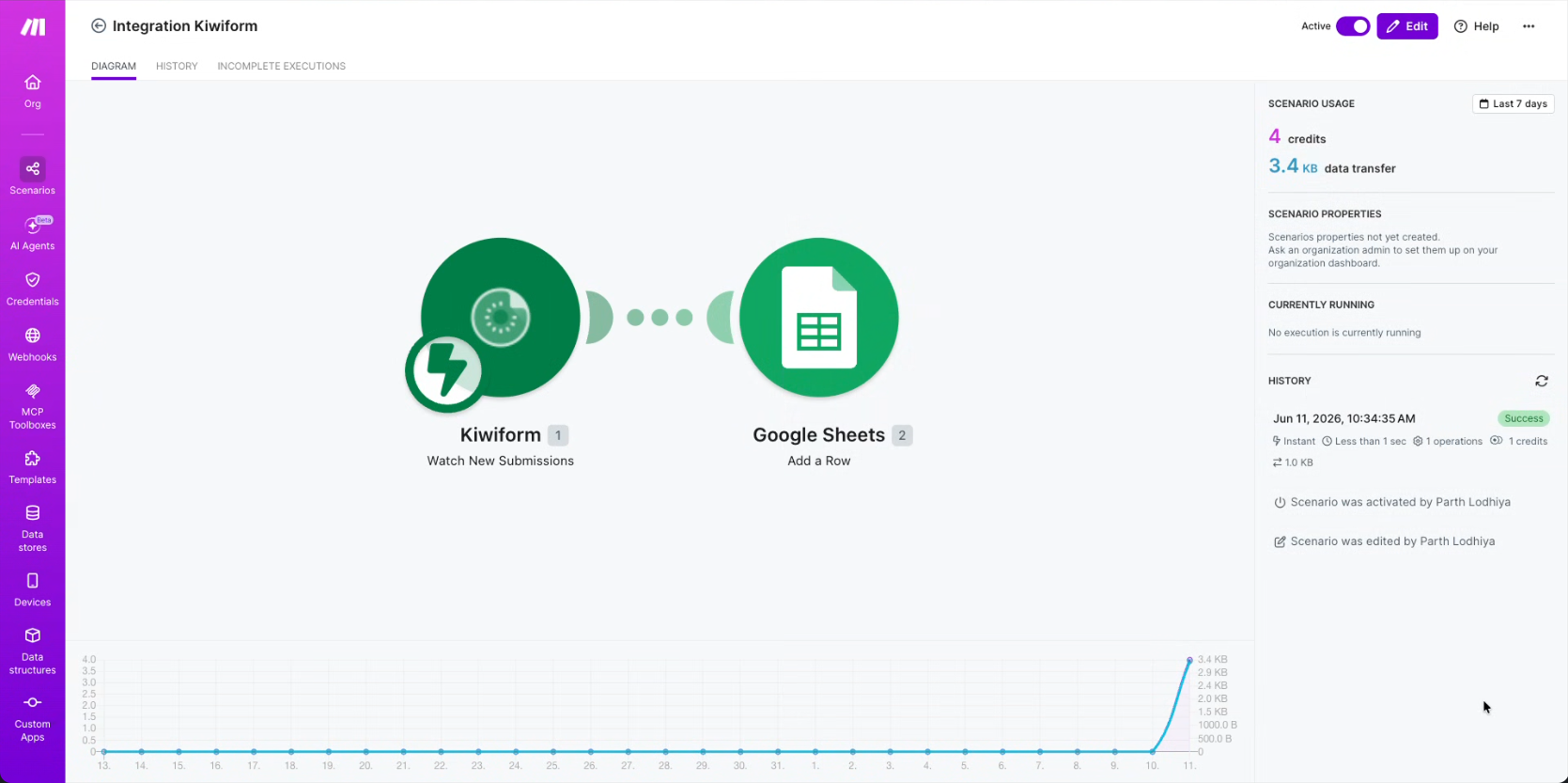
Kiwiform acts as the trigger that starts your automation.
When someone submits a form:
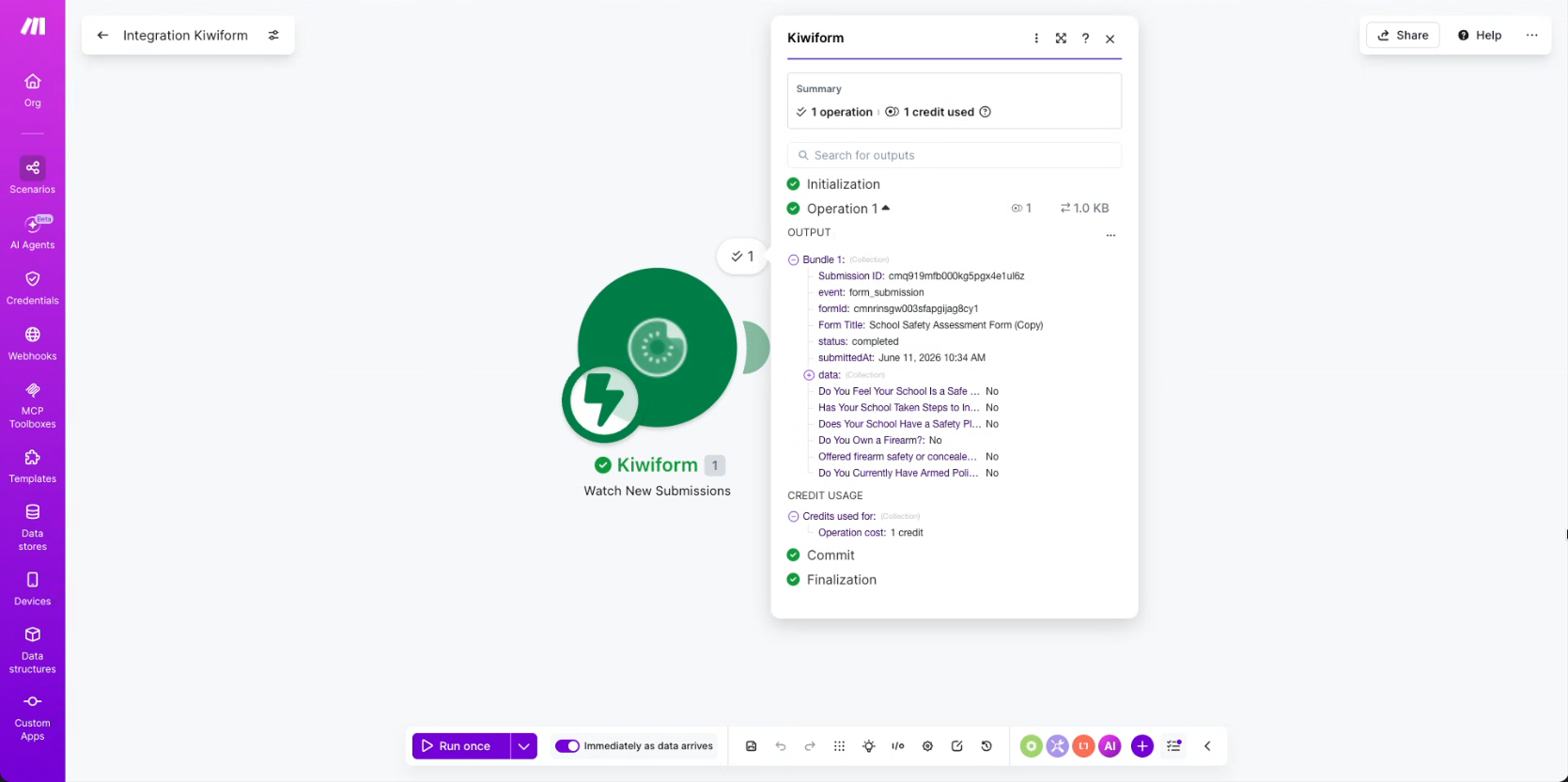
Kiwiform receives the submission.
Make detects the new response.
Your configured scenario runs automatically.
Actions are performed across connected applications.
For example:
New lead submitted → Create contact in CRM
Job application received → Create task for recruiter
Registration submitted → Send confirmation email
Support request submitted → Create help desk ticket
Internal request submitted → Notify team in Slack
This creates a fully connected workflow without requiring manual intervention.
How to Connect Kiwiform to Make
Connecting Kiwiform to Make only takes a few minutes.
Step 1: Open Integrations
From your Kiwiform dashboard:
Open the desired form
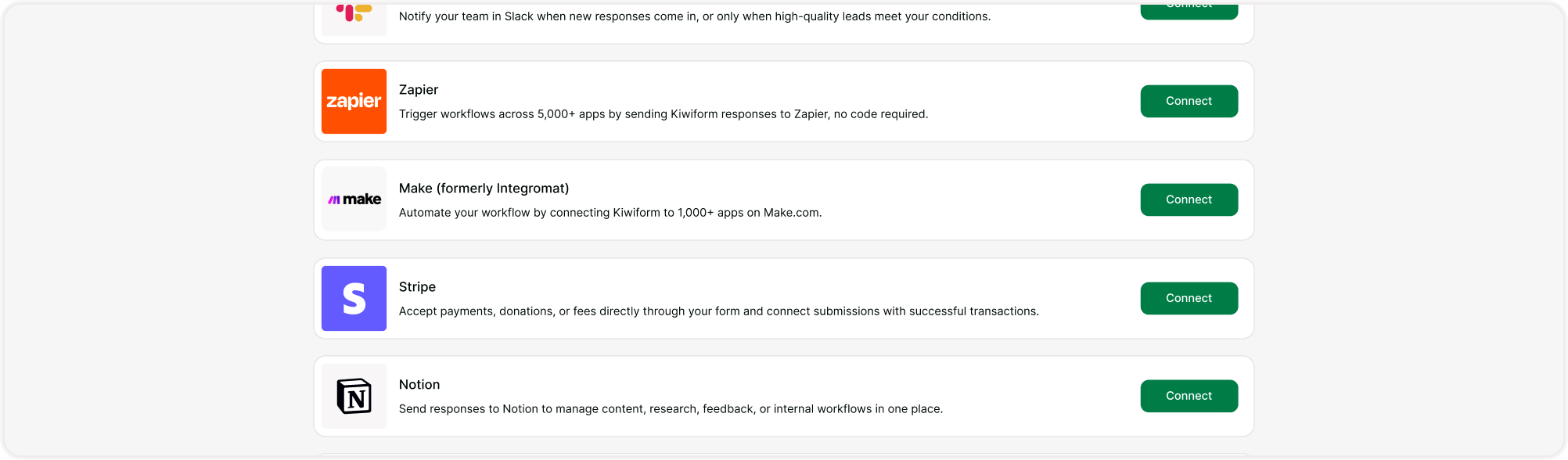
Navigate to Integrations
Locate Make
Click Connect
Step 2: Sign In to Make
After selecting Connect:
Sign in to your Make account
Grant the required permissions
Authorize the connection
Once completed, Kiwiform and Make will be linked and ready to exchange data.
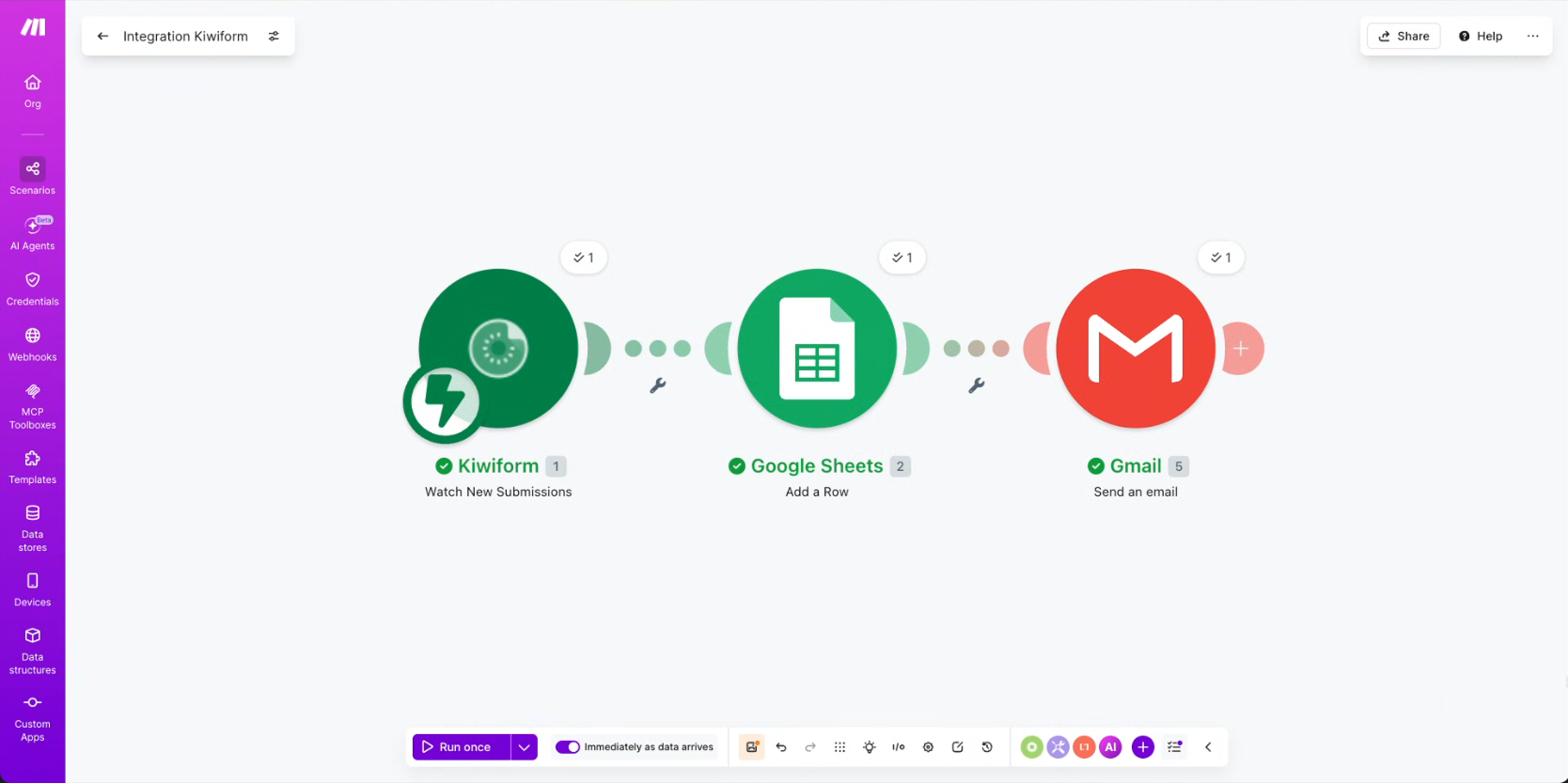
Step 3: Create a Scenario
Inside Make:
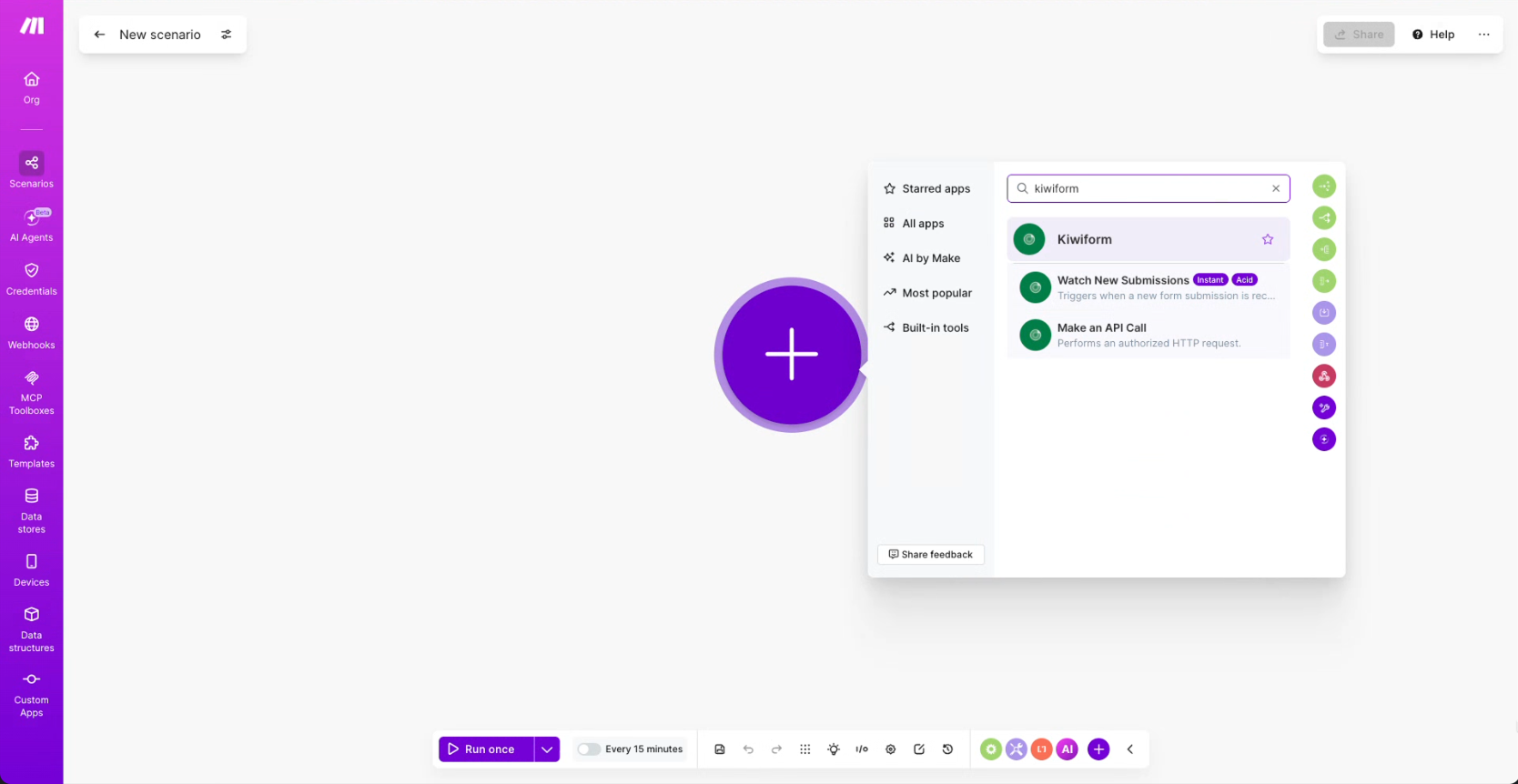
Create a new Scenario
Choose Kiwiform as the trigger application
Select the event that should trigger the workflow
Common trigger:
New Form Submission
Every time a new response is submitted, Make can automatically start the configured workflow.
Step 4: Add Actions
After selecting the trigger:
Choose the applications where data should be sent.
Examples:
Google Sheets
Slack
HubSpot
Airtable
Notion
Trello
Salesforce
Mailchimp
Microsoft Teams
Map Kiwiform fields to the corresponding fields in the destination application.
Step 5: Test and Activate
Before enabling the workflow:
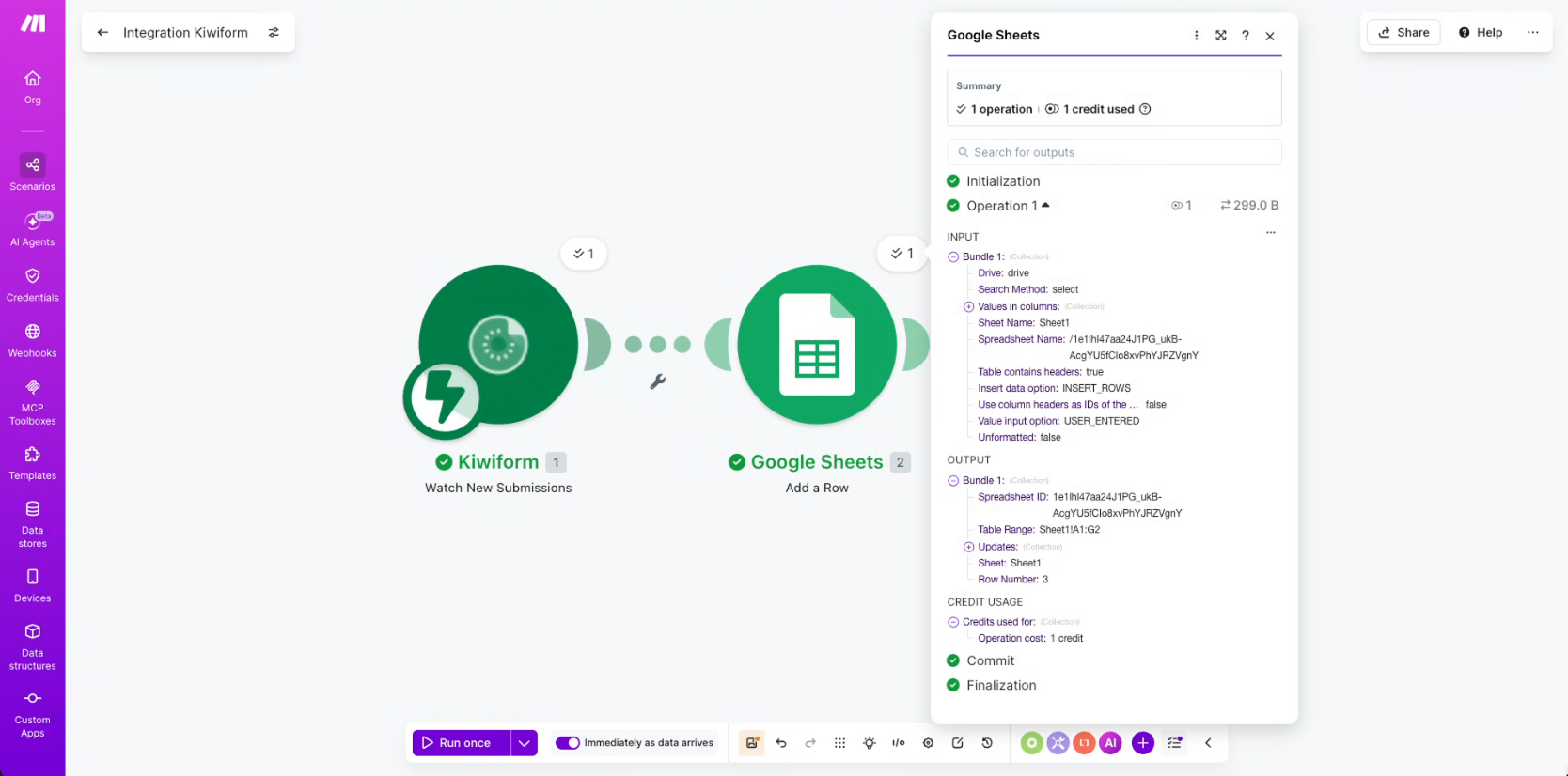
Submit a test response
Verify field mapping
Confirm actions are working correctly
Turn on the Scenario
Once activated, your automation will run automatically whenever new form submissions are received.
Popular Automation Workflows
Lead Management
Customer Onboarding
Recruitment and Hiring
Event Registrations
Internal Operations
Managing Your Make Connection
You can manage your Make integration at any time.
Available actions include:
Reconnect your account
Update permissions
Review workflow activity
Modify scenarios
Update field mappings
Troubleshoot automation issues
Changes made within Make can be applied immediately without affecting your existing form structure.
Best Practices
To build reliable automations:
Use clear field labels in your forms
Test scenarios before enabling them
Keep field mappings updated
Monitor scenario activity regularly
Document important workflows
Use filters when workflows require specific conditions
Review failed executions inside Make
Following these practices helps maintain consistent and predictable automation behavior.
Summary
Make integration allows Kiwiform form submissions to become part of powerful automated workflows. By connecting Kiwiform with Make, teams can automate repetitive tasks, route information across systems, reduce manual data entry, and build scalable operational processes.
Whether you're managing leads, onboarding users, handling requests, or coordinating internal operations, Make helps transform form responses into connected workflows that save time and improve efficiency.