What Is Plan Overview?
The Plan Overview section shows your current Kiwiform subscription details in one place. Here you can:
See which plan you are on (Free or Pro)
View your billing cycle (Monthly or Yearly)
Check your pricing
Upgrade or change plans
Understand what features and limits apply to your account
This page helps you clearly understand what you have access to and how your subscription works.
Where to Find Your Plan Overview
To access your plan details:
Click your profile avatar (top right).
Go to Account & Settings.
Open the Plan & Billing tab.
View your current plan information..
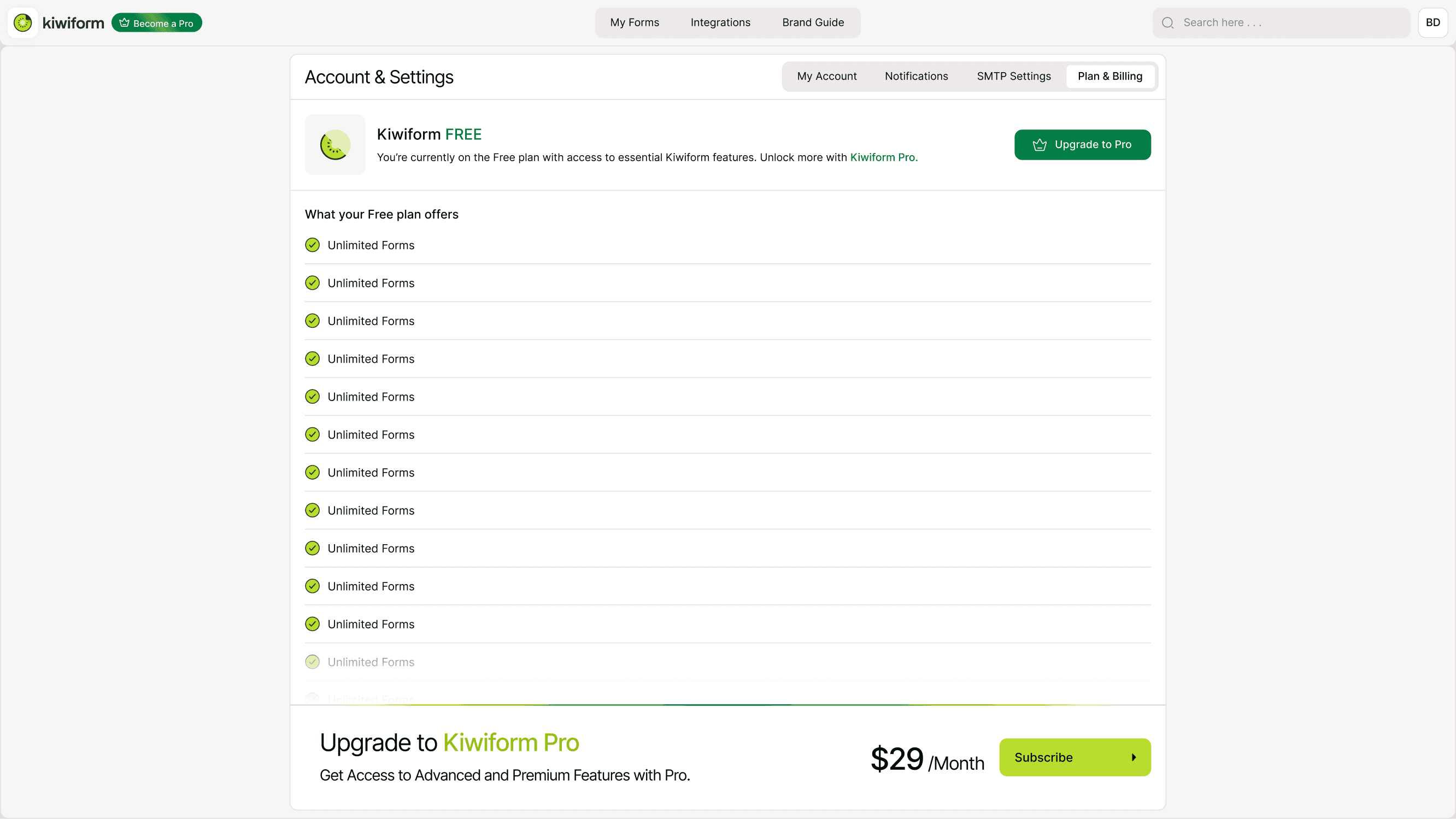
You’ll see your active plan card with pricing and billing options.
Viewing Your Current Plan
Your current plan section shows:
Plan name (e.g., Free or Pro)
Active billing cycle (Monthly or Yearly)
Current price
Upgrade or Get Started button (if on Free)
Renewal status (if applicable)
If you're on the Free plan, you will see the option to upgrade to Pro.
If you're on the Pro plan, you’ll see your active billing cycle and renewal details.
Monthly vs Yearly Billing
Kiwiform offers both Monthly and Yearly billing options.
Monthly Plan
Billed every month
Flexible subscription
Can be canceled before next renewal
Yearly Plan
Billed annually
Discounted rate compared to monthly
Best for long-term use
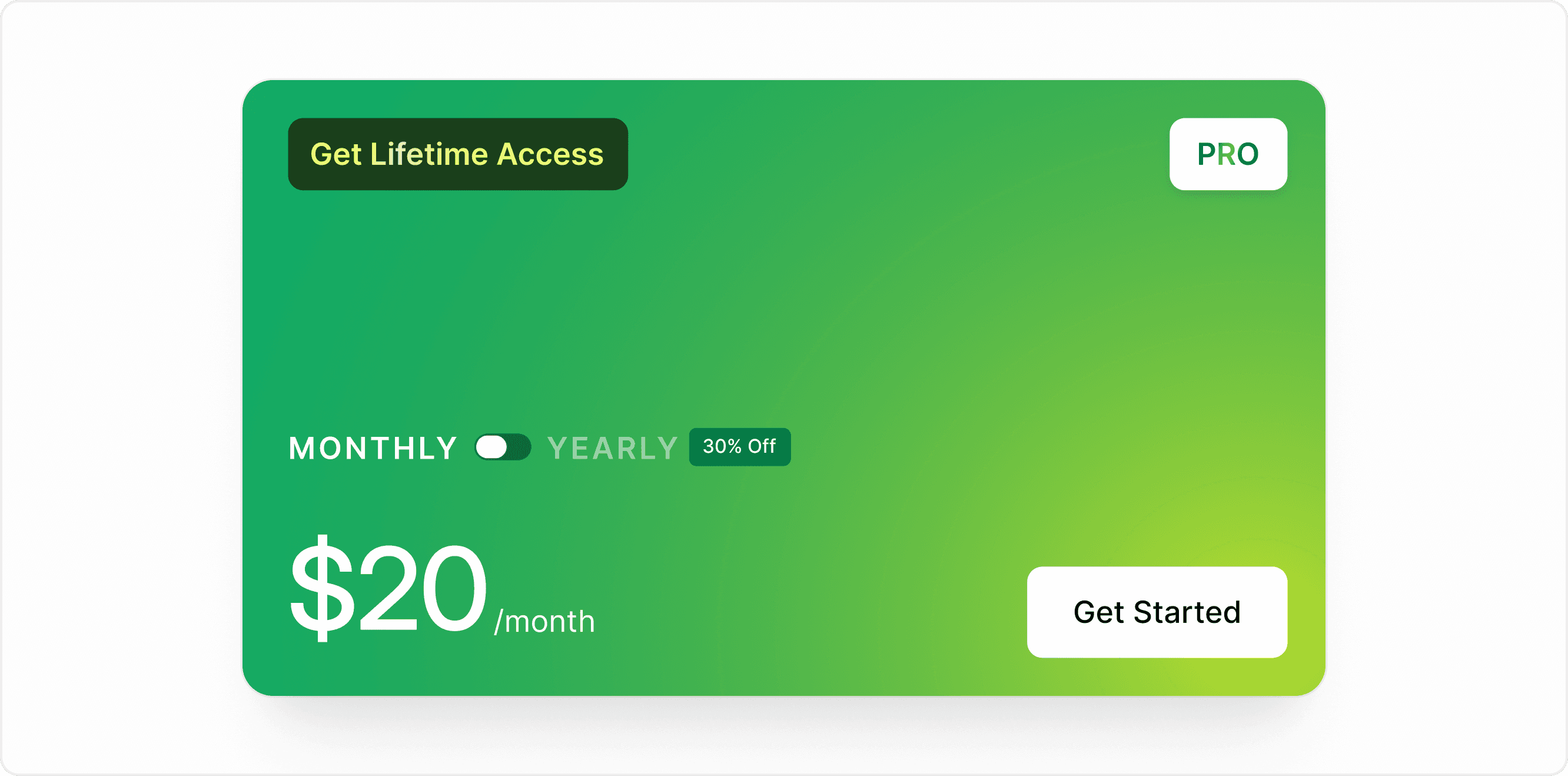
You can toggle between Monthly and Yearly options when upgrading or managing your plan.
How to Upgrade Your Plan
To upgrade:
Go to Account & Settings → Plan & Billing.
Select the Pro plan.
Choose Monthly or Yearly billing.
Click Get Started.
Complete payment details.
Once payment is confirmed, your upgraded features become available immediately.
What Happens When You Downgrade?
If you downgrade from Pro to Free:
Premium features may become unavailable.
Forms created using Pro-only features may be restricted.
Existing data is not deleted.
Billing stops at the end of your subscription cycle.
Plan changes apply according to your billing period.
Best Practices
Review your usage regularly.
Upgrade before reaching limits.
Choose yearly billing for long-term projects.
Monitor renewal dates to avoid interruptions.
Kiwiform keeps subscription management simple and transparent so you can focus on building forms instead of managing complexity.
Summary
The Plan Overview section helps you view your current subscription, compare billing cycles, understand plan limits, and upgrade or manage your Kiwiform plan easily.