What Is Response Metadata?
Response metadata is background information associated with each submission. It does not replace answers — it complements them.
Kiwiform tracks metadata such as:
Device type (Desktop, Tablet, Mobile)
Browser (Chrome, Safari, Edge, Firefox, Opera, etc.)
Operating system
Location (Country-level data)
Submission time and date
Completion status (Completed / Incomplete)
Time spent completing the form.
This information helps you analyze performance patterns and user behavior.
Where to Find Response Metadata
You can access metadata in two main places:
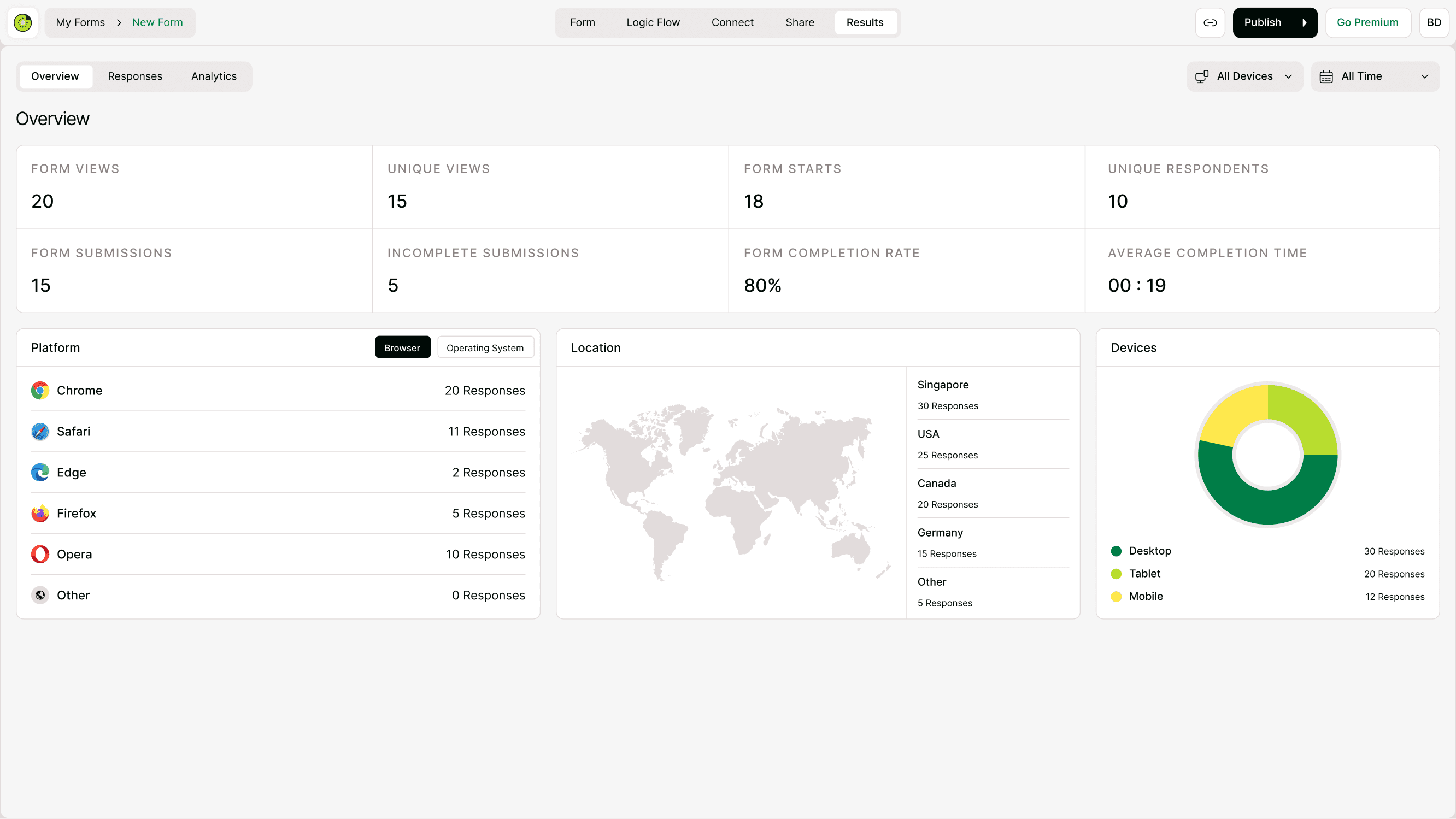
Overview Tab
Go to:Form → Results → Overview
Here you’ll see:
Form views
Unique views
Form starts
Unique respondents
Completion rate
Average completion time
Platform breakdown
Location map
Device distribution
Responses Tab
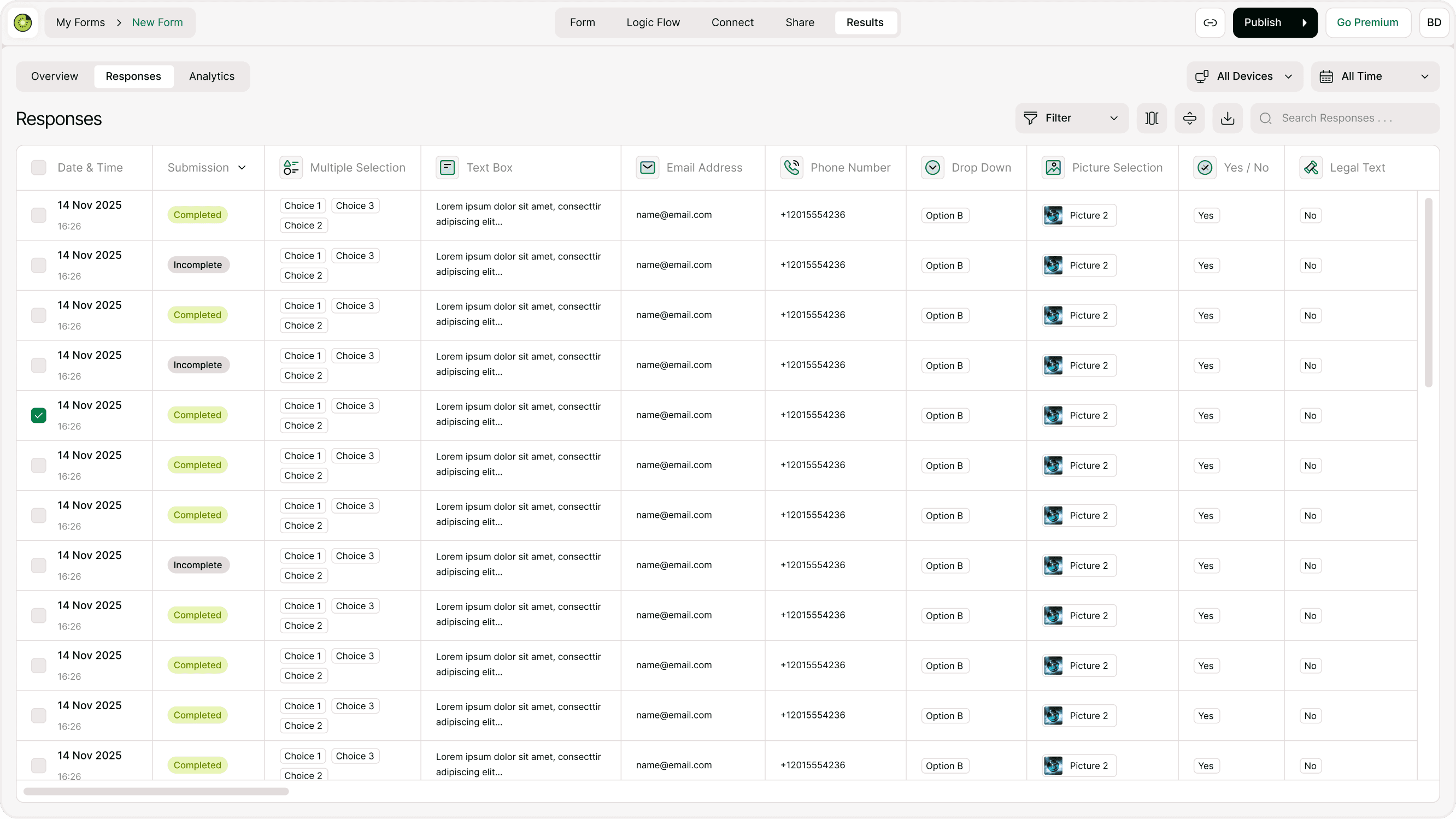
Inside:Form → Results → Responses
Each submission includes:
Date & Time
Submission status (Completed or Incomplete)
All answer fields
Metadata such as submission status and timestamps are visible directly in the response table.
Types of Metadata Explained
Device Type
Metadata categorizes submissions by:
Desktop
Tablet
Mobile
Other
This helps you understand which device audience prefers.
Use case example:
If most responses come from mobile, optimize your form layout for smaller screens.
Location Data
Location metadata provides country-level insights into where responses originate.
This is useful for:
Campaign targeting
Regional performance analysis
Geographic expansion decisions
Event-based reporting
Kiwiform does not collect precise personal location data — only general region information for analytics..
Time Based Metadata
Every response includes:
Date of submission
Time of submission
Completion duration
Completion status
This helps you:
Track peak response times
Measure form engagement
Identify drop-off patterns
Optimize send times for campaigns
Why Response Metadata Matters
Metadata helps you move from simple data collection to strategic decision-making.
You can:
Improve mobile experience
Optimize browser compatibility
Identify global audience segments
Monitor campaign performance
Reduce incomplete submissions
It transforms raw responses into meaningful behavioral insights.
Best Practices for Using Metadata
Combine metadata with filters for targeted analysis.
Review device trends regularly.
Monitor completion rates alongside time spent.
Compare geographic performance across campaigns.
Export data when deeper analysis is required.
Smart use of metadata leads to better optimization.
Summary
Response metadata enhances your analytics by revealing device, browser, location, and timing insights. It helps you understand not just what users answered, but how they interacted with your form.