What is Setup Endings?
Setup Endings controls the final step of your form. After a respondent submits their answers, the ending determines what they see or where they go next. This can be a thank-you screen, a confirmation message, a redirect to another page, or an action connected to external tools.
Endings help you complete the respondent experience in a clear and intentional way. They confirm that the form has been submitted and guide users toward the next step, whether that is visiting a website, booking a call, or simply receiving a confirmation message.
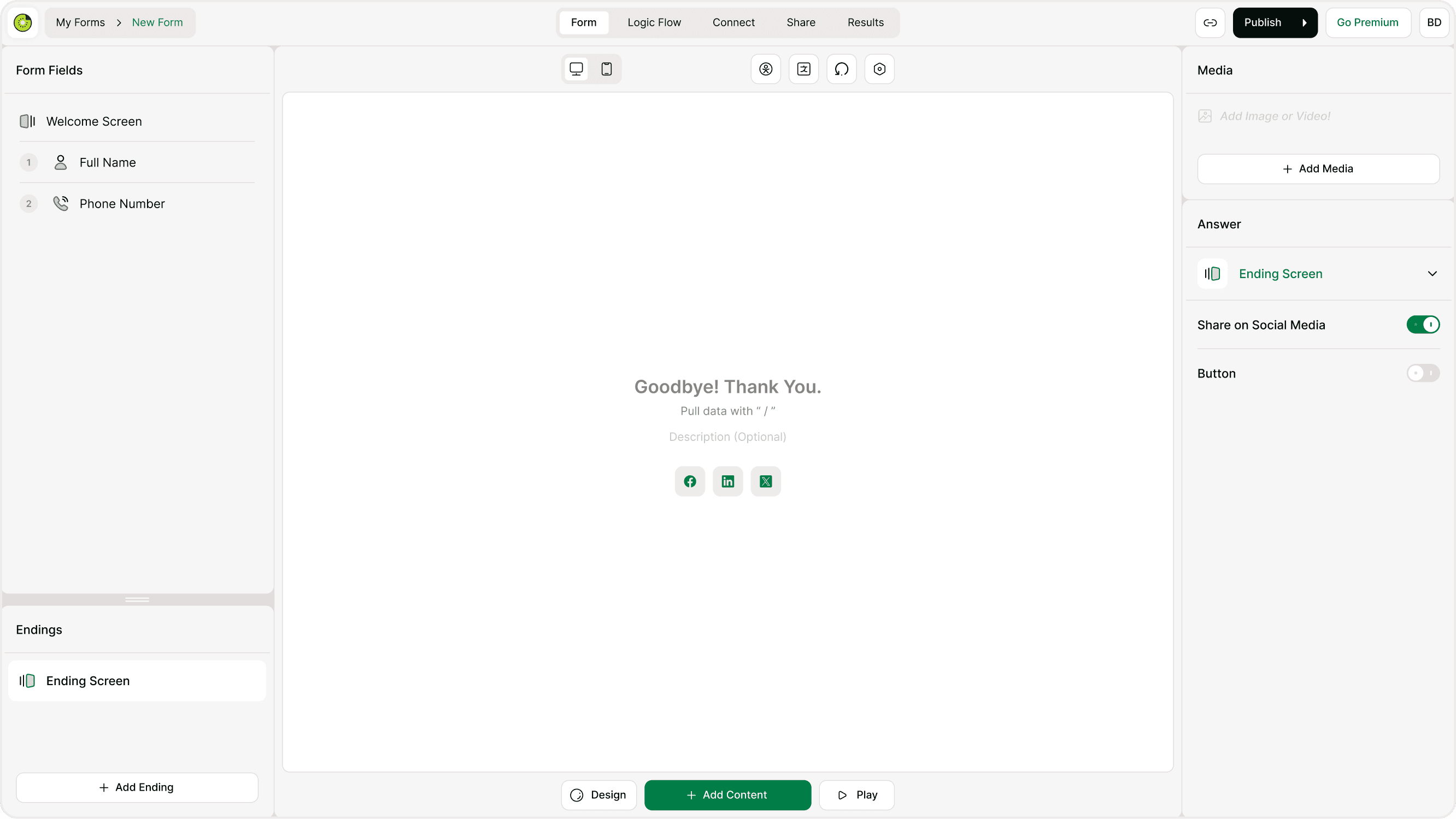
Where to find Setup Endings
You can access Setup Endings from inside the form builder.
Open your form in the builder.
Scroll to the Endings section in the left panel.
Click Add Ending.
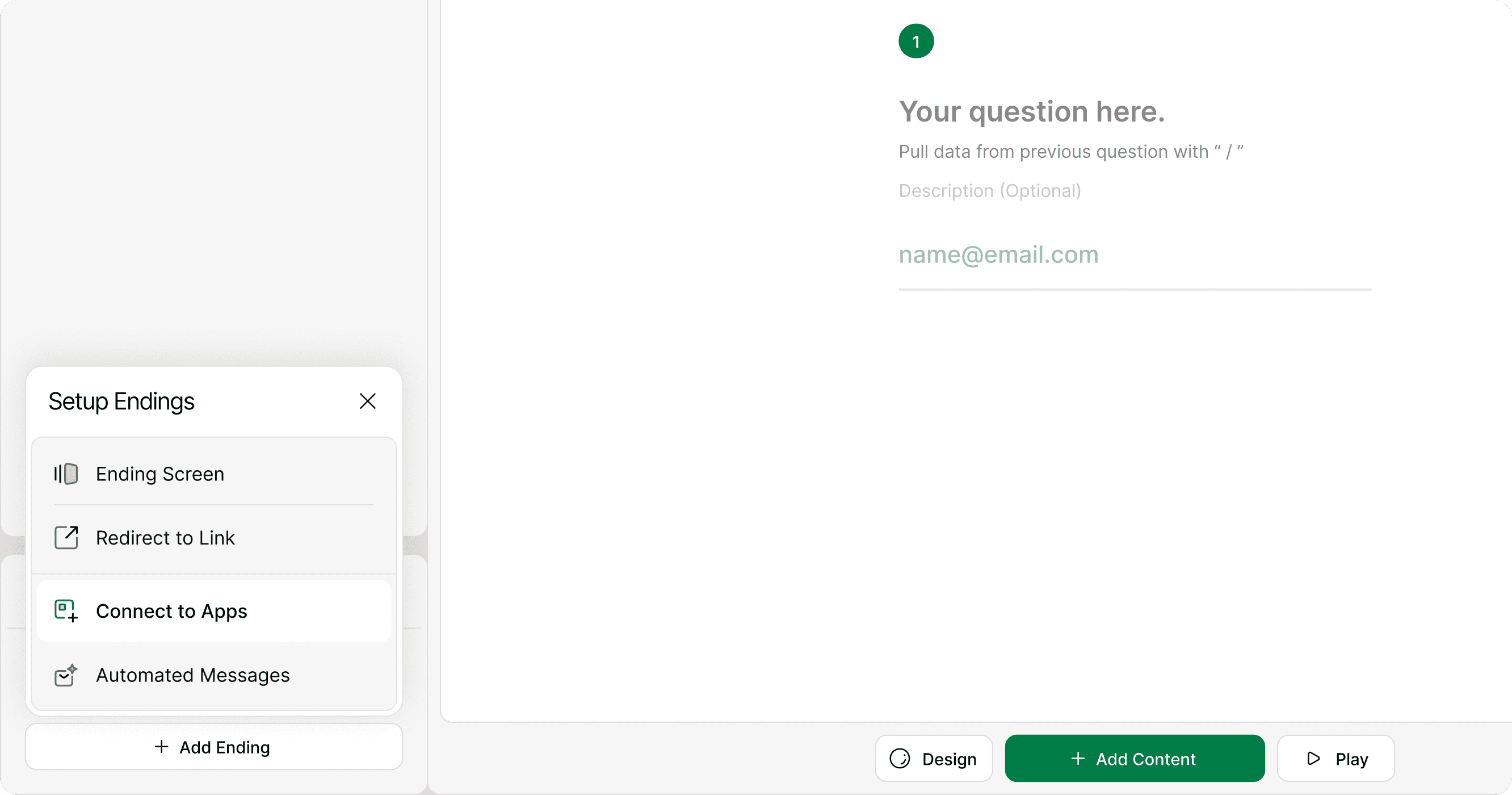
Choose the type of ending you want to configure.
You can edit, remove, or update endings at any time. Changes apply immediately after publishing.
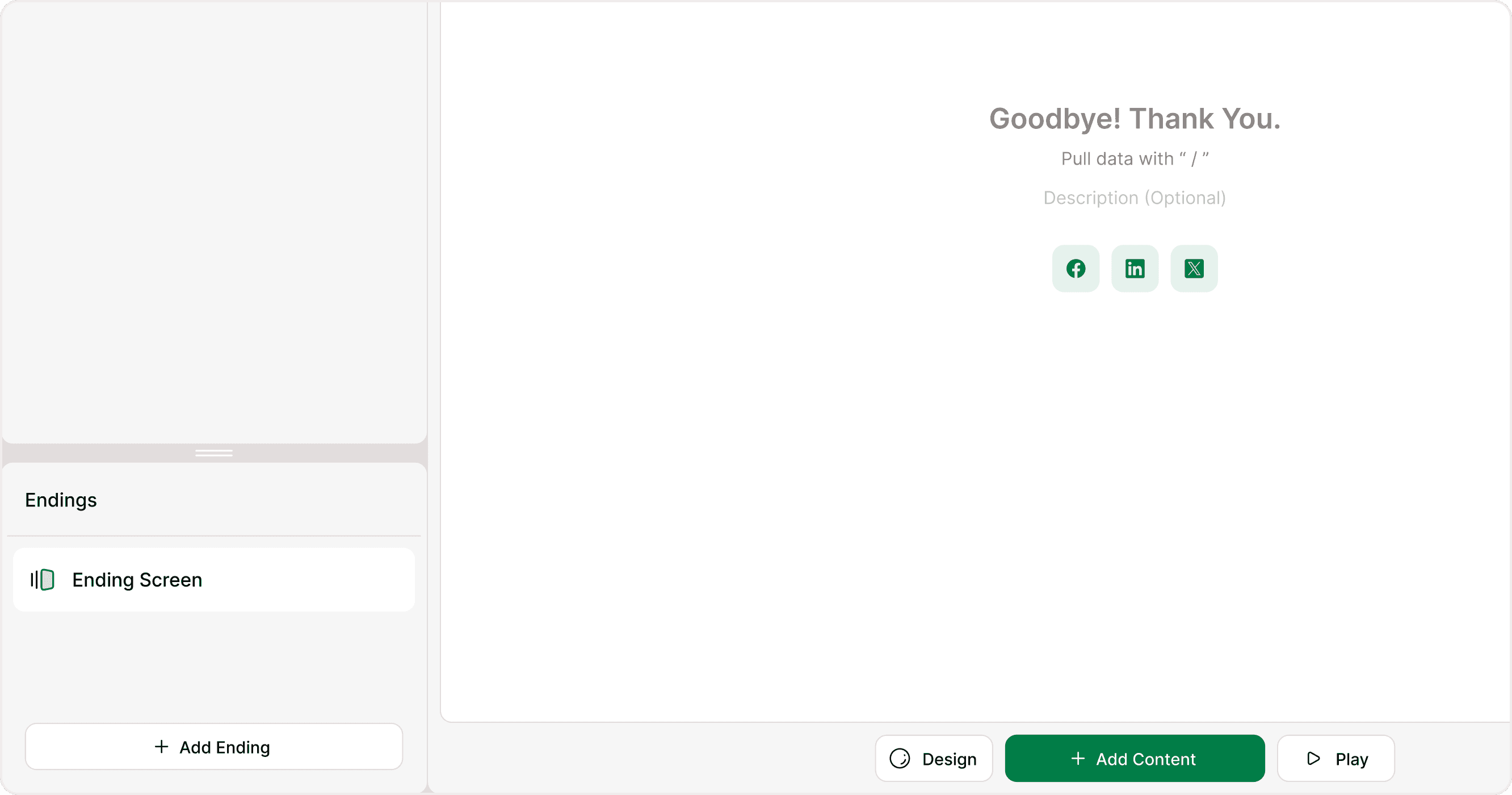
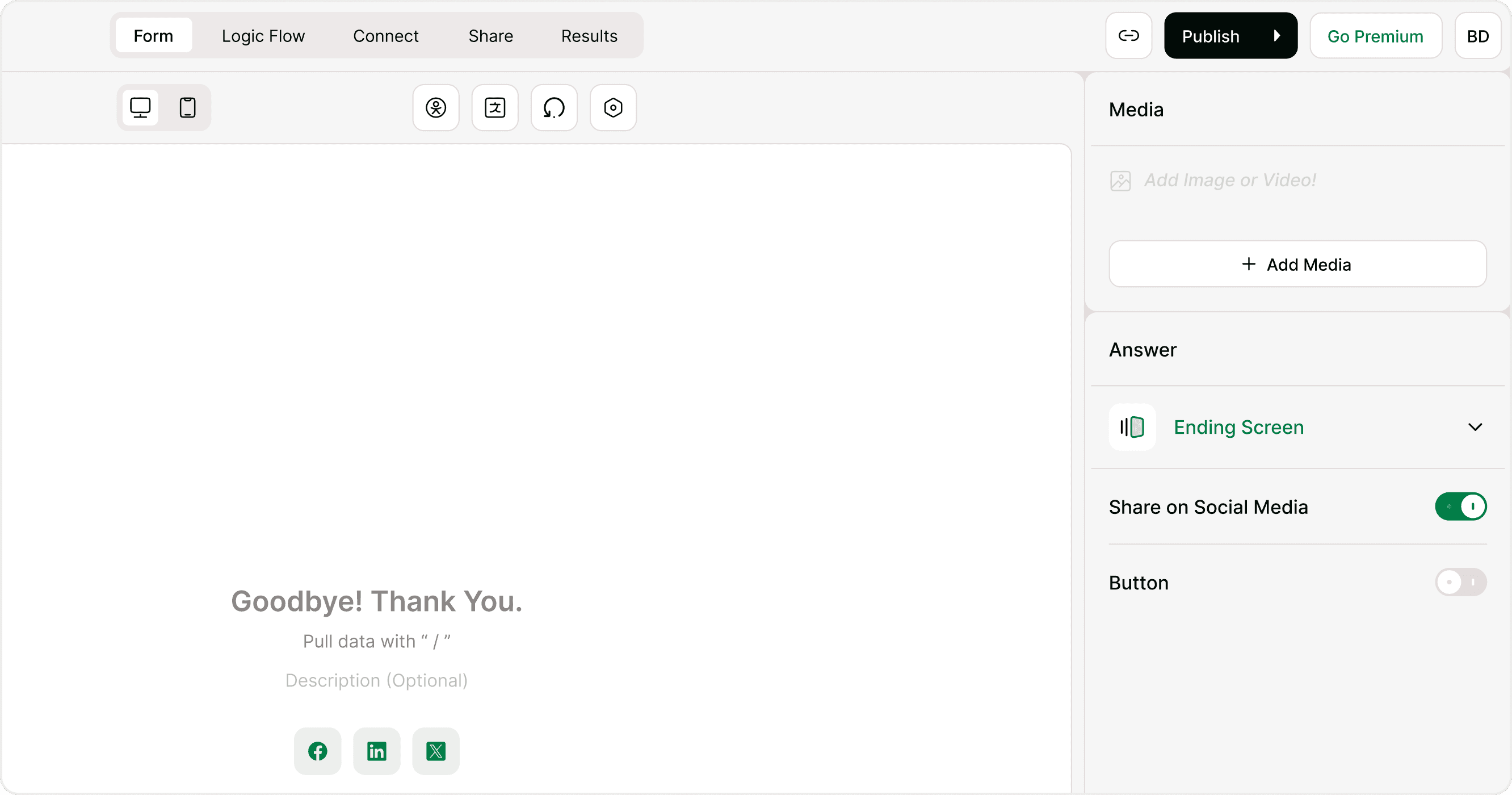
Add an Ending Screen
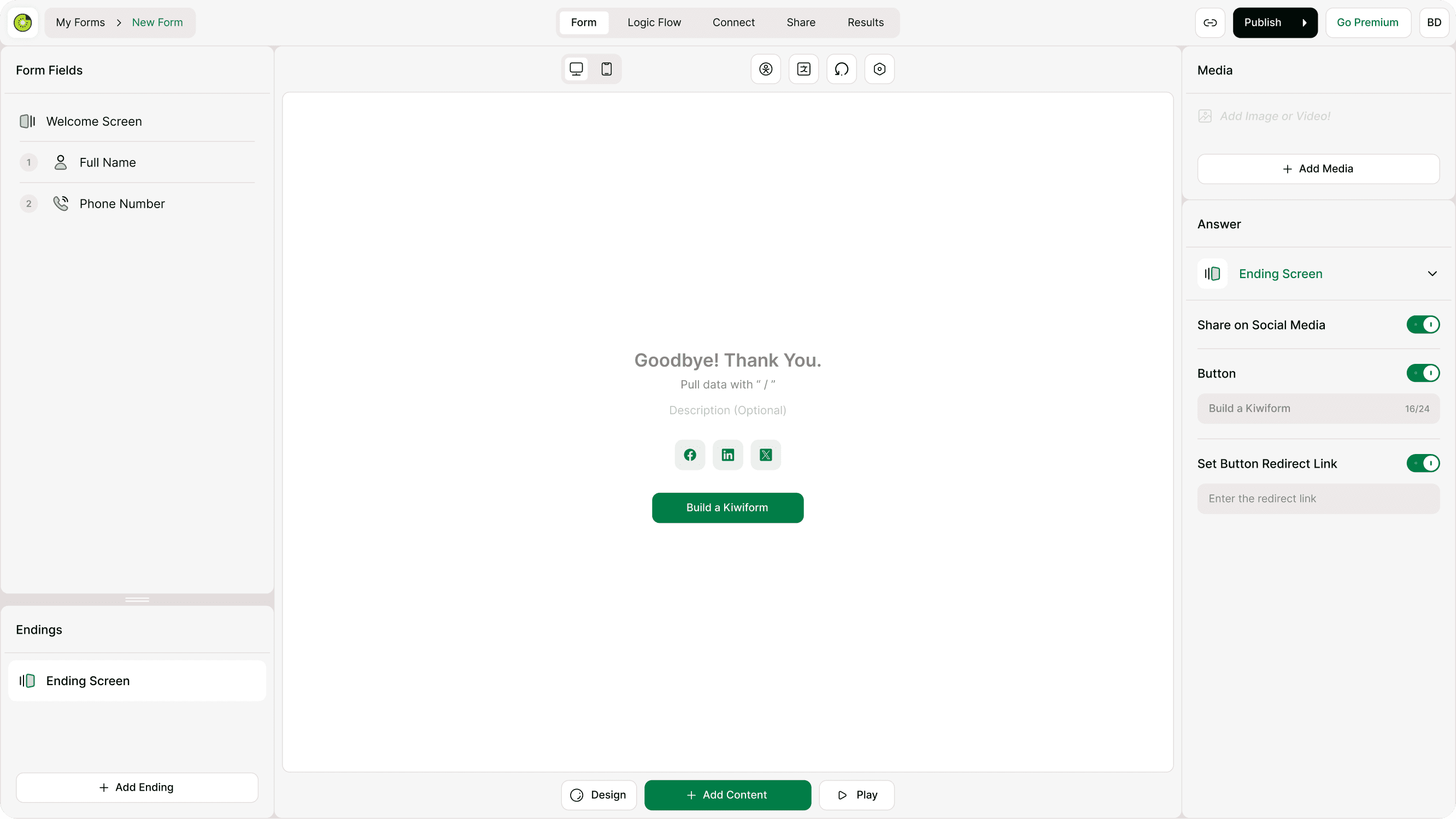
An Ending Screen shows a final message after submission. This is commonly used to thank respondents, confirm submission, or provide next steps.
You can customize:
Headline text
Description or message
Call-to-action button
Social links if available
Redirect button behavior
Ending Screens are useful when you want respondents to remain in the form environment and see confirmation immediately.
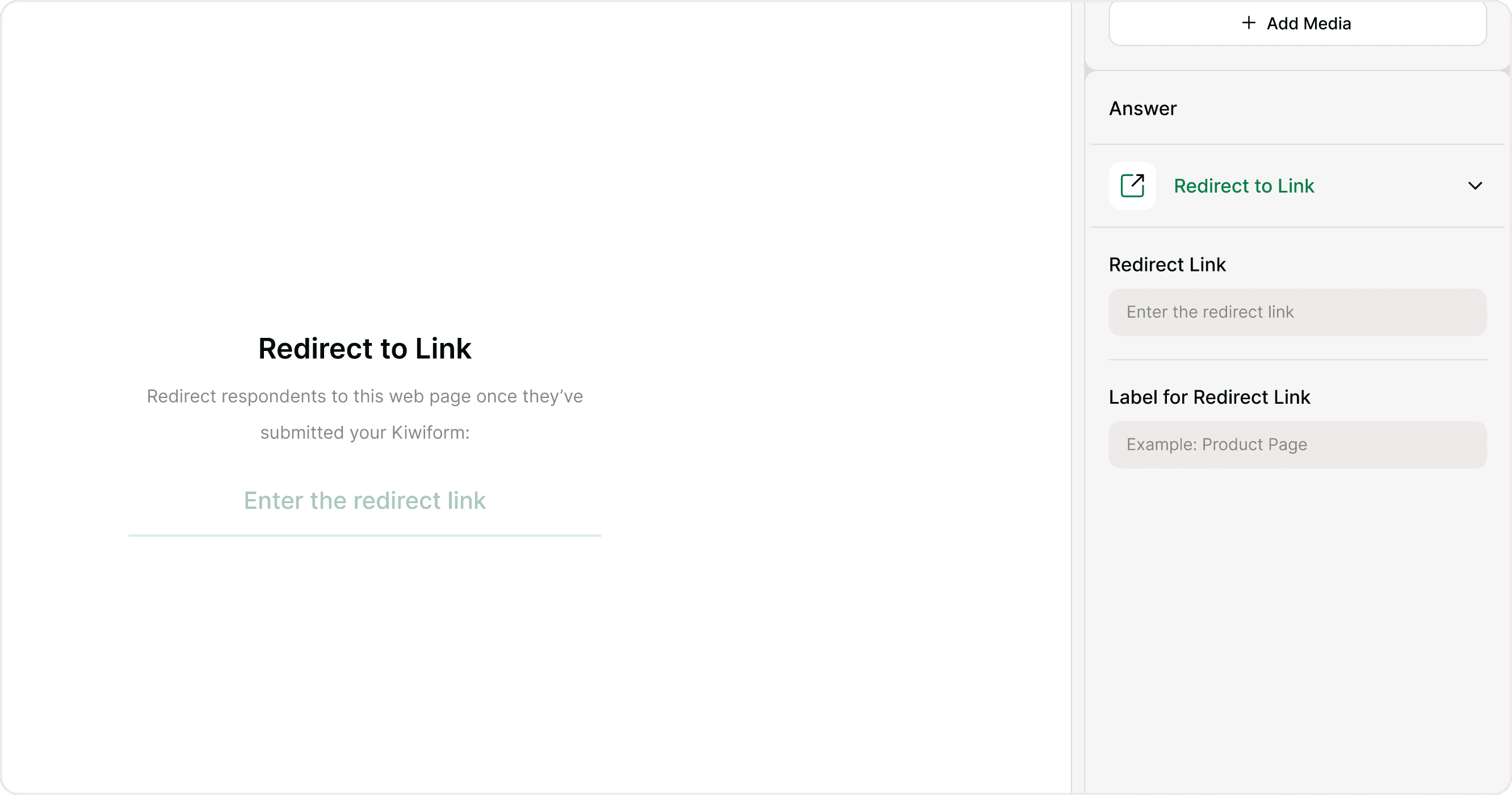
Redirect to a link
Redirects send respondents to another page after submission. This can be a website, booking page, download link, or confirmation page.
Use redirects when you want respondents to:
Visit a landing page
Complete a purchase
Schedule a meeting
Download a file
Continue to another form
You can add a redirect link directly inside the Setup Endings panel and update it anytime.
Connect to apps at the ending stage
In some cases, endings can trigger connected actions such as sending data to external tools. While full automation setup is handled in the Integrations section, Setup Endings is where you define what happens immediately after submission.
This ensures respondents see the correct confirmation while background processes continue.
When to use different ending types
Use an Ending Screen when:
You want to show a confirmation message
You want respondents to stay on the form page
You want to provide a button for optional next steps
Use Redirect to Link when:
You want to send respondents to another page
You need to continue the journey outside the form
You want to track conversions or actions
Choosing the right ending helps create a smooth and intentional user experience.
Editing or updating endings
You can update endings anytime from the builder. If your form is already live, publish changes after editing to apply them.
Updating an ending does not affect collected responses. It only changes what future respondents see after submission.
Common use cases
Thank-you message after a survey
Redirect to a booking page after a lead form
Confirmation screen after event registration
Redirect to a download page
Post-submission instructions
Setup Endings helps ensure the form experience feels complete and intentional.
Best practices
Always include a confirmation message after submission
Use clear and friendly language in ending screens
Add a redirect when the next step is outside the form
Test your ending flow before publishing
Keep the final step simple and focused
A well-designed ending improves trust and gives respondents clarity about what happens next.
Summary
Setup Endings in Kiwiform allows you to control what happens after a respondent submits your form. You can create custom thank-you screens, show personalized messages, add images, include call-to-action buttons, or redirect users to another page. Endings help you guide respondents toward the next step — whether that’s booking a call, visiting your website, downloading a resource, or simply confirming submission. Properly configured endings improve engagement, conversion, and user experience.