Before You Start
Shopify Plan Requirement
To embed custom code in Shopify, you must:
Have access to Online Store themes
Be able to edit theme files or use Custom Liquid blocks
Most Shopify paid plans allow custom embed code inside pages and themes.
Open Share → Embed Form in Web Page
Open your form in Kiwiform
Click Share
Select Embed Form in Web page
Choose Shopify from the dropdown
Kiwiform will generate the correct Universal Embed code for Shopify.
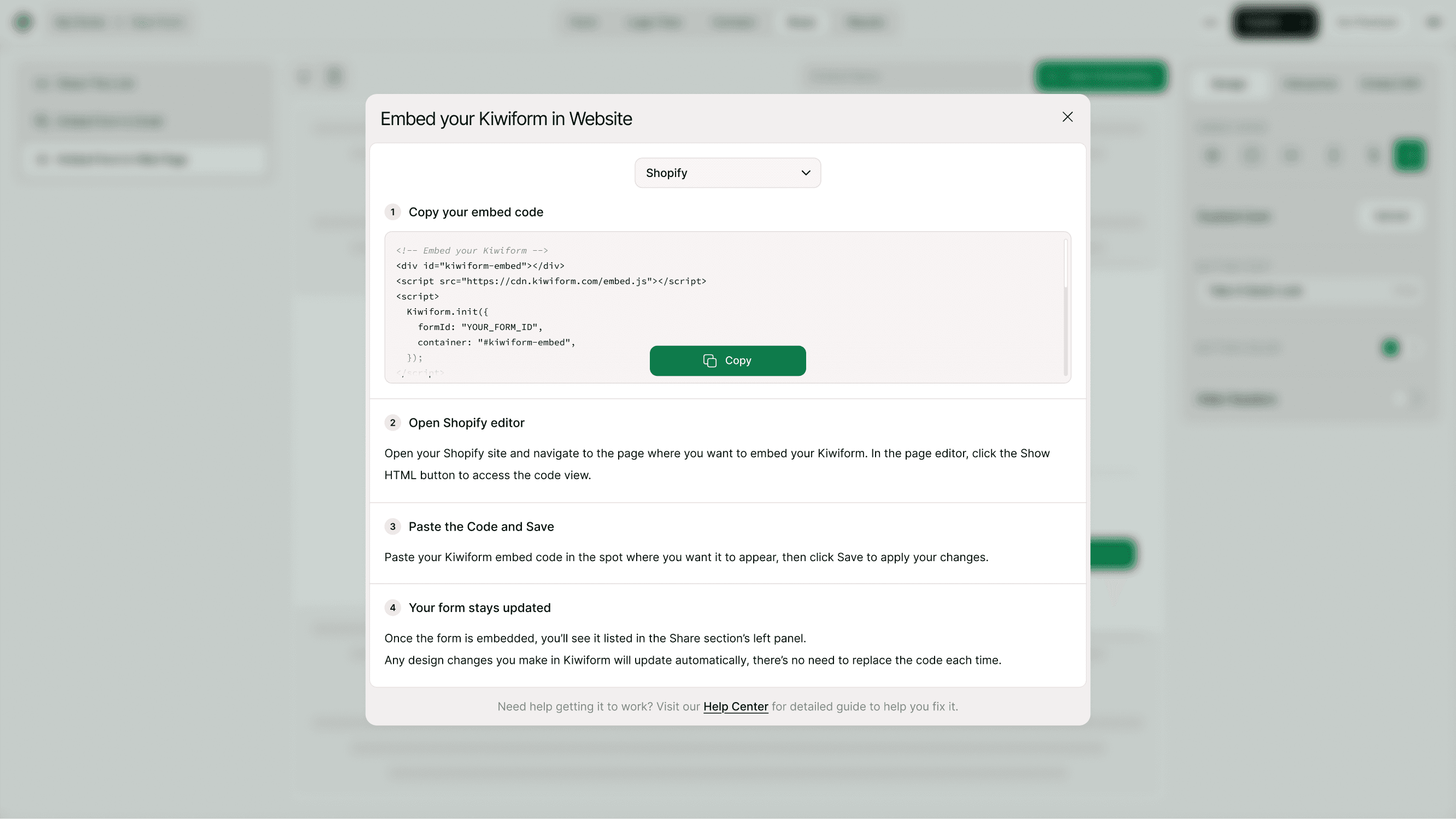
Copy Your Embed Code
Click Copy Code.
This script loads your form dynamically inside Shopify.
Create or Edit a Page
Go to your Shopify Admin Dashboard
Click Online Store → Pages
Open an existing page or click Add Page
Where to Use Shopify Embeds
You can embed Kiwiform in:
Product pages (for pre-order interest)
Contact pages
Custom landing pages
Exit-intent sections
Thank-you pages
Wholesale inquiry pages
Embedding directly inside your store keeps users on-site and increases completion rates.
Your Form Updates Automatically
After embedding:
Question edits
Design changes
Logic flow updates
Thank-you screen changes)
All update automatically on your Shopify store.
There’s no need to replace the code again.
Why Use Kiwiform with Shopify?
Shopify handles eCommerce. Kiwiform handles conversion and data collection.
As a free Typeform alternative, Kiwiform helps Shopify store owners:
Capture leads
Collect product feedback
Run surveys
Qualify wholesale buyers
Gather post-purchase insights
All without slowing down your store.
Best Practices for Shopify Forms
For better performance and conversions:
Place forms below product descriptions
Keep forms short and focused
Add a strong headline above the embed
Test on mobile devices
Avoid placing inside hidden accordion sections
Shopify themes are responsive, and Kiwiform adapts automatically.
Summary
To embed Kiwiform in Shopify, choose Shopify in the Embed section, copy the Universal Embed code, paste it into your Shopify page (HTML view) or Custom Liquid section, and save. Your form will load dynamically and update automatically.