Before You Start
Squarespace Plan Requirement
To embed custom code in Squarespace:
You must be on a plan that allows Code Blocks
Most Business and Commerce plans support custom code
Personal plans may have limitations depending on version
If custom scripts are restricted, upgrade to a plan that supports code injection or code blocks.
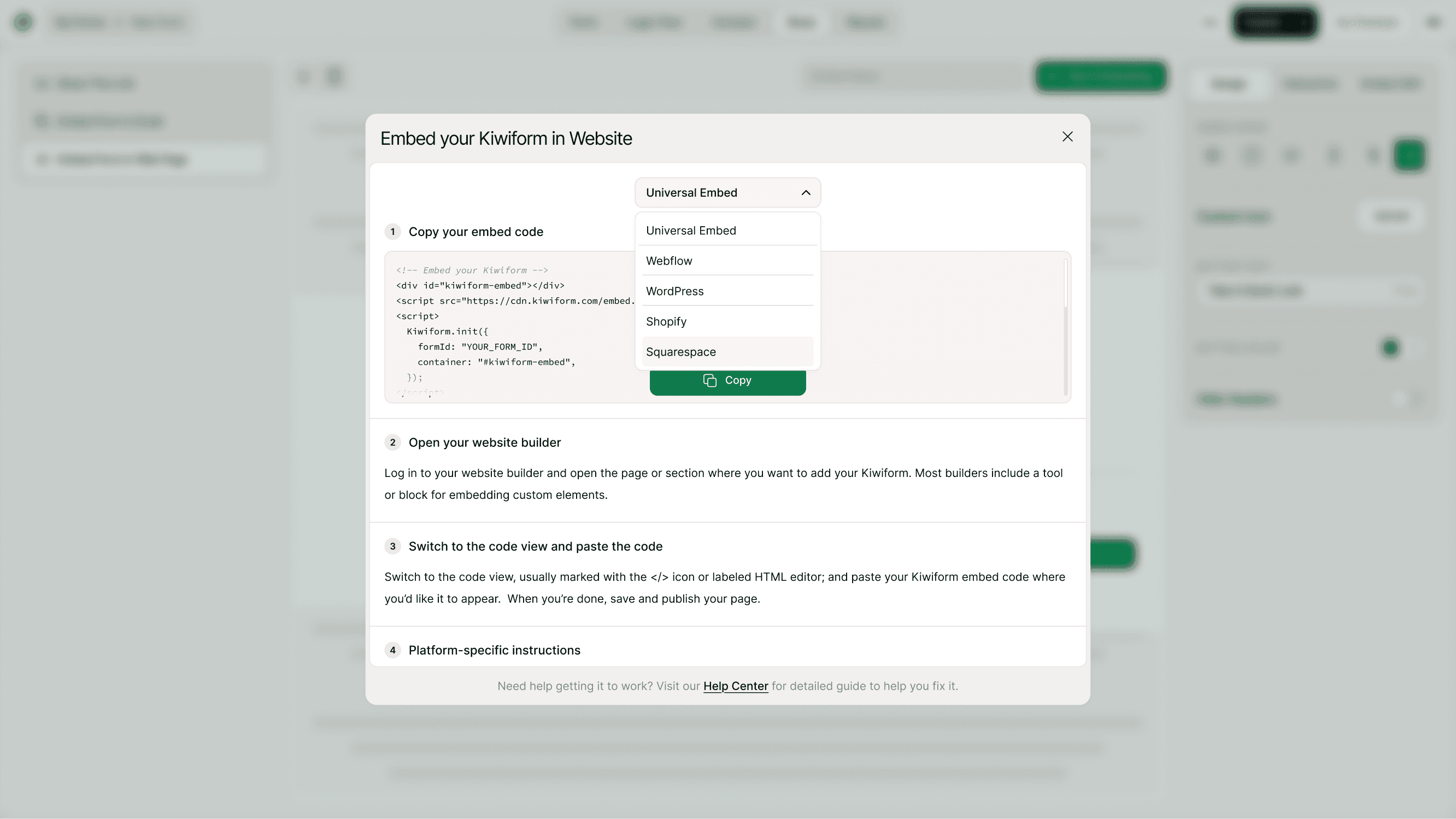
Open Share → Embed Form in Web Page
Open your form in Kiwiform
Click Share
Select Embed Form in Web page
Choose Squarespace from the dropdown
Kiwiform will generate the correct Universal Embed code.
Copy Your Embed Code
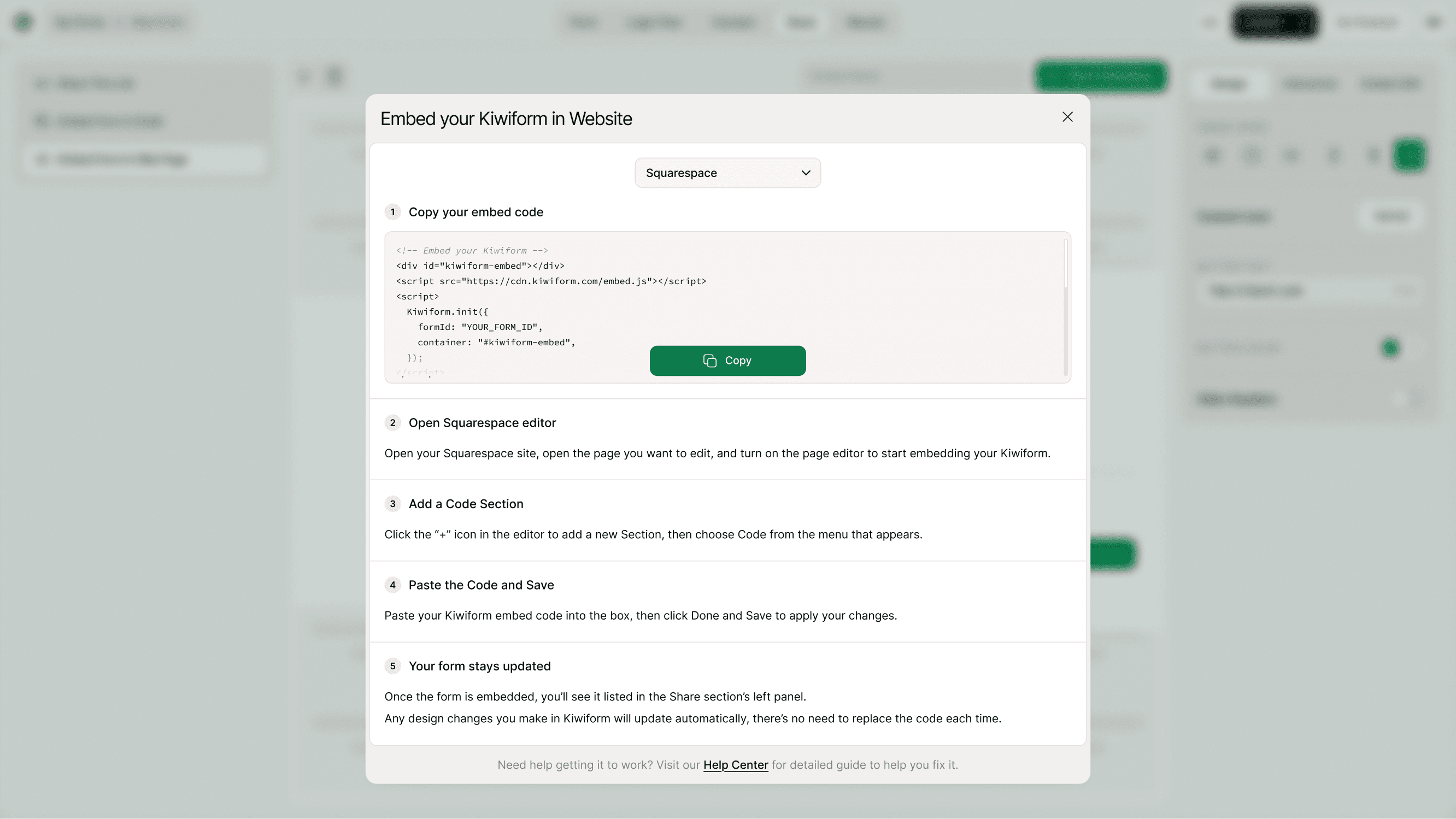
Click Copy Code.
This script dynamically loads your form on the page.
Open Squarespace Page Editor
Log in to your Squarespace dashboard
Go to Pages
Select the page where you want the form
Click Edit
Add a Code Block
Inside the Squarespace editor:
Click Add Block (+)
Choose Code
Paste your Kiwiform embed code into the Code block
Click Apply
Save your pages
Your form will now appear on that page.
Alternative: Embed in Section Layout
If you're using Squarespace 7.1:
Add a new section
Insert a Code block inside the section
Adjust layout width for full responsiveness
For best results, use full-width sections.
Your Form Updates Automatically
After embedding:
Design changes
Question updates
Logic edits
Thank-you screen modifications
Will automatically reflect on your Squarespace site.
You don’t need to re-paste the code.
Where to Use Squarespace Embed
You can embed Kiwiform in:
Contact pages
Homepage sections
Landing pages
Service pages
Event registration pages
Newsletter sign-up areas
Embedding directly improves engagement compared to linking externally.
Why Use Kiwiform with Squarespace?
Squarespace is design-focused. Kiwiform adds powerful data collection.
As a free Typeform alternative, Kiwiform helps Squarespace users:
Capture leads
Run surveys
Collect feedback
Accept registrations
Improve conversions
All while maintaining clean design.
Best Practices for Squarespace Forms
For better performance and conversions:
Add a strong headline above the form
Keep forms short and focused
Avoid placing inside collapsible sections
Ensure the section width is set to full
Test on mobile preview mode
Kiwiform automatically adapts to mobile layouts.
Summary
To embed Kiwiform in Squarespace, choose Squarespace under Embed options, copy the Universal Embed code, add a Code block in your Squarespace editor, paste the code, and save. Your form will load dynamically and update automatically.